You’ve decided to close your Discover credit card, but now the questions start. Can you do it online? What happens to your cash back? Will your credit score drop right before you need it? These are fair concerns, and getting them wrong can cost you real money.
To cancel a Discover credit card, call 1-800-DISCOVER (1-800-347-2683) or send a written request by mail, since Discover doesn’t offer an online closure option.
Below, you’ll find the exact steps to close your account, a simple call script, the one rewards trap that catches first-year cardholders, and what closure really does to your credit score.
At a Glance
This guide explains how to cancel a Discover credit card, including the phone and mail closure methods, protecting your Cashback Match and rewards, and the resulting credit score impact.
Core Facts:
- Discover does not offer online account closure; you must call 1-800-DISCOVER (1-800-347-2683) or send a written closure request by mail.
- You can close a Discover card with a remaining balance, but you must keep paying it and interest continues to accrue on the amount owed.
- If your account is closed, Discover will send your earned Cashback Bonus balance as a check or account credit, though redeeming it yourself first puts the timing in your control.
- The first-year Cashback Match is calculated only after your first 12 consecutive billing cycles, so closing before that point can put the match at risk.
- Closing a card can raise your credit utilization and shorten your average account age, both of which can lower your credit score.
- Discover’s general correspondence address for written closure requests is Capital One, PO Box 71083, Charlotte, NC 28272-1083, though you should confirm the address on your latest statement first.
Best for:
- Cardholders who have decided to close their Discover account and want the exact phone number, mailing process, and call script.
- First-year cardholders who want to avoid forfeiting their pending Cashback Match before closing.
- Anyone weighing whether to close the card outright versus locking it or requesting a product change instead.
Before You Call: What Discover Requires to Close Your Card
Here’s the first thing to know. You can’t close your Discover account online or in the app. There’s no “close account” button, and you’re not missing it. Discover limits full account closure to two channels: a phone call or a written request by mail.
That means a quick plan before you start saves you time. Pay down your balance, redeem your rewards, and move any recurring charges off the card. Then make the call. Each of those prep steps is covered below.
One more thing worth knowing in 2026. Discover is now part of Capital One, and some accounts are being moved over. If your account has already moved, you’ll manage it through Capital One instead. Discover’s contact page explains where to log in for each case.
Why There’s No Online Cancellation Option
Discover’s website and app let you do a lot. You can freeze a lost card, pay your bill, and redeem rewards. Closing the account just isn’t on that list. The company doesn’t publish a reason for this, so don’t waste an evening hunting through menus. A phone call to 1-800-DISCOVER or a mailed letter is the working path.
Pay Off Your Balance First
The cleanest closure starts at a $0 balance. Pay the card off before you call, and the whole process gets simpler.
That said, a balance doesn’t have to stop you. The Consumer Financial Protection Bureau confirms that you can close a credit card account even if you still owe money on it. The catch is important: closing the card doesn’t erase the debt. You still owe the full outstanding balance; you must keep paying it on schedule, and the issuer can keep charging interest on what’s left. Your card just stops working for new purchases.
So if you’re carrying a balance, weigh two options:
- Pay it off first. Best when the amount is manageable. You close the account clean, with no trailing statements.
- Close with a balance. Works when you want to stop yourself from spending on the card. You keep making payments until the balance hits $0, and interest keeps accruing at your current APR.
Either way, check for pending charges before you call. A transaction that posts after closure is still yours to pay.
Redeem Your Cashback Bonus Before Closing
Here’s some genuinely good news, because a lot of content online gets this wrong. Your earned Cashback Bonus doesn’t just vanish when you close the account. Discover’s official rewards page states that if your account is closed, it will send you a check or credit your account with your rewards balance, and it reserves the right to pick the method.
Still, redeeming yourself first is the smarter move. It puts the timing in your hands instead of relying on a disbursement process you don’t control. Discover lets you redeem cash back in any amount, with options like a statement credit, a deposit to your bank account, or gift cards. Log in, redeem the full balance, wait for it to post, then call to close.
The Cashback Match Forfeiture Risk (First-Year Cardholders)
This is the trap that generic advice misses. If you’re in your first year with the card, slow down.
Discover’s Cashback Match works like this: the company matches all the cash back you earn, dollar for dollar, at the end of your first year, covering your first 12 consecutive billing cycles. The key word is “end.” The match isn’t calculated as you go. It’s awarded after that first-year period closes.
So if you earned $200 in cash back during months one through nine and close the account in month ten, the $200 match may never be calculated or awarded. Discover’s published rewards terms cover paying out your existing rewards balance on closure, but they don’t clearly state whether a pending, not-yet-awarded match is included.
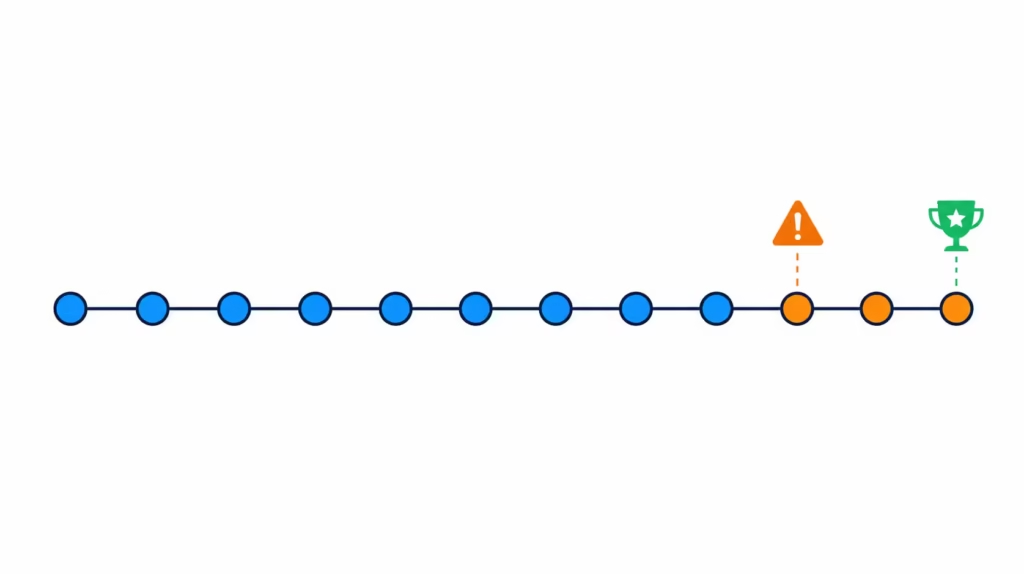
⚠️ Mistake to Avoid: Closing your card before your 12th billing cycle ends can put your entire first-year Cashback Match at risk. Find your account anniversary date, and ask the rep to confirm your match status before you finalize closure.
The safe play is simple. Wait until the match posts to your account, redeem everything, then close.
How to Close Your Discover Card by Phone
Calling is the fastest and most common way to close a Discover credit card. The number is 1-800-DISCOVER (1-800-347-2683), the same number printed on the back of your card. Discover lists live customer service agents as available 24/7, so you can call when it suits you. Calling from outside the U.S.? Use 1-224-888-7777.
The call itself is short if you’re prepared. Expect a flow like this:
- Verify your identity. Have your card or account number ready, plus your full name, address, and the last four digits of your SSN.
- State your request clearly: you want to close the account permanently.
- Confirm the balance is $0 (or confirm you understand the payoff terms if it isn’t).
- Confirm your rewards were redeemed.
- Ask for written confirmation of the closure, and note the date, time, and the rep’s name or ID.
What to Say: A Simple Call Script
You don’t need a speech. One clear sentence does the job:
“Hi, I’d like to close my credit card account, effective today. My balance is paid off and I’ve redeemed my rewards.”
The rep may ask why you’re leaving. You’re not required to give a reason, and a simple “I’m simplifying my finances” is plenty. Before hanging up, ask this: “Can you send me written confirmation that the account is closed?” That one request gives you proof if anything goes sideways later.
If You’re Offered a Retention Deal
Don’t be surprised if the rep tries to keep you. Retention offers are a normal part of closure calls across the industry. You might hear about a bonus, a rate reduction, or upgraded rewards.
There’s no trick to handling this. Just decide before you dial whether any offer would actually fix your reason for leaving. If you’re closing the card to simplify your finances, a bonus doesn’t change that.
If your reason was cost, remember that Discover cards carry no annual fee, so a fee waiver may not mean much. It’s completely fine to say, “I appreciate the offer, but I’d like to go ahead and close the account.”
How to Close Your Discover Card by Mail
Prefer not to call, or want a paper trail from the start? A written request works too. In fact, the CFPB recommends following up a phone closure with written notice as a matter of good practice, so a letter is never a wasted step.
Your letter should include:
- Your full name and address
- Your Discover account number
- A clear statement that you’re requesting the account be closed
- Your signature and the date
Discover lists its general correspondence address as Capital One, PO Box 71083, Charlotte, NC 28272-1083. Double-check the address on your latest statement before mailing, since addresses can differ by account type. Send the letter by certified mail with a return receipt. It costs a few dollars and gives you proof of delivery.
Mail is slower than a phone call. Expect processing to take days to a couple of weeks rather than minutes, and keep your confirmation receipt until the closure shows up on your credit report.
Cancel Recurring Payments Linked to the Card
This step is easy to forget and annoying to fix. Streaming services, gym memberships, insurance premiums, and utility bills often sit quietly on an old card for years.
Before or right after you close the account, scan your last 12 months of statements. Make a list of every repeating charge. Then log into each service and swap in a different payment method.
Why does this matter so much? A recurring charge on a closed account will be declined. Depending on the service, that can mean a lapsed subscription, a late fee, or a collections notice for a bill you forgot existed. Ten minutes with your statements prevents all of it.
How Closing Your Discover Card Affects Your Credit Score
You’ve probably heard that closing a card hurts your credit. The truth is more specific, and it comes down to two mechanics.
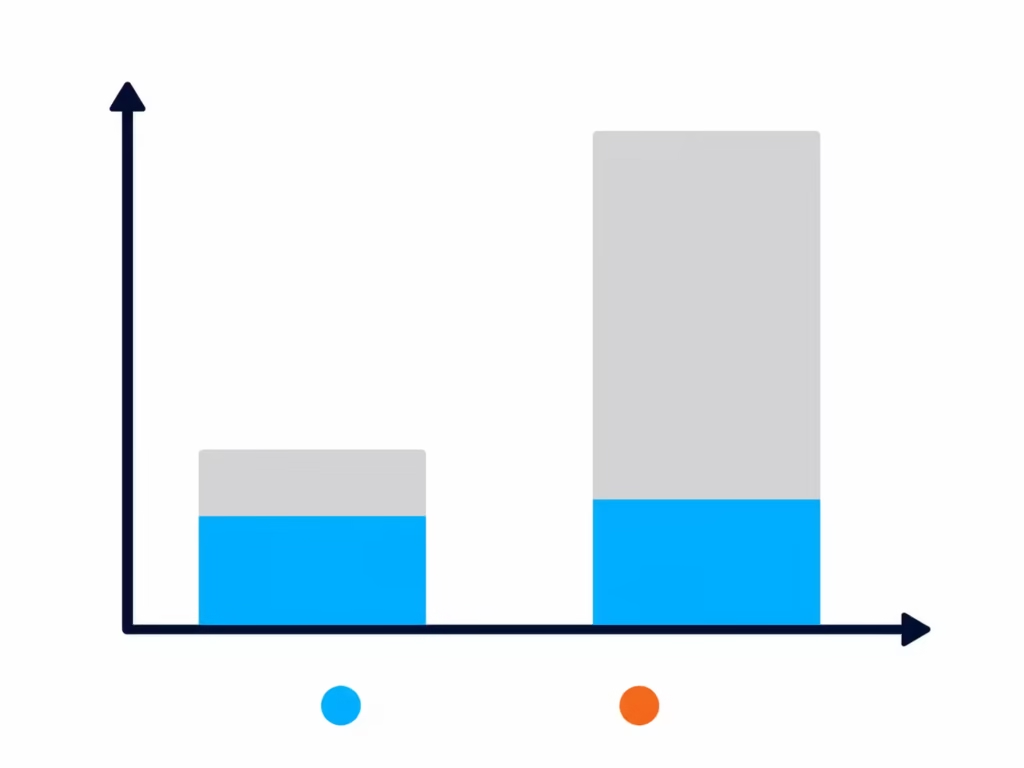
Credit utilization. This is the share of your available credit that you’re using, and it’s a major factor in your score. Experian explains that closing a card can raise your utilization rate because it shrinks your total available credit. Say you owe $2,000 across cards with $10,000 in combined limits. That’s 20% utilization. Close a card with a $4,000 limit, and you’re at $2,000 out of $6,000, or about 33%. Same debt, worse ratio.
Average age of accounts. Longer credit history generally helps your score. Closing your oldest card can eventually pull that average down. The effect isn’t instant, though. Accounts closed in good standing can stay on your credit report for years and keep aging during that time.
The honest framing: there’s no universal number for how many points you’ll lose. The impact depends on your total credit picture. If this Discover card is your oldest account or carries most of your available credit, the hit can be real. If it’s one of several similar cards, the effect may be small. Planning a mortgage or auto loan application soon? Consider waiting until after it closes.
How Long Closure Takes and How to Confirm It Worked
A phone closure usually takes effect quickly, often the same day or within a few business days. Discover doesn’t publish a firm timeline, so treat any exact promise with caution and get your own proof instead.
Ask for written or email confirmation during the call. Keep it with the date, time, and rep’s name you noted. Then set a reminder to check your credit report in about 30 to 60 days. Issuers generally report account updates to the bureaus on a regular cycle, so the closure may not appear instantly.
You can pull your reports from all three bureaus, Experian, Equifax, and TransUnion, for free. The FTC confirms that AnnualCreditReport.com is the only site authorized by federal law for these reports, and free weekly access is now permanent.
What to Look for on Your Credit Report
When you check, find the Discover account and look at its status. You want a remark along the lines of “closed at consumer’s request” or “closed by consumer.” That wording matters. It shows the closure was your choice, not the issuer’s action against you.
If the account still shows as open after a couple of months, or if the status looks wrong, call Discover back with your confirmation details in hand. If the error persists after that, you can dispute it directly with the credit bureau showing it.
Should You Close the Card, or Is There a Better Alternative?
Before you call, it’s worth asking what problem you’re actually solving. Full closure is permanent. Some goals have a cheaper route.
Here’s the thing about Discover specifically: its cards charge no annual fee. That removes the most common reason people close cards. Keeping the card open, using it lightly, and paying it off costs you nothing and preserves your account age and available credit. Both of those help your score.
If clutter or spending temptation is the real issue, a middle path exists. You can call and ask about a product change to a different Discover card. The company doesn’t publish a formal menu of downgrade options, so ask the rep what’s available for your account. A product change typically keeps your account history and credit line intact, unlike a closure.
When does closing still make sense? When you want no relationship with the issuer at all, when an unused open line worries you from a fraud standpoint, or when simplifying your finances is the goal, and you’ve weighed the score impact above.
Before you make a final move, look at your login settings. You can often lock your card through the mobile app. This stops new purchases without canceling the account. It keeps your credit history safe while giving you peace of mind. If you eventually decide you want to use the card again, you can simply unlock it. This gives you time to think before you commit to losing the account forever.
💡 Pro Tip: If your only reason for closing is that the card sits unused, consider keeping it open with one small recurring charge on autopay. It costs nothing with no annual fee, and it protects your credit history length and available credit.
Can You Reopen a Closed Discover Account Later?
Generally, no. Once you voluntarily close the account, you can’t just flip it back on. Want a Discover card again down the road? You’d need to apply fresh, and that means a new hard inquiry on your credit report and no guarantee of approval.
Discover doesn’t publish a reopening policy for voluntarily closed accounts, so treat the decision as final. If you’re on the fence, that’s one more reason to consider the alternatives above first.
Before you make your final choice, check your records for any pending charges or balances. You must pay off all remaining debts before the account can be closed permanently
If you simply stop using the card, interest or monthly fees might still add up. Taking these steps ensures that you leave the account in good standing. This protects your financial profile for any future applications.
Frequently Asked Questions (FAQs)
Will my credit score drop if I close a credit card?
Yes, closing a card can lower your score by raising your credit utilization and shrinking your average account age. There’s no fixed number of points, since the impact depends on your total credit picture and how many other accounts you have.
Will my Discover credit card close if I don’t use it?
Discover can close your account for inactivity, though the article doesn’t give a specific timeframe for how long that takes. If you want to keep an unused card open, log into the app and make a small purchase occasionally, or set up one recurring charge on autopay to keep it active.
Is it better to cancel a credit card or let it cancel itself?
Canceling it yourself gives you control over timing, so you can pay off your balance and redeem rewards first. This protects your Cashback Match and cashback balance instead of leaving disbursement to the issuer’s process.
Can I close a credit card if it’s paid off without damaging my credit score?
Paying it off first makes closure cleaner, but a $0 balance doesn’t eliminate the score impact. Closing still reduces your total available credit and can raise your utilization rate, since the calculation is based on your credit limit, not your balance.
What happens if I cancel a credit card I never use?
Canceling an unused card still reduces your total available credit and can shorten your average account age. Both factors can lower your credit score, even though you weren’t actively using the card.
What number is 1-800-347-2683?
That’s 1-800-DISCOVER, the number to call to close your Discover credit card. It’s the same number printed on the back of your card, and reps are available 24/7.
Can I reopen a Discover card after closing it?
No, Discover doesn’t offer reopening for voluntarily closed accounts. You’d need to apply again as a new customer, which triggers a new hard inquiry on your credit report.
How does the Capital One merger affect canceling a Discover card?
As of 2026, some Discover accounts are being moved to Capital One. If your account has already transferred, you’ll need to manage or close it through Capital One instead of Discover directly.
What’s the best reason to cancel a credit card?
Wanting no ongoing relationship with the issuer, fraud concerns over an unused open line, or genuinely simplifying your finances are solid reasons. Since Discover charges no annual fee, cost alone usually isn’t a strong reason to close it.
Wrapping Up
Closing a Discover credit card comes down to a short sequence: pay off the balance, redeem your cash back, move recurring charges, then call 1-800-DISCOVER or send a written request.
First-year cardholders should wait until their Cashback Match posts before closing their account. The matched money is only calculated after the first 12 billing cycles. Get written confirmation, and verify “closed at consumer’s request” on your credit report a month or two later.
Know someone who’s been putting off canceling a card because the process felt confusing? Share this guide with them so they can close it cleanly the first time.