If your American Express charge card suddenly shows a fixed dollar cap where “No Preset Spending Limit” used to sit, you are not alone, and you did not necessarily do anything obvious to trigger it. The Amex preset spending limit can block purchases, freeze credit line increases on your other Amex cards, and leave you guessing about what actually caused it.
Most cardholders regain NPSL status by lowering balances on all cards and maintaining a clean payment history. They also let Amex conduct its monthly reviews, but timing can vary.
This guide shows you how to check your limit, why Amex set it, and what a call to Amex can or can’t do. It also covers the best fixes, realistic timelines, and what to expect when the cap is lifted.
At a Glance
This guide explains how to remove an Amex preset spending limit, including how to identify which limit type you have, why Amex applies caps, the payment timing fix that lowers reported utilization, and realistic expectations for restoring No Preset Spending Limit status.
Core Facts:
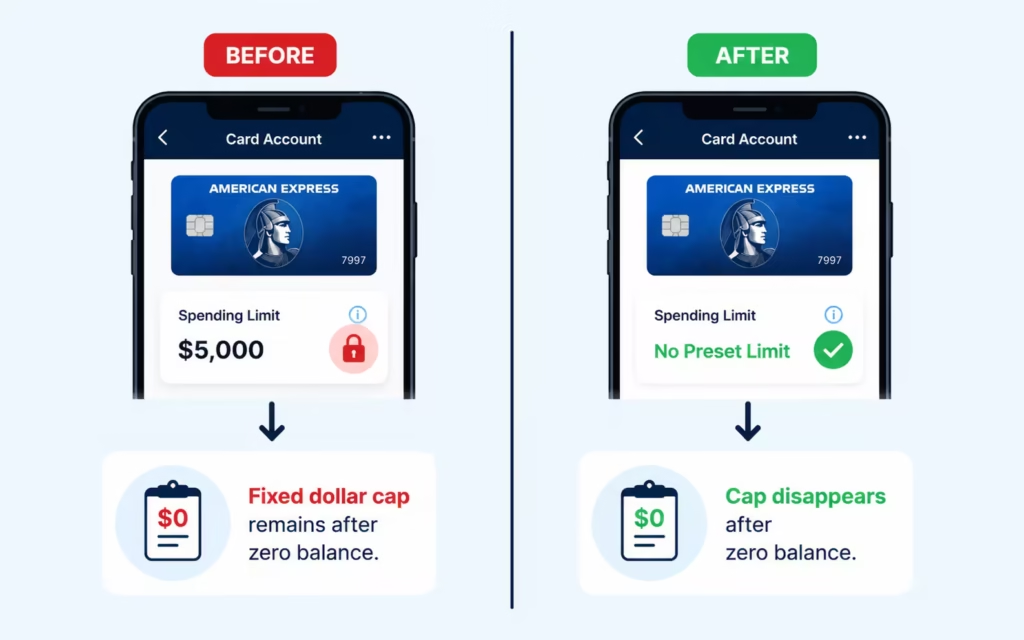
- A preset spending limit shows a fixed dollar cap that remains even after paying your balance to zero, while a Pay Over Time limit disappears once the balance reaches zero.
- Amex reviews your entire credit file for triggers such as rising utilization on other cards, a FICO score drop, multiple new credit inquiries, or a large spending spike.
- Paying your balance before the statement closing date, rather than just by the due date, lowers the balance Amex reports to credit bureaus for that cycle.
- In the article’s example, paying a $4,000 charge after the statement closes reports 40 percent utilization, while paying a few days before closing can reduce reported utilization to 2 percent.
- A cap on one Amex card can freeze credit line increase requests and new applications on other Amex cards, including co-branded and business cards under the same profile.
- Amex conducts monthly soft pull reviews timed near the statement closing date, and a consistent pattern of low utilization over multiple cycles is generally what prompts restoration, not one good month.
Best for:
- Cardholders who received a preset spending limit notice on an Amex charge card and want to understand why it happened.
- People trying to determine whether their limit is a preset spending cap or a Pay Over Time balance restriction.
- Amex cardholders who want a repeatable payment strategy to lower reported utilization and support restoration of NPSL status.
How to Tell Which Amex Limit You Actually Have
Before you try to fix anything, confirm which limit is on your account. Cardholders often mix up the preset spending limit with the Pay Over Time limit, and each one behaves differently.
Log in at americanexpress.com or open the Amex mobile app. On the web, open your card and look at the “Account Services” or “Card Details” area. On the app, tap your card, then look for “Available to Spend” or a similar phrase.
If you see a specific dollar figure like “$5,000 available of $10,000,” that is a preset spending cap. If you see “No Preset Spending Limit” with a note that spending power adjusts with your habits and payment history, your card is still flexible.
A Pay Over Time limit is different. It only caps the balance you can carry beyond the statement due date on eligible charges. It does not stop you from making new purchases if you pay the balance in full each month. American Express explains the Pay Over Time feature on its own Pay Over Time page.
Here is a quick self-test: Pay your card down to a zero balance. Then check your “Available to Spend” figure again. If the number is still capped at the same dollar amount, you have a preset spending limit, not a Pay Over Time restriction. If the cap disappears and the card shows flexible spending again, you were dealing with a Pay Over Time balance issue, not a preset cap.
📌 Did You Know: A charge card’s “Available to Spend” figure can move up or down between purchases, since Amex’s model can adjust flexible spending in real time. A hard, unchanging number is the clearest sign of a preset cap.
Why American Express Assigned a Preset Spending Limit
American Express doesn’t share the specific triggers that change a charge card from flexible spending to a fixed cap. The notice you got probably used vague phrases like “based on information in your credit report.” It didn’t mention the specific factor.
Amex says its risk practices look at your whole credit file. Cardholders often share this view, not just focusing on Amex activity. Common patterns that appear before a cap is placed include:
- Rising credit utilization on cards at other issuers, especially balances above 30 percent of the limit
- A drop in your FICO score, which is the scoring model Amex most commonly uses
- Several new credit inquiries or newly opened accounts in a short period
- A sudden, large jump in monthly spending compared with your historical pattern
- Revolving balances at other banks growing month over month
- Being selected for a financial review, where Amex asks for income documents such as IRS Form 4506-C
The adverse action notice is intentionally general. Under the Fair Credit Reporting Act, the lender must give you the credit bureau it relied on and let you request your report, but it does not have to name the specific internal trigger. That is why the letter can feel vague even when the underlying cause is fixable.
The takeaway is simple. Do not assume your Amex use alone caused the cap. In most reported situations, something in the broader credit file, or a large change in spending, moved the risk model.
How a Cap on One Card Freezes Your Entire Amex Relationship
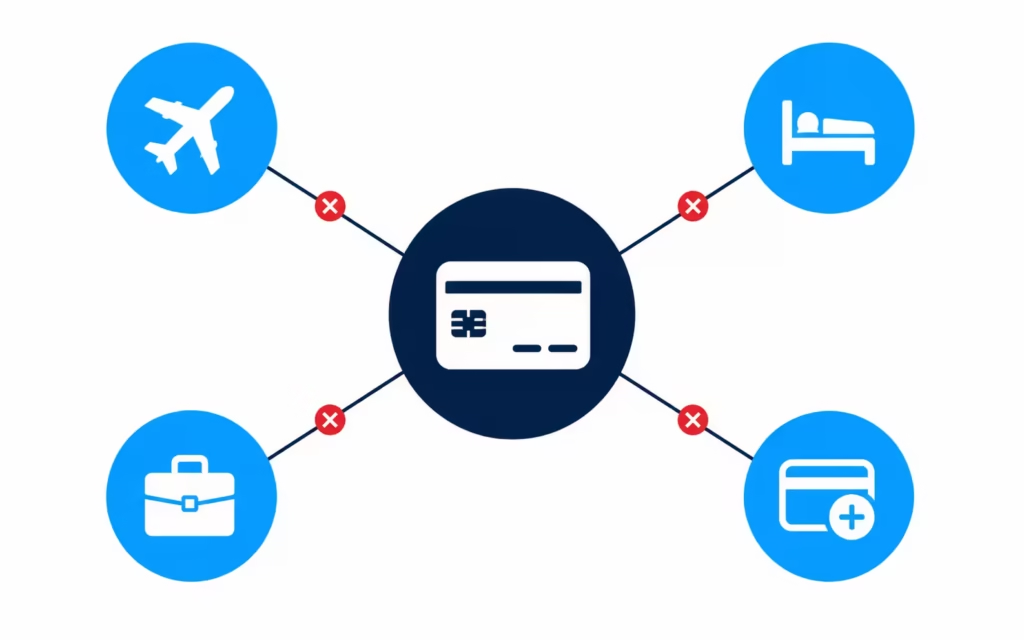
Amex tends to treat all your accounts as one customer relationship, not as separate cards. A spending cap on one Amex card can impact credit limit increase (CLI) requests for your other Amex accounts. This includes co-branded cards like Delta SkyMiles and Hilton Honors.
Cardholders commonly report that during a cap period:
- CLI requests on other Amex revolving cards get declined
- New Amex card applications may be declined or approved at lower starting lines
- Co-branded Amex cards under the same customer ID can also see requests denied
- Business Amex cards tied to the same profile often see similar restrictions
This is why one capped card can feel like a freeze on your whole Amex portfolio.
The practical advice from long-time cardholders and the Amex community forums is to hold off on CLI requests during this window. Each request can start an internal review.
If there are repeated denials, it can reset the informal waiting periods that Amex has before reviewing the next request. If you request a CLI and it is denied, you may also see a hard inquiry on your credit report, depending on the type of card and the size of the requested increase.
⚠️ Mistake to Avoid: Do not keep hitting the “Request Credit Line Increase” button on other Amex cards while your charge card is capped. Repeated denials can slow, not speed, the next favorable review.
Whether Calling American Express Actually Helps
Calling Amex is often the first instinct, and it can help in some cases. It will not, however, override the risk model. A phone agent cannot flip a switch and restore your No Preset Spending Limit status on demand.
The general Amex customer service line for consumer cards is on the back of your card and is also listed on the Amex Contact Us page. Front-line agents can:
- Confirm the current status of your account
- Explain the type of limit and how it works
- Escalate your account to a supervisor or a backend review team
- Note relevant recent changes on your profile, such as a paid-off loan or higher income
They cannot promise a specific outcome, a specific timeline, or a manual override of the risk decision.
Calling makes the most sense when something has clearly changed since the cap started. Examples include paying off a large balance elsewhere, closing a joint account tied to a delinquent partner, seeing a meaningful FICO increase, or completing a financial review. In those cases, a request for a backend review can prompt a second look sooner than the next scheduled monthly review.
Calling repeatedly, or calling when nothing has changed, is unlikely to help and may add friction to the file. Also, this existing-account risk review is a different process from the new-application “reconsideration line” that people mention online. The reconsideration process is for applicants denied a new card. It doesn’t apply to current cardholders wanting a cap removed.
What to Say When You Call
Keep the call short, factual, and specific. A useful structure sounds like this:
- Verify your identity and the affected card. State the card product and the last few digits.
- State your specific request. Ask for a supervisor review or a backend risk review to consider restoring No Preset Spending Limit status on the account.
- Mention concrete, verifiable improvements. Examples include “I paid down my other credit card by $8,000 since the cap was placed,” “my income has increased,” or “the hard inquiry from June has aged past 12 months.”
- Ask what, if anything, the agent can document on the account or forward for review.
- Get the agent’s name, employee ID if available, and a reference or case number.
Do not argue with the agent, threaten to close accounts, or ask for a guaranteed timeline. Agents generally cannot provide either, and heated calls do not help.
Documents Amex May Request During a Financial Review
If Amex asks for a financial review, sometimes called an “FR,” the process usually involves confirming your income or business activity. The specific request varies, but commonly reported documents include:
- Recent personal bank statements from your checking or savings account
- Recent pay stubs
- A signed IRS Form 4506-C, which authorizes Amex to request a transcript of your tax return
- Self-employed cardholders may be asked for profit and loss statements, 1099s, or business bank statements
Amex generally directs you to upload documents through a secure portal. Do not email sensitive financial records. Keep copies of everything you submit, along with dates, so you have a record if you need to follow up.
How Amex’s Monthly Review Process Actually Works
American Express doesn’t share all the details of its review process. However, cardholder communities have noted a clear pattern. This aligns with how issuers typically use monthly soft pulls.
A soft pull typically runs on your credit file at regular intervals while your account is active. It does not affect your credit score. Amex often checks your card balances, total credit use, payment history, new inquiries, new accounts, and the trend of your FICO score. The review seems timed with your statement closing date, not your payment due date. This is because issuers typically report the closing date to credit bureaus.
You will not receive advance notice of a review. The first sign of a favorable outcome is usually the cap simply disappearing from your account. The first sign of an unfavorable outcome is the cap staying in place, or in rarer cases, tightening.
One good month is generally not enough. Most cardholders say that a consistent pattern over several statement cycles triggers a change. However, results can differ from one account to another.
Using the Check Spending Power Tool Safely
Amex offers a “Check Spending Power” tool inside your online account. It lets you enter a planned purchase amount to see whether it would likely be approved. It does not affect your credit and does not create a hard inquiry.
Use it for real, planned purchases, such as a hotel deposit, a plane ticket, or a business expense. Avoid repeatedly checking unusually large amounts you have no plan to charge. While Amex does not publicly detail how these queries affect internal review, cardholders commonly report that repeated large or unusual checks appear to draw extra scrutiny. Treat the tool as a planning aid, not a stress test.
The Core Fix: Paying Before Your Statement Closing Date
The best way to restore your flexible spending is to pay your balances before the statement closing date, not only by the due date. This is the core fix, and it is the one most cardholders get wrong.
Here is why timing matters. Card issuers, including Amex, generally report the balance as of your statement closing date to the credit bureaus. If your statement closes on the 10th and your due date is the 5th of the next month, paying on the 5th means your reported balance stays the same as on the 10th.
That reported balance is what shows up in your credit utilization ratio for the next month, and utilization is one of the strongest factors in the FICO scoring model, according to FICO’s own guidance.
A concrete example makes it clearer. Say you charge $4,000 in a month on a card with a $10,000 limit and pay in full by the due date.
- Pay after the statement closes: reported balance is $4,000, reported utilization is 40 percent
- Pay a few days before the statement closes: reported balance might be $200, reported utilization is 2 percent
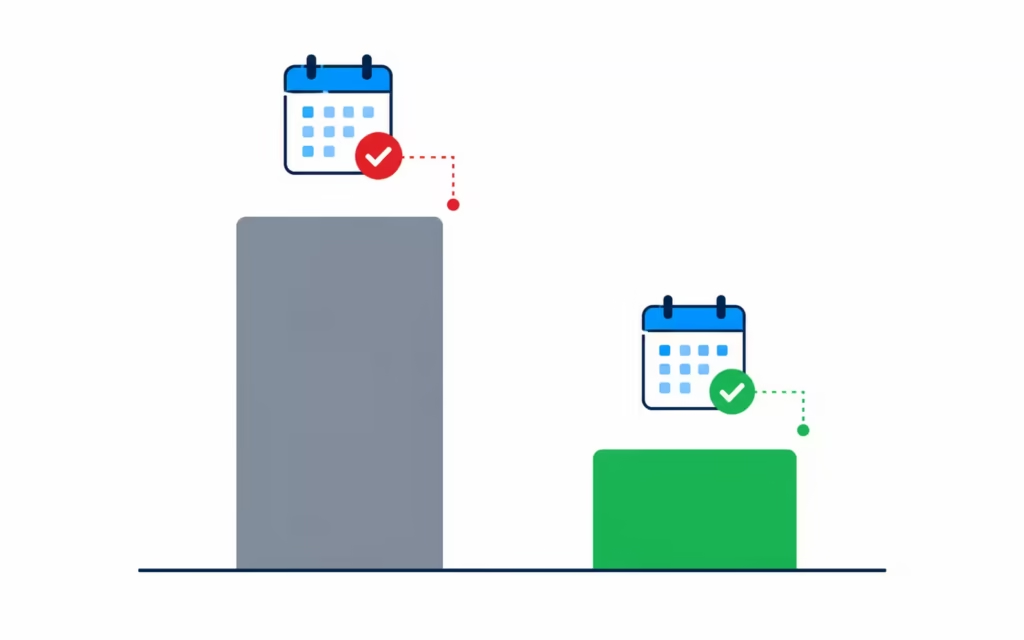
Both approaches are “on time,” and neither triggers interest on a charge card. Only the second one gives the risk model a favorable snapshot each month.
To set this up:
- Find your statement closing date in your Amex account, listed on your recent statement or under “Statements & Activity.”
- Set a calendar reminder for three to five days before that date each month.
- On that day, pay your current balance down to a small amount or to zero.
- Consider using AutoPay for the full statement balance as a safety net, then adding your manual pre-close payment on top.
- Repeat every cycle. This is not a one-time fix.
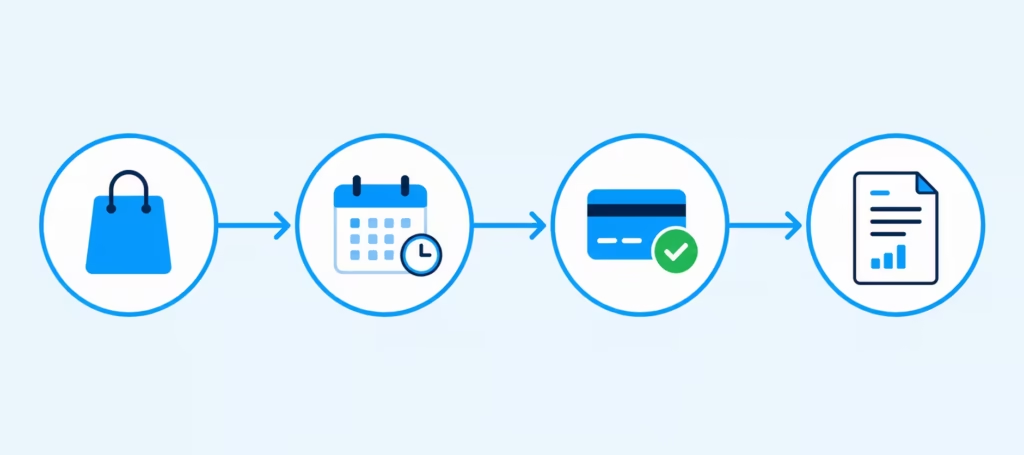
Cardholders often say that multiple months of low balances trigger the review, not just one good payment.
Lowering Utilization on All Your Cards, Not Just Amex
Amex reviews your entire credit file. So, if your Amex card has a zero balance and another card is nearly maxed out, that won’t help. The high balance elsewhere shows up on the same credit report the risk model reviews.
Start by pulling a free credit report. You can get free weekly reports from all three bureaus at AnnualCreditReport.com, which is the official source authorized by federal law and the Federal Trade Commission. Review each revolving credit card and note the current balance and the credit limit.
Calculate your utilization for each card. The general targets used by most FICO educators are:
- Total utilization across all cards well below 30 percent
- Individual card utilization under 30 percent, ideally under 10 percent
- Zero cards reporting maxed out or near maxed out
Prioritize the worst offender first. If one card is at 80 percent and another is at 15 percent, put extra payments toward the 80 percent card, even if it has a lower interest rate. The scoring model and Amex’s risk model respond more to a single high-utilization card than to several moderate ones.
While you work on this, temporarily shift some spending away from any card that reports a high balance. If you cannot pay it off quickly, you can also make an extra mid-cycle payment to bring the reported balance down before the statement closes.
💡 Pro Tip: Utilization resets every month based on the reported balance. Even if you have carried a high balance for a while, one clean statement cycle can lower reported utilization dramatically for the next review.
Behaviors That Stall or Worsen the Review
Some actions can slow the review, add friction to your file, or in a few cases appear to extend the cap. The evidence for each item below comes from consistent cardholder reports and credit-risk principles. It’s not from Amex-published policy. So, treat these as strong cautions, not guaranteed rules.
- Applying for new credit cards or loans during this window. Each new inquiry and each new account can affect the same factors Amex is reviewing, which is the opposite of what you want during a cap.
- Excessive Check Spending Power queries for unusually large amounts. Use the tool for real, planned purchases, not to test how high the cap might go.
- Frequent disputes, chargebacks, or returns that add unusual activity to the account. These can slow reviews and may prompt more scrutiny.
- Repeated calls demanding immediate removal, especially to the same agent. Agents cannot override the risk model, and repeated pressure calls do not create a manual exception.
- Closing older accounts at other banks. This can shorten your average age of credit and shrink your total available credit, which pushes utilization up.
- Making only minimum payments on high-balance cards elsewhere. This keeps utilization high month after month.
- Letting balances creep up right before the statement closes. Timing matters more than the total charged during the month.
None of these are guaranteed to make things worse, but each one works against the pattern the model is looking for.
Realistic Timelines for Getting NPSL Back
American Express does not publish a specific timeline for restoring No Preset Spending Limit status. Reported outcomes vary widely based on the underlying trigger, your credit profile, and whether a financial review is involved.
Cardholders in the Amex community often fit into a few general tiers. This aligns with common patterns seen in risk reviews.
| Risk Tier | Typical Triggers | Commonly Reported Time to NPSL Restoration |
|---|---|---|
| Standard | High utilization, modest FICO drop, one to two new inquiries | Roughly 3 to 6 months of consistent low reported balances |
| Extended | Financial review completed, several stacked risk factors, larger FICO drop | Roughly 6 to 18 months |
| Longer tail | Prior account closure, fraud flag on file, older delinquency, complex file | Roughly 1 to 3 years, sometimes longer |
These ranges are not guarantees. Some cardholders report faster resolution when they lower utilization sharply and quickly. Others report slower resolution despite clean behavior, especially when a broader credit issue keeps the risk model cautious.
Set expectations for yourself accordingly. The best way to track your progress is by looking at your balances, your FICO trend, and the lack of new negative items. It’s not about counting down the days on a calendar.
What’s Different About a Preset Limit on Platinum
The Amex Platinum card is a premium charge card, and cardholders often expect the annual fee to translate into faster resolution. In practice, the annual fee does not appear to accelerate a cap removal. A capped Platinum card behaves like any other capped charge card in the risk model.
Cardholders often notice that the CLI freeze is clearer on Platinum profiles. This is likely because Platinum holders usually have more Amex cards, including travel cards. More scrutiny can lead to longer timelines, especially with complex items. This includes things like authorized users, business cards, or large travel charges. The core levers, timing of payment and total utilization, still apply.
What Happens When American Express Restores NPSL Status
When Amex lifts the preset cap, the change usually appears in your online account without much fanfare. Some cardholders got an email notification. Many others found out by opening the app and noticing the fixed number was missing.
Check your account for these signs:
- The “Available to Spend” figure no longer shows a fixed cap
- Language such as “No Preset Spending Limit” or similar wording returns to your card details
- Larger purchases start going through without holds
- The Check Spending Power tool no longer flags a hard ceiling
CLI requests and new applications on other Amex cards typically become possible again after restoration, but not always the same day. Cardholders sometimes say their requests get denied for weeks or months after NPSL returns.
This often happens if a financial review was part of the process. If a CLI request is declined after restoration, wait for the next monthly review. Then, try again when you see clean statements.
Monthly soft pulls continue at a normal monitoring cadence. That is not a warning sign; it is the standard way charge card accounts are monitored, and it does not affect your credit score.
Keeping the Cap From Coming Back
The same habits that helped lift the cap are the ones that keep it off. Once your card returns to flexible spending, plan to:
- Continue paying before the statement closing date, not just by the due date
- Keep individual card utilization under 10 percent whenever possible
- Avoid a burst of new credit applications right after restoration
- Keep older accounts open when reasonable to protect the average age of accounts
- Watch your FICO score trend using free monitoring inside your Amex account or through the bureaus
Many cardholders who have been through this cycle apply extra caution for several months to a year after restoration. The risk model flagged the account before. Sticking to the same behavior pattern is the best way to lower the chance of a repeat cap.
Frequently Asked Questions (FAQs)
Why does my Amex have a preset spending limit?
Amex doesn’t disclose the exact trigger, but common causes include rising utilization on other cards, a FICO score drop, several new credit inquiries, or a sudden spike in spending. The notice you receive will only cite general credit report reasons, not the specific factor.
Is having no preset spending limit a good thing?
Yes, NPSL means your spending power can flex with your habits and payment history instead of being capped at a fixed dollar amount. Losing NPSL status also freezes credit line increase requests on your other Amex cards.
What does “no preset spending limit” mean on Amex?
It means your card has no fixed dollar cap, and your available spending adjusts based on factors like your payment history and credit profile. If Amex assigns a specific dollar figure instead, like “$5,000 available of $10,000,” that’s a preset spending cap, not NPSL.
How do I change or remove a preset spending limit on Amex?
Pay your balance down before your statement closing date, not just by the due date, since that’s the balance Amex reports to credit bureaus. Keep utilization on all your cards under 30 percent, and ideally under 10 percent, over several consecutive statement cycles.
How can I tell if I have a preset limit or a Pay Over Time limit?
Pay your card to a zero balance and check “Available to Spend” again. If the same dollar cap remains, it’s a preset spending limit; if the cap disappears, it was a Pay Over Time restriction instead.
How long does it take to get NPSL status back?
Amex doesn’t publish a fixed timeline, and outcomes vary by cardholder based on the underlying trigger. Most cardholders report that a consistent pattern of low utilization over several statement cycles, not just one good month, is what prompts a change.
Does calling Amex guarantee my preset limit will be removed?
No, phone agents cannot override the risk model or promise a specific outcome or timeline. Calling is most useful when something concrete has changed, like paying off a large balance elsewhere or a meaningful FICO score increase.
Does a preset limit on one Amex card affect my other Amex cards?
Yes, Amex treats all your accounts as one customer relationship, so a cap on one card can freeze credit line increase requests on your other Amex and co-branded cards. This includes cards like Delta SkyMiles, Hilton Honors, and business Amex cards under the same profile.
What documents might Amex request during a financial review?
Amex commonly requests recent bank statements, pay stubs, or a signed IRS Form 4506-C to verify income. Self-employed cardholders may also need to provide profit and loss statements, 1099s, or business bank statements.
Final Thoughts
To regain your No Preset Spending Limit status, it’s not just one phone call. It’s about the monthly pattern in your credit file. Check your actual limit. Remember, the cap shows your total credit picture. Pay before the statement closes.
Lower the utilization on each card. Also, avoid actions that create friction. Calls to Amex can help when something real has changed. Based on the factors above, a steady, patient approach usually works better than urgent shortcuts.
If this guide helped you understand your capped Amex card, share it with a friend or coworker who got the same notice. Knowing what triggers the review can save them months of guessing.