Trying to block a merchant on a Chase credit card is frustrating when you can’t find a button for it. You may have canceled a subscription, but the charges keep coming. Or a company you no longer trust keeps billing your card.
The short answer: Chase credit cards don’t have a self-service “block this merchant” toggle, but you can still stop future charges with the right steps.
This guide covers the real options: canceling with the merchant, revoking authorization with Chase, disputing a posted charge, and using tools like Chase Stored Cards and card lock.
At a Glance
This guide explains how to stop a merchant from charging your Chase credit card, including merchant cancellation, revoking authorization with Chase, disputing posted charges, and using Stored Cards or card lock features.
Core Facts:
- Chase does not offer a self-service button to block a merchant on a credit card, unlike some debit card apps or Chase business checking ACH debit blocks.
- The closest tool to a block is calling Chase at 1-800-432-3117 or messaging through the Secure Message Center to revoke authorization for future charges from a specific merchant.
- Disputing a posted charge must generally happen within 60 days under the Fair Credit Billing Act, and Chase states disputes can take up to 90 days to resolve.
- Locking a card blocks new purchases, cash advances, and balance transfers, but Chase states that recurring charges can still go through while a card is locked.
- Card networks use account updater services that can share a new card number with merchants already on file, so a replacement card number does not guarantee a merchant stops billing.
- Chase Stored Cards, found in the mobile app under Account Services, shows which merchants have a card saved and can display recurring payments, but it does not block a merchant.
Best for:
- Cardholders who already canceled a subscription with the merchant but are still being charged.
- Anyone who sees a charge they don’t agree with that has already posted to their Chase statement.
- Readers trying to decide between revoking authorization, disputing a charge, or locking their card for their specific situation.
Does Chase Let You Block a Merchant on a Credit Card?
The short answer is no. Chase doesn’t offer a self-service “block this merchant” button for credit cards the way some debit card apps do. You won’t find a toggle that lets you list a company and stop it from charging your card.
That doesn’t mean you’re stuck. Chase gives you real ways to stop a specific merchant, but they work differently from a simple block list. The main options are:
- Cancel directly with the merchant and get written proof.
- Revoke authorization and ask Chase to stop future charges from that company.
- Dispute a charge that already posted.
- Use Chase Stored Cards to see which merchants have your card on file.
- Lock your card when you need a full pause.
Each option fits a different situation, and the sections below walk through all of them step by step.
Why the Chase Debit/Checking “Block Merchant” Feature Doesn’t Apply to Credit Cards
You may have seen merchant-blocking controls in Chase checking account settings. Some Chase business checking accounts offer an ACH debit block feature that stops certain debits from hitting the account. That tool works at the bank account level, and it doesn’t control credit card transactions.
Credit cards run on card networks like Visa and Mastercard, and those networks process charges differently. A company that has your card on file can keep billing you until you cancel with them, revoke the authorization, or dispute the charge.
So if you came here expecting a Chase checking-style block list, set that aside. The credit card steps below are the ones that actually work.
Three Ways to Actually Stop a Merchant on Your Chase Credit Card
Chase credit cards give you three main ways to stop a merchant from charging your card. Each one fits a different situation.
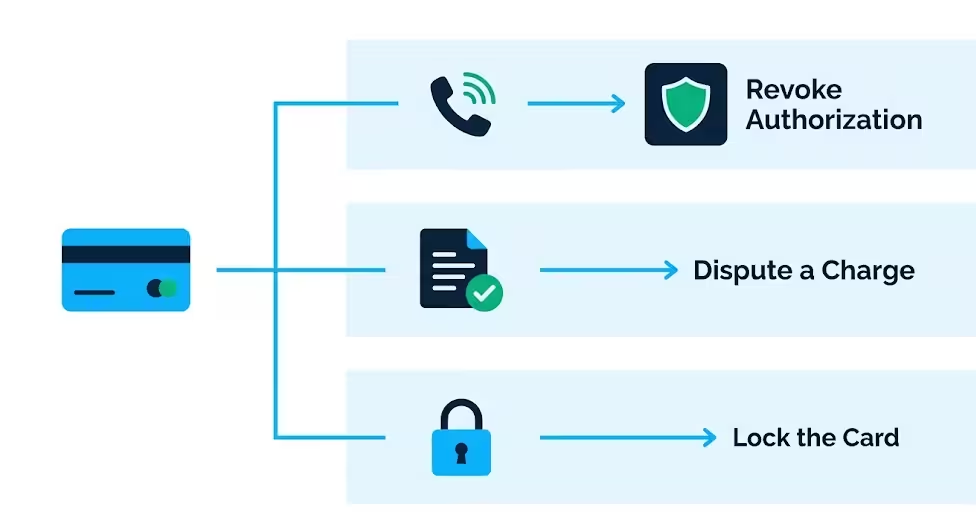
- Revoke authorization and request a block. You ask Chase to stop future charges from a specific company. This is the closest thing to a block, and it works best when you’ve already canceled with the merchant, but charges keep coming.
- Dispute a posted charge. When a charge has already hit your statement, and you don’t believe you owe it, you file a dispute. This challenges the transaction itself, and it can lead to a refund.
- Lock your card. Locking pauses most new charges on the card, but it doesn’t stop recurring payments from merchants that have your card on file. Use it for a lost card or a full pause, not for stopping one company.
The next section helps you figure out which situation you’re in, so you pick the right path.
Which Situation Are You In?
Answer these three questions to find your path:
- Did you already cancel with the merchant, but charges are still showing up? Go to the revoke authorization section. That’s your main move.
- Did a charge you don’t agree with already post to your statement? Head to the dispute section. You have a limited window to act.
- Is your card lost, stolen, or do you want to pause all new purchases? Use the card lock section.
If you don’t recognize the merchant at all, skip ahead to the fraud section. That situation needs faster action and a different process.
Cancel With the Merchant First
Before you contact Chase, cancel directly with the merchant. This is the first step for a simple reason: Chase’s own dispute guidance says the quickest way to stop or cancel a charge is to contact the merchant directly. Your cancellation record also strengthens every later request.
Follow these steps:
- Find the cancellation option in the merchant’s app, website, or account settings. For subscriptions, look for “manage plan,” “billing,” or “cancel membership.”
- Follow the steps all the way to a confirmation screen. Don’t stop at “are you sure?”
- Save the confirmation. Take a screenshot, save the email, or write down the confirmation number and date.
Getting written proof matters. If the merchant keeps billing you after you cancel, that confirmation is the evidence you’ll show Chase when you revoke authorization or dispute a charge.
What if the merchant makes it hard to cancel? Keep trying through their official channels, and note the date and time of each attempt. If they refuse, move on to the Chase steps below. You don’t need their permission to stop the charges; you need Chase’s help.
⚠️ Mistake to Avoid: Don’t cancel by just deleting the app or ignoring the service. Most subscriptions keep billing until you cancel inside the account settings and reach a confirmation screen.
How to Revoke Authorization and Request a Merchant Block Through Chase
Revoking authorization is a formal request that tells Chase you no longer approve a specific merchant to charge your card. It’s the closest thing Chase offers to blocking a company on a credit card, and it’s the wording that gets you the right result.
You can contact Chase two ways:
- Call the number on the back of your card. That’s the fastest route, and it connects you to the credit card team. Chase’s credit card customer service line is 1-800-432-3117.
- Send a secure message through chase.com or the Chase Mobile app. Sign in, open the Secure Message Center, and write your request.
When you contact Chase, say clearly that you want to revoke authorization for future charges from the merchant. This phrasing matters because it tells Chase you’re not disputing past charges; you’re stopping future billing. Ask for a reference or confirmation number before you end the call or send the message.
What Chase can and cannot guarantee: Chase can often flag a merchant and block future charges from them on your card. However, the results can differ, and Chase does not share all the details of this process. A charge that’s already in process may still post. That’s why you also keep an eye on your statement and dispute anything that slips through.
Follow up in writing. After your call, send a secure message that restates your request and includes your reference number. A written record helps if the merchant keeps charging.
💡 Pro Tip: Say “I want to revoke authorization for future charges from [merchant name]” and ask for a reference number. That phrase gets you to the right process faster than asking for a “block.”
Exact Wording to Use When You Contact Chase
Use wording close to this when you call or message Chase:
“I’d like to revoke authorization for future charges from [merchant name] on my Chase credit card. I’ve already canceled with the merchant on [date], and I don’t want any more charges from them. Please stop future charges and give me a reference number for this request.”
When you message instead of calling, include the merchant name as it shows on your statement. Also, add the last charge date, the amount, and your cancellation confirmation details. Then ask for a confirmation that the request was received and a reference number you can keep.
Documentation to Have Ready Before You Contact Chase
Have these ready before you contact Chase so the request goes smoothly:
- Your cancellation confirmation from the merchant. A screenshot, email, or confirmation number works.
- The merchant name exactly as it shows on your statement. It may differ from the brand name you know.
- The dates and amounts of recent charges from that merchant.
- Your card number and account details so Chase can pull up the account quickly.
With these in hand, the call or message takes minutes instead of a long back-and-forth.
How to Dispute a Charge That’s Already Posted
Disputing is different from requesting a future block. A block request stops future charges. A dispute challenges a charge that has already posted, and it can lead to a refund if Chase agrees the charge was wrong.
You can file a dispute in the Chase Mobile app, on chase.com, or by phone. Chase’s dispute page walks you through the process and lets you start online.
Act within 60 days. Under the Fair Credit Billing Act, you generally have 60 days from when the charge first appeared on your statement to dispute a billing error. The FTC explains the same 60-day window for sending your billing error notice. If you wait longer, you may lose your protection for that charge.
What happens during the investigation: Chase reviews the charge, and the merchant gets a chance to respond. Chase’s dispute page says disputes can take up to 90 days to resolve. While it’s being reviewed, the charge may stay on your account, and you may not have to pay it during the review. If Chase finds the charge was wrong, the amount gets removed or refunded.
Disputing doesn’t automatically stop future charges. If you also want to stop the merchant from billing you again, you still need to revoke authorization or cancel with the merchant.
Check Chase Stored Cards to See Where Your Card Is Saved
Chase Stored Cards is a built-in tool that shows you which merchants have your card on file. Chase explains that it helps you track online purchases and review repeat payments.
How to find it:
- Open the Chase Mobile app and sign in.
- Select your credit card.
- Swipe up to Account Services.
- Tap Stored Cards.
The tool lists merchants that have your card saved, and it can show recurring payments you have set up. In some cases, it also offers a cancel link for eligible subscriptions, as Bankrate reports.
What it can’t do: Stored Cards is for visibility, not blocking. It shows you where your card is saved, but it doesn’t let you block a merchant from charging you. Use it to spot subscriptions you forgot about, then cancel them with the merchant or revoke authorization with Chase.
Locking Your Chase Card: What It Does and Doesn’t Stop
Locking your card is a common first instinct, but it’s important to know what it does and doesn’t stop.
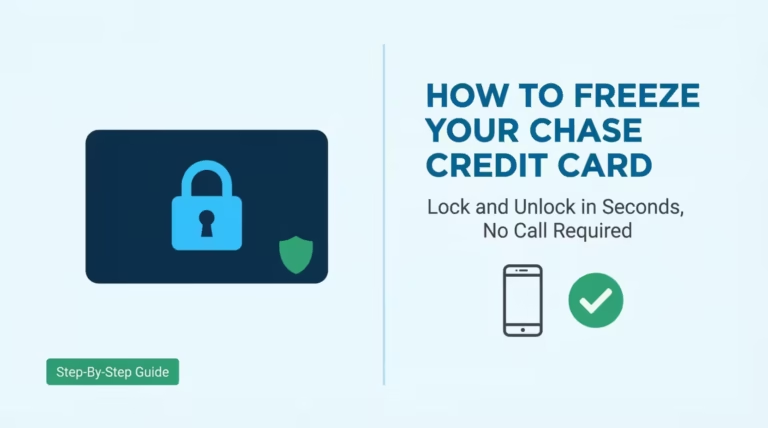
What a lock blocks: new purchases, cash advances, and balance transfers. Chase’s lock guide says locking can help prevent new charges until you unlock the card.
What a lock doesn’t stop: recurring charges. Chase states that locking your card allows recurring charges to still go through. So a subscription or a merchant with your card on file can keep billing you while the card is locked.
How to lock and unlock: In the Chase Mobile app, sign in, tap the card, swipe up to Account Services, and tap Lock & unlock card.
When a lock is the right tool: your card is lost or stolen, you want to pause all new spending, or you’re waiting on a replacement card. When it’s the wrong tool: you want to stop one specific merchant. For that, use revoke authorization or a dispute instead.
For the full guide on freezing and locking your Chase card, see the dedicated freeze guide on this site.
Why a New Card Number Might Not Stop the Merchant
Many people request a new card number hoping it cuts the merchant off. Sometimes it does, but often it doesn’t. The reason matters.
Card networks run account updater services. Visa Account Updater and Mastercard Automatic Billing Updater let participating merchants get your updated card details when your card is replaced or expires. So a merchant that has your card on file can receive your new number automatically, and the charges keep coming. Stripe explains that this is how card account updaters work for businesses.
The authorization is tied to your account, not just the card number. As long as the merchant has your permission to bill you, a new number may not break that link.
When a replacement card can help:
- If the merchant isn’t signed up for an account updater service.
- If you face fraud and Chase shuts down the compromised account.
When it doesn’t help: for a subscription you authorized, where the merchant is enrolled in an updater service.
To fix the issue, follow these steps: cancel with the merchant, revoke your authorization with Chase, and dispute any charges that appear. A new card number is a backup, not the main solution.
💡 Pro Tip: If you do get a replacement card, ask Chase whether account updater services will share the new number with merchants that have your card on file. Then confirm with the merchant that your old authorization is canceled.
If the Charge Is Fraud, Not a Canceled Subscription
Sometimes the merchant on your statement isn’t a subscription you forgot to cancel. It’s a charge you never authorized at all. That’s a different situation, and it needs faster action.
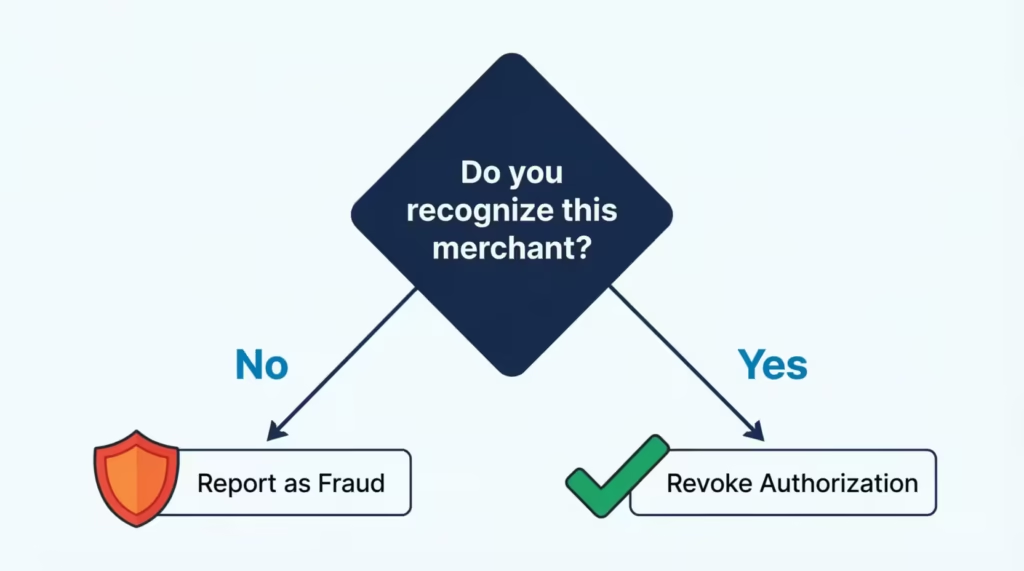
How to tell the difference: Do you recognize this merchant at all? Did you ever sign up, buy from them, or give them your card? If the answer is no, treat it as possible fraud, not as a subscription problem.
Why fraud gets reported, not just blocked: When a charge is unauthorized, you’re not asking Chase to stop future billing. You’re reporting that someone used your card without permission. Chase investigates it as fraud, and that process is separate from a merchant block request.
Your protection: Chase’s Zero Liability Protection means you won’t be held responsible for unauthorized charges made with your credit card. That protection is subject to verification, so report the charge quickly and cooperate with Chase’s review.
Act fast. Call the number on the back of your card right away to report the unauthorized charge. Then file the dispute through the app or chase.com. The sooner you report it, the sooner Chase can act, and the less risk you carry.
⚠️ Mistake to Avoid: Don’t treat an unauthorized charge like a canceled subscription and just “revoke authorization.” Report it as fraud so Chase can investigate and apply your zero liability protection.
How Long This Takes and What to Expect
Timing depends on which path you take, and it helps to know what to expect.
Revoke authorization/block request: Chase can often stop future charges quickly once your request is in, but a charge that’s already processing may still post. Chase doesn’t publish a specific guarantee for how fast a block takes effect, so plan to check your statement for one more billing cycle.
Dispute: Chase’s dispute page says disputes can take up to 90 days to resolve. During that time, the charge may stay on your account, and you may not have to pay it while it’s under review.
What might still show up: a pending charge from the merchant, a charge that was already in process when you made your request, or a new one if the merchant hasn’t processed your cancellation yet. Keep checking your statement, and dispute anything that shouldn’t be there.
If you don’t see progress, follow up with Chase using your reference number.
What to Do If the Merchant Keeps Charging Anyway
If the merchant keeps charging after you’ve canceled, revoked authorization, and disputed, you still have options. Don’t give up.
Re-contact Chase with your reference numbers. Call the number on the back of your card and explain that the charges continued after your earlier request. Give them the reference number from your revoke authorization request and the dates of the new charges.
Escalate if needed. Ask to speak with a supervisor, or file a formal written dispute for each new charge. Each unwanted charge can be disputed on its own, and each dispute has its own 60-day window from when it appears on your statement, under the FTC’s dispute guidance.
Consider closing or replacing the card as a last resort. If a merchant keeps charging despite everything, a new card number or a closed account may be the final way to cut them off. Keep in mind that account updater services can share a new number with merchants in some cases, as Visa explains, so pair this with a written cancellation and a revoke request.
Keep a paper trail. Save every confirmation, reference number, and dispute record. If you ever need to escalate further, that record is your evidence.
Frequently Asked Questions (FAQs)
Can I block a specific merchant on my Chase credit card?
Chase doesn’t offer a self-service toggle to block a merchant on a credit card. You can still stop future charges by asking Chase to revoke authorization for that merchant, which works differently but achieves a similar result.
How do you legally stop a merchant from automatically charging your credit card?
Cancel with the merchant and save the confirmation. Then, call Chase at 1-800-432-3117 to revoke authorization for that company. This two-step approach gives you documentation plus Chase’s backing to stop future billing.
How do I block a recurring charge on my credit card?
Check Chase Stored Cards in the app. This will confirm if the merchant has your card on file. Then, cancel with the merchant and revoke authorization through Chase. Locking your card won’t work here, since Chase allows recurring charges to go through even on a locked card.
Can I stop a pending transaction on my Chase credit card?
A charge in process might still go through, even if you contact Chase. This is because revoke authorization requests only apply to future charges, not to ongoing transactions. If it posts and you don’t agree with it, you can dispute it within 60 days.
Can you block a company from charging you?
Yes, by calling Chase and specifically asking to “revoke authorization for future charges” from that company’s name as it appears on your statement. Ask for a reference number, since Chase doesn’t guarantee an exact timeframe for the block to take effect.
Does canceling with the merchant actually stop the charges immediately?
Not always. Many subscription services keep charging you until you cancel through their account settings. Just deleting the app won’t stop the charges. You need to see a confirmation screen to ensure the cancellation is complete.
Is blocking a merchant the same as reporting fraud?
Credit Protection. Revoking authorization happens when you know the merchant but want to stop future charges. If you see unrecognized charges, report them as fraud. This way, Chase can apply Zero Liability Protection and investigate separately.
Will a new card number stop the merchant from charging me?
Not necessarily. Card networks have account updater services. These services share your new card number with merchants who already have your card. So, the old authorization might still work unless you cancel it directly.
How long does it take Chase to block a merchant or resolve a dispute?
Chase doesn’t publish a fixed timeline for blocking a merchant, so it’s worth checking your statement for one more billing cycle after your request. Disputes can take up to 90 days to resolve under Chase’s process.
Wrapping Up
To stop a merchant on your Chase credit card, follow these steps:
- Cancel with the merchant and keep proof.
- Revoke authorization with Chase.
- Dispute any posted charge within 60 days.
- Use tools like Chase Stored Cards and card lock.
A new card number isn’t a guaranteed fix.
A practical approach is to start with the merchant, then contact Chase using the wording and documentation from this guide. For many readers, that combination stops the charges.
If this guide helped you block a merchant on a Chase credit card, share it with someone dealing with the same frustrating charges.