That new Chase credit card just landed in your mailbox, and now it’s sitting there useless until you activate it. Maybe the activation sticker fell off, maybe you’re an authorized user with no login, or maybe you’re staring at a replacement card and wondering if your old one still works. I know how frustrating that waiting period can be. It’s tough when you need to activate your Chase credit card before making a purchase, going on a trip, or paying a bill.
The fastest way to activate a Chase credit card is through the Chase Mobile app or at chase.com/verifycard, which takes under two minutes.
Below, you’ll get a step-by-step walkthrough for every activation method, plus fixes for the exact errors that trip most people up. Let’s get your card ready to swipe.
Key Takeaways
This guide explains how to activate a Chase credit card using the mobile app, website, or phone, including special cases like missing stickers, replacement cards, authorized users, and international travel.
Core Facts:
- Activation takes about 60 to 120 seconds through the app, website, or phone, though it can take up to an hour for active status to reach all payment networks.
- The Chase phone activation line is 1-800-432-3117, available 24 hours a day, 7 days a week for standard credit cards.
- Online activation happens at chase.com/verifycard using a Chase login, card number, expiration date, CVV, and an identity check such as an SSN or one-time code.
- Authorized users typically activate by phone using their own date of birth and SSN, not the primary cardholder’s, and do not automatically get a separate Chase login.
- International travelers can activate over Wi-Fi through the app or chase.com, or call collect at 1-302-594-8200 for 24/7 cardholder support.
- Activating a replacement card automatically deactivates the old card, so any recurring charges on the old number will fail until updated with the new card details.
Best for:
- Cardholders who just received a new, replacement, or renewal Chase credit card and need to activate it.
- Authorized users trying to activate their own card without a primary account login.
- Travelers who need to activate a Chase card while abroad without US phone service.
What You Need Before You Activate Your Chase Credit Card
Nothing stalls activation faster than starting the process and realizing you’re missing a piece of info. A quick prep step avoids the “back and forth” that turns a two-minute job into a twenty-minute headache. Before you begin, gather these four things and keep them within reach.
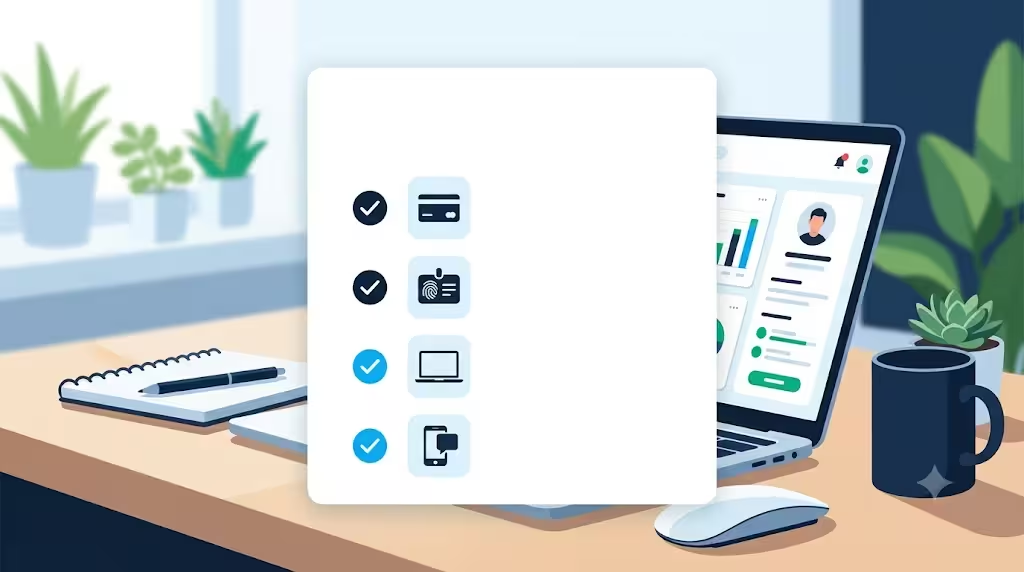
1. The physical card itself. You’ll need to read the 16-digit card number, the expiration date, and the 3-digit CVV on the back. If there’s a peel-off activation sticker on the front, don’t remove it yet. It usually shows the phone number and web address you’ll use.
2. Your Social Security number (last 4 digits, sometimes the full number). Chase uses this to confirm your identity during card verification. Authorized users typically need to provide the last 4 digits of their own SSN, not the primary cardholder’s.
3. Your Chase.com login credentials (username and password). If you already have a Chase account, log in first. It skips several ID checks. If you’re new to Chase, you can create your login during activation at chase.com.
4. A working phone number and email that Chase already has on file. Chase may send a one-time code to confirm it’s really you. If your phone number has changed since you applied, update it through your online profile first, or call customer service. Otherwise, the code goes to an old line and activation stalls.
You may also see a prompt for security questions, especially if you’re activating from a new device. Have your answers ready, or reset them ahead of time inside your online profile.
💡 Pro Tip: Snap a quick photo of the front and back of your card before activation. If the card gets lost later, you’ll already have the number, expiration, and CVV saved somewhere safe (not in a public photo album).
Activation vs. Verification: Are They the Same Thing?
Yes, these words mean the same thing at Chase. “Activation” and “card verification” are used interchangeably across chase.com, the Chase Mobile app, and the automated phone system. The URL itself is even called chase.com/verifycard, which is why some readers get confused and think there are two separate steps.
There’s only one step. When Chase asks you to “verify” your new card, that action turns it on. You don’t have to activate it and then verify it. One process, two names. Once the confirmation screen appears, the card is live and ready to use for purchases, cash advances, or adding to a digital wallet.
How Long Chase Card Activation Takes
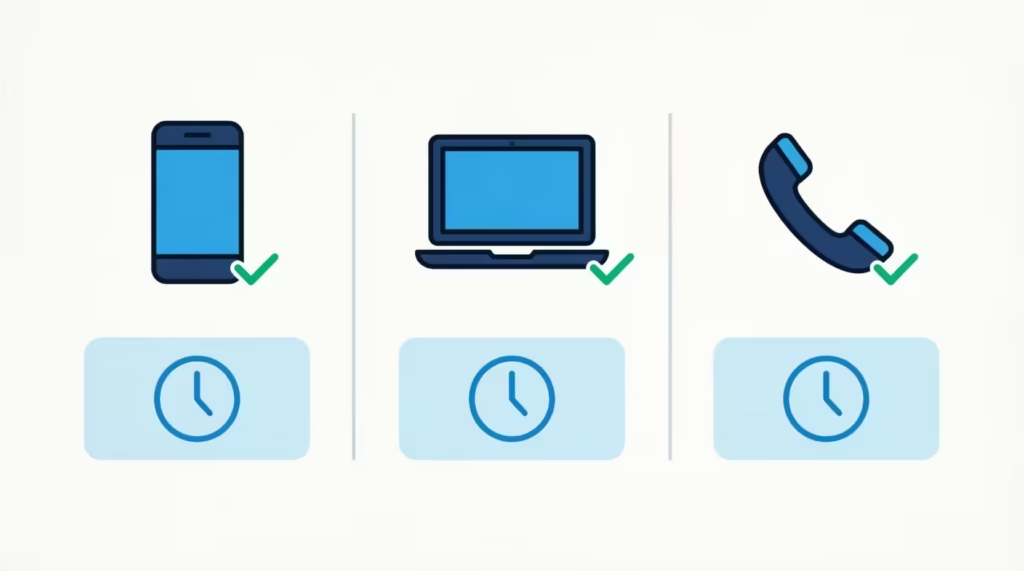
Activation itself takes about 60 to 120 seconds from start to finish, whether you use the app, the website, or the phone system. The card usually activates within minutes. However, in rare cases, it can take up to an hour for the “active” status to appear on all payment networks. If you try to use the card and it declines within the first hour, wait a bit and try again before assuming there’s a bigger problem.
How to Activate a Chase Credit Card Online
Activating online is the go-to method if you already have a Chase account or if you like doing everything from a laptop. The process happens at chase.com/verifycard, which is Chase’s official activation page.
Follow these steps:
- Open your browser and go to chase.com/verifycard. Make sure the URL is spelled exactly that way. There’s no dash or space.
- Sign in with your Chase username and password. If you don’t have an account yet, click “Not enrolled? Sign up now” and create one using the new card.
- Once logged in, choose the new card from your account list. It usually shows a “Verify your card” or “Activate card” prompt right on the account tile.
- Enter the card number, expiration date, and CVV when asked. Some accounts skip this step if Chase already recognizes the card from your file.
- Confirm your identity. This may include the last four digits of your SSN, a one-time code sent to your phone, or a saved security question.
- Click “Activate” or “Verify.” A confirmation message appears within seconds.
If you’re on a public or shared computer, sign out completely when you’re done. Never save your login on a device you don’t own.
Activating your Chase credit card online works 24/7, so you can do it at 2 a.m. if you like. There’s no wait for business hours, no hold music, and no agent to talk to.
How to Activate a Chase Credit Card by Phone
Some people prefer talking to a real system (or a real person) instead of clicking through screens. The Chase phone activation line works for that, and it’s especially handy if you’ve lost your online login or the website is being slow.
The Chase credit card activation phone number is 1-800-432-3117. This is Chase’s main consumer credit card customer service line, confirmed on the official Chase customer service page. If your activation sticker lists a different number, use that one, since Chase sometimes routes specific card products (like United Explorer or Marriott Bonvoy cards) to dedicated lines.
Here’s how the automated phone system works:
- Call 1-800-432-3117 from the phone number Chase has on file for you. Calling from your registered number speeds up ID checks.
- When prompted, enter your 16-digit card number using the keypad.
- Enter your date of birth and the last four digits of your SSN when asked.
- The system confirms activation and reads back a short message. That’s it. The card is live.
If you’d rather speak to a human, say “representative” or press 0 during the prompts. An agent can help with activation plus anything else, like setting up autopay or adding a travel notice. Wait times are usually shortest on weekday mornings.
Chase’s phone activation is available 24 hours a day, 7 days a week for standard credit cards.
How to Activate a Chase Credit Card Using the Chase Mobile App
For anyone who already banks with Chase, the mobile app is the fastest path. You skip the login typing, skip the web browser, and often skip re-entering your card number because the app already knows who you are.
Download the Chase Mobile app from the App Store, or grab it on Google Play if you’re on Android. Then follow these steps:
- Open the Chase Mobile app and sign in with your username and password (or use Face ID/fingerprint).
- On the main dashboard, tap the account tile for your new card. If the card is brand new, it may show a “New card in mail” or “Activate now” banner.
- Select “Activate Card” from the menu or the banner.
- Confirm the card details on screen. The app usually pre-fills them, so you just tap to confirm.
- Verify your identity if prompted. This is often just a Face ID scan or a passcode.
- Tap “Activate.” You’ll see a green checkmark and a “Card activated” message.
The app method is especially useful if you’re standing in a store and realized your card wasn’t activated yet. You can activate it right there and use it a minute later.
📌 Did You Know: You can add your new Chase card to Apple Pay, Google Pay, or Samsung Wallet right away. You don’t have to wait for the physical card to swipe first. That means you can start earning rewards immediately, even if you leave the card at home.
How to Activate a Chase Card Without an Activation Sticker
The activation sticker is that bright yellow or white strip on the front of the card, listing a phone number and website. Sometimes it falls off during shipping. Sometimes Chase sends the card without one at all, especially for replacements. Either way, this is not a problem, and it does not mean the card is broken.
You can still activate the card using any of the three methods above. Here’s exactly what to do:
- Online: Log in at chase.com/verifycard and follow the same steps as a normal online activation. The site doesn’t require anything from the sticker.
- Mobile app: Open the Chase Mobile app, find the new card, and tap “Activate Card.” No sticker info needed.
- Phone: Call the general Chase customer service line at 1-800-432-3117. This is the same number listed on Chase’s official contact page, and it works for activation even when your sticker is missing.
If you’re worried the missing sticker means the card was tampered with in the mail, check the envelope and card for signs of damage. If anything looks opened, resealed, or wrong (like a name that doesn’t match yours), don’t activate it. Call Chase first and report it as a possible mail issue. They’ll cancel that card and send a replacement right away.
How to Activate a Replacement or Renewal Chase Credit Card
A replacement card comes when your old one is lost, stolen, damaged, or compromised in a data breach. A renewal card arrives before your current card expires, usually 30 to 60 days before the expiration date printed on the front. Both look almost identical to your old card, but they carry a new card number, a new expiration date, and a new CVV.
Activation works the same way as for a brand-new card. The differences are what happens to the old card and your account details.
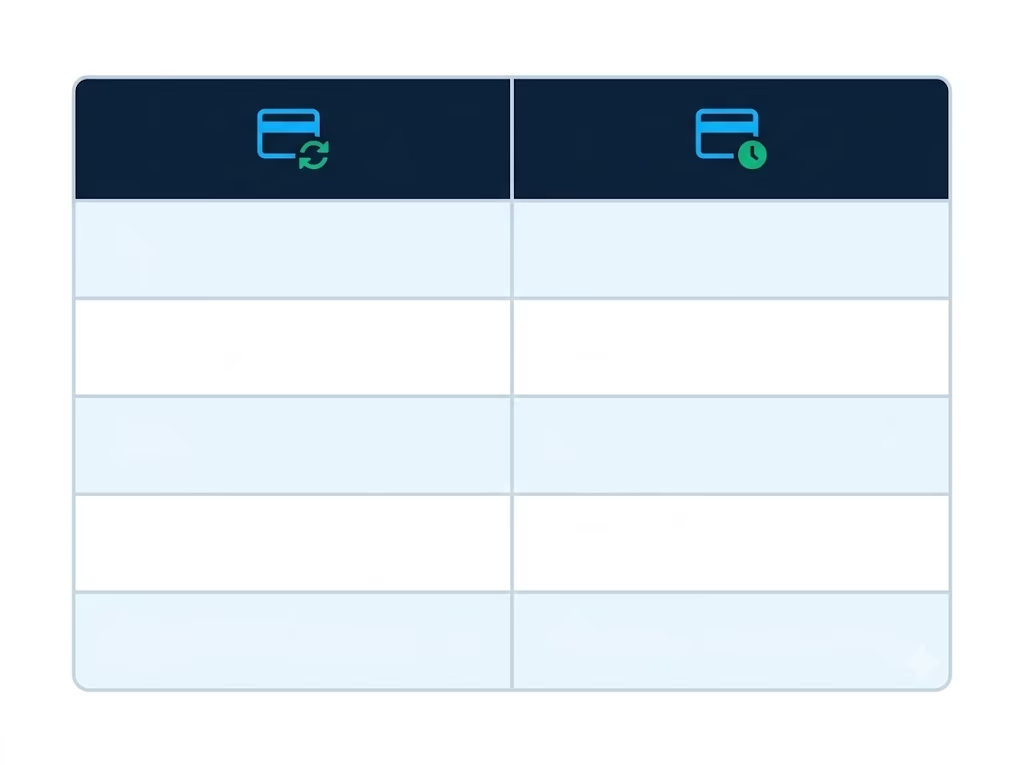
What stays the same:
- Your credit limit
- Your rewards balance (points, miles, or cash back)
- Your account history and statement records
- Your autopay and merchant billing settings that reference your Chase account
- Your Chase online login
What changes:
- The 16-digit card number
- The expiration date
- The CVV code
- Any physical stored versions of your card details (Amazon, Netflix, gym membership, etc.)
Once you activate your replacement Chase card, the old card is automatically deactivated. Any purchase attempted on the old number will decline. That’s a good thing, since it protects you if the old card was lost. But it also means every recurring charge tied to the old card will fail on its next billing date until you update it.
Make a list of every subscription and biller you paid with the old card.
Common ones people often forget are:
- Streaming services
- Insurance premiums
- Cell phone bills
- Cloud storage
- Gym memberships
Update each one within a few days of activation to avoid missed payments.
⚠️ Mistake to Avoid: Don’t destroy your old card until the new one is activated and working. If your new card fails to activate for any reason, you may need the old card number to contact Chase and troubleshoot. Once activation is confirmed, cut through the chip and shred the old card.
For renewals, the transition is even smoother. Chase typically deactivates the old card at the end of its expiration month, giving you a short overlap window to activate the new one. If you activate the renewal card early, you can start using it immediately, and the old card will still work until it expires.
How to Activate a Chase Credit Card as an Authorized User
An authorized user is someone added to another person’s Chase credit card account. They get their own physical card with their name on it, but the primary account holder is the one responsible for payments. Common examples: a spouse added to a partner’s card, a parent adding an adult child, or a business owner adding an employee.
Here’s the key point most guides skip: authorized users usually don’t need their own Chase online login to activate the card. In fact, adding an authorized user does not automatically create a Chase account for them. The primary cardholder can activate the authorized user’s card online. Alternatively, the authorized user can activate it by phone using their personal information.
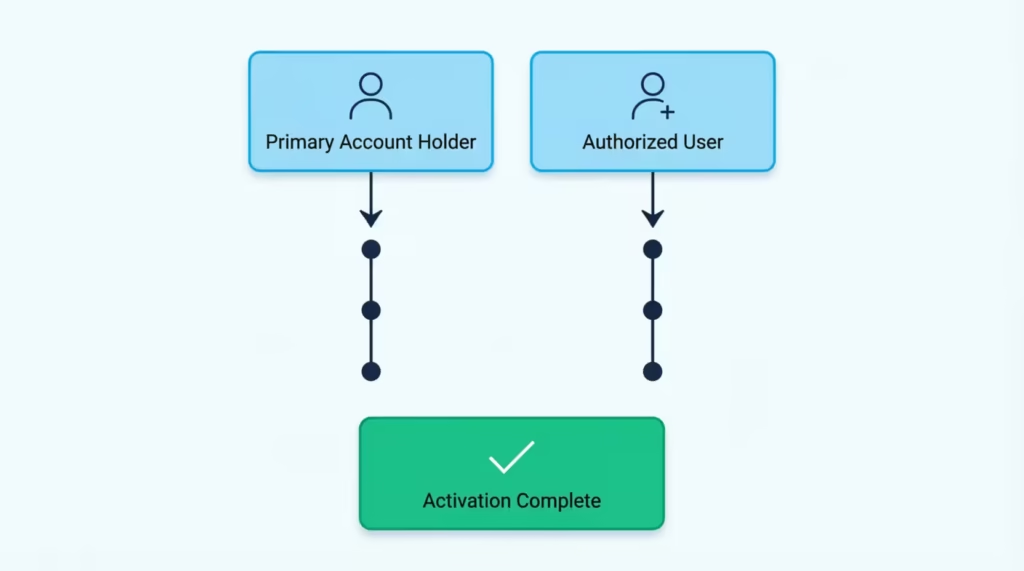
Follow this approach based on who’s activating:
If the primary cardholder is activating for the authorized user:
- Log in to chase.com or open the Chase Mobile app.
- Go to the main card account (not a separate account for the authorized user, since one doesn’t exist).
- Look for a prompt about the new authorized user card, or go to the account menu and select “Activate card.”
- Complete the steps as usual.
If the authorized user is activating their own card:
- Call 1-800-432-3117 from the phone number that the primary cardholder listed for the authorized user.
- Enter the 16-digit card number when prompted.
- Provide the authorized user’s own date of birth and last four digits of their SSN, not the primary cardholder’s.
- Confirm activation.
If the phone system rejects the authorized user’s info, it often means the primary cardholder forgot to add the authorized user’s SSN. Chase allows this in some cases. If that happens, the primary cardholder must call Chase. They should confirm their identity and update the authorized user’s profile with the missing SSN. After that, the authorized user can call back and activate normally.
Authorized users are also welcome to create their own Chase.com login, which lets them view transactions, redeem rewards (if the primary allows it), and manage alerts. It’s optional but useful for tracking spending.
How to Activate a Chase Credit Card While Traveling Internationally
Getting a new Chase card in the mail while you’re already overseas, or trying to activate before an urgent trip, adds a wrinkle. US 1-800 numbers usually don’t work from abroad, and international texts to your US phone number may be delayed or blocked.
The good news: you have several ways to activate your Chase card for international use without needing US phone service.
Option 1: Use the Chase Mobile app over Wi-Fi. The app works globally as long as you have an internet connection. Log in from your hotel Wi-Fi, coffee shop, or airport lounge, and activate the card exactly as you would at home. This is the easiest method by far. No calls, no SMS codes to a US number, just an app session.
Option 2: Log in at chase.com from any browser. Same idea as the app. As long as you can reach chase.com, you can activate. If you use a VPN, set it to a US server to avoid triggering location-based security prompts that may block the login.
Option 3: Call Chase collect from overseas. Chase accepts collect calls for cardholder support at 1-302-594-8200. This international line is available 24/7 and can handle activation, travel notices, and card issues in one call. Save this number in your phone before you travel.
Before your trip (or as soon as you activate abroad), set a travel notice inside the Chase app or on chase.com. Go to the card account, then “Account services,” then “Travel notice.” Enter the countries you’ll visit and the dates. This tells Chase’s fraud system to allow foreign purchases and reduces the chance of a decline in a foreign store.
If you activate a Chase card while abroad, avoid activating on public Wi-Fi without a VPN. Login credentials are sensitive, and hotel or café networks are common places for interception.
Common Chase Card Activation Errors and How to Fix Them
Even a two-minute activation can hit a wall. Below are the most common errors and the exact fix for each one.
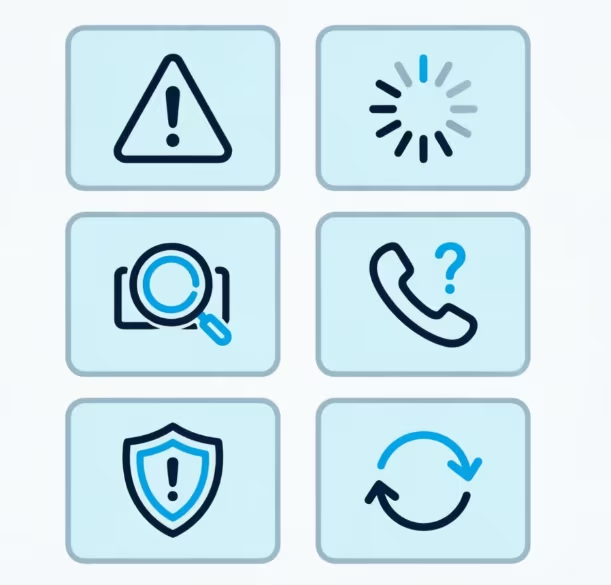
Error: “Card already activated.” This means the card was activated before. It could have been done by phone auto-activation, by the primary cardholder, or by an earlier attempt you may have forgotten. Try using the card. If it works, ignore the message. If the card is still declined, call 1-800-432-3117 and ask them to confirm the activation status on the account.
Error: “Invalid card number.” You’ve likely mistyped a digit. Chase card numbers are 16 digits, entered without spaces or dashes. Also make sure you’re entering the number from the new card, not an older one you still have in your wallet. Double-check the number and try again.
Error: “We couldn’t verify your identity” or SSN mismatch. Chase couldn’t match the SSN or date of birth you entered with the account record. For authorized users, remember to use your own SSN, not the primary cardholder’s. If your SSN is correct and the error keeps coming up, your file may have outdated info. Call 1-800-432-3117 and ask an agent to verify and update your details.
Error: “Please call customer service to complete activation.” This is Chase’s catch-all for anything the automated system can’t handle. It’s not a problem with your card. It just means the account needs a live agent, usually for a security review or a recent address change. Call the number on the message and expect a short verification conversation.
Error: “System unavailable” or the page won’t load. Chase runs occasional maintenance, usually in the middle of the night. Wait 15 to 30 minutes and try again, or switch methods (app instead of website, or phone instead of app).
Card activated but declined at the register. Wait one hour after activation before assuming there’s a bigger issue. If it still declines, call 1-800-432-3117 and ask the agent to check for a hold, a fraud flag, or a missing travel notice. New cards sometimes get flagged for unusual first-use patterns, which is easy to clear over the phone.
Activation completes, but the card doesn’t appear in the Chase app. Force close the app and reopen it. If the card still doesn’t show, log out and log back in. If nothing works, uninstall and reinstall the app. This usually forces a refresh from Chase’s servers and pulls the new card into your account list.
What to Do After Your Chase Credit Card Is Activated
Activation is the starting line, not the finish. A few quick steps right after activation protect your account, unlock rewards, and make the card easier to use every day.
1. Sign the back of the card. The signature strip is a small anti-fraud measure. A signed card is required by most merchants, even in the era of chip and tap payments. Use a fine-point pen.
2. Set up a Chase.com login if you don’t have one. Go to chase.com, click “Not enrolled? Sign up now,” and create your account. This gives you online access to statements, payments, rewards, and alerts. Authorized users can enroll separately.
3. Add the card to your digital wallet. Open Apple Pay, Google Pay, or Samsung Wallet and add the card. You’ll need to verify it with a one-time code from Chase. Once added, you can pay from your phone or watch without carrying the card.
4. Set up autopay for at least the minimum payment. This is the single most important protection against a missed payment. Log in to chase.com, open the card account, go to “Payments and transfers,” and set up automatic payments. You can choose minimum, statement balance, or a fixed amount.
5. Turn on account alerts. In the Chase app or website, enable alerts for large purchases, payment due dates, and login attempts. These catch problems fast, including fraud, before they grow.
6. Read the cardmember agreement. The cardmember agreement is the legal document that spells out your APR, fees, rewards structure, grace period, and dispute rights. It’s mailed with the card and also available inside your Chase online account under “Statements & documents.” Skim the highlights: APR after any intro period, late fee amount, and how rewards expire.
7. Note any welcome bonus requirements. If you opened the card for a sign-up bonus, check the exact spending threshold and time window (for example, “$4,000 in the first 3 months”). Miss the window by a day, and the bonus disappears.
8. Update your recurring bills. If this is a replacement or renewal card, update every service that had your old number. Streaming, utilities, phone, insurance, and any subscriptions. Doing this now prevents a wave of failed payments later.
With those eight steps done, your new card is fully set up and working the way it should.
Frequently Asked Questions (FAQs)
What is the phone number to activate a Chase credit card?
Call 1-800-432-3117, Chase’s main consumer credit card customer service line. This number works for activation 24 hours a day, 7 days a week.
How do I activate my Chase credit card?
Use the Chase Mobile app, log in at chase.com/verifycard, or call 1-800-432-3117. Each method takes about 60 to 120 seconds to complete.
Can I activate my Chase card online?
Yes, go to chase.com/verifycard, sign in, select your new card, and confirm your identity with your SSN or a one-time code. This works 24/7 with no wait for business hours.
How do I talk to a real person at Chase for credit card help?
Call 1-800-432-3117 and say “representative” or press 0 during the automated prompts. Wait times are usually shortest on weekday mornings.
Is Chase bank customer service available 24 hours?
Yes, Chase’s phone activation and customer service line is available 24 hours a day, 7 days a week for standard credit cards.
What if I forgot to activate my Chase card?
The card simply won’t work until you activate it, so there’s no penalty for waiting. Activate anytime through the app, chase.com/verifycard, or by calling 1-800-432-3117.
Can I use my Chase card immediately after activation?
Yes, most cards work right away, though it can take up to an hour in rare cases for active status to reach all payment networks. If it declines within that first hour, wait and try again before assuming there’s a problem.
Do authorized users get their own Chase.com login?
No, adding an authorized user doesn’t automatically create a Chase account for them. They can activate their card by phone using their own SSN and date of birth, and can optionally create a separate login later.
How do I activate a Chase card while traveling internationally?
Use the Chase Mobile app or chase.com over Wi-Fi, since US 1-800 numbers often don’t work abroad. You can also call collect at 1-302-594-8200, available 24/7 for cardholder support.
Can I activate my Chase card at an ATM?
The article doesn’t cover ATM activation as an option; Chase’s supported methods are the mobile app, chase.com/verifycard, and the phone line at 1-800-432-3117.
Wrapping Up
Getting a new Chase credit card activated should feel like a small, quick task, not a mystery. We checked each method: app, website, and phone. We also looked at special cases like missing stickers, replacement cards, authorized users, international travel, and activation errors.
The Chase Mobile app is the best way to activate your card. It’s fast and reliable, especially for Chase customers. You can log in easily and add your card to a digital wallet in one step. Once activated, sign the card, set up autopay, and update recurring bills right away.
If a friend or family member just got a new Chase card and looks confused by the process, share this guide with them. It could save them a wasted trip to the store with a card that won’t swipe.