Losing track of a credit card is stressful. Maybe you can’t find it in your bag, or you just spotted a charge you don’t recognize. In that moment, you need a quick way to freeze your Chase credit card without canceling the account or breaking your monthly bills.
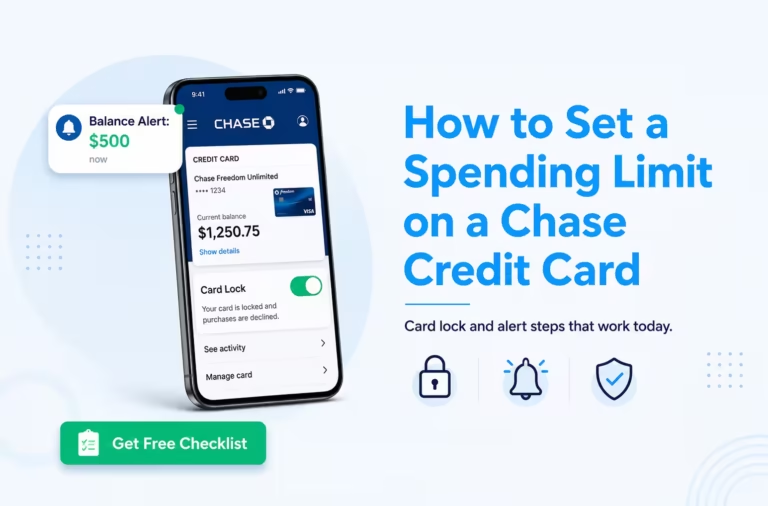
The fastest fix is to use the “Lock and Unlock” feature inside the Chase Mobile app or on chase.com, which blocks new purchases right away.
Below, we’ll walk you through every step, show you what gets blocked, explain the credit score side of things, and help you decide if a lock is enough or if you should report the card lost or stolen.
Key Takeaways
This guide explains how to freeze your Chase credit card using the Lock and Unlock feature in the Chase Mobile app, chase.com, or by phone, covering what transactions are blocked, what still posts, credit score impact, and when to escalate beyond a lock.
Core Facts:
- Freezing a Chase credit card takes under one minute using the Lock and Unlock toggle in the Chase Mobile app under Account Services, and takes effect instantly.
- A card lock blocks new in-store purchases, online transactions, ATM cash advances, balance transfers, and mobile wallet payments (Apple Pay, Google Pay, Samsung Pay).
- Recurring charges set up before the lock (subscriptions, auto-pay bills, insurance) continue posting even while the card is frozen.
- Locking a Chase credit card has zero impact on your credit score because it is an internal Chase setting not reported to Experian, Equifax, or TransUnion.
- Chase places no time limit on how long a card can stay locked, and there is no fee or restriction on how many times you can lock and unlock the same card.
- Locking the primary cardholder card typically also blocks all authorized user cards on the same account; individual user cards can be locked separately through the Manage Authorized Users section.
Best for:
- Cardholders who misplaced their Chase card temporarily and want to prevent unauthorized charges without canceling the account or reissuing a new card number.
- People who spotted a suspicious transaction and need to pause the card immediately while reviewing account activity before deciding whether to file a fraud dispute.
- Budget-conscious users who want a practical spending guardrail between uses while keeping recurring bill payments and rewards intact.
How to Freeze Your Chase Credit Card
When your card goes missing or something looks off, you don’t have to call anyone first. Chase gives you a built-in tool called Lock and Unlock Your Card. It’s free, fast, and reversible. You can turn it on in seconds and turn it back off the same way.
This feature lives inside your account services. You can reach it in three ways: the Chase Mobile app, the Chase website, or by phone. Most people find the app the quickest. Pick the path that fits where you are right now.
Using the Chase Mobile App
The Chase Mobile app is the fastest path. If you already have it on your phone, you can lock the card in under a minute.
Here’s the full path step by step:
- Open the Chase Mobile app and sign in with your username, password, or face/fingerprint ID.
- On the home screen, tap the credit card account you want to lock.
- Scroll down to “Account services” or tap the three-dot menu near the top.
- Tap “Lock & unlock card.”
- Toggle the switch to On. The screen will confirm the card is locked.
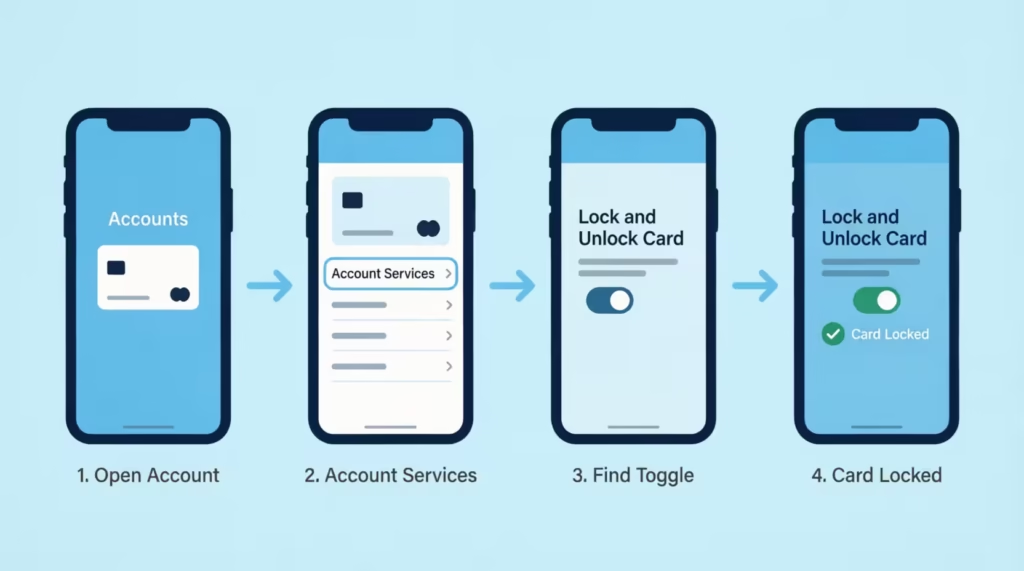
The lock takes effect right away. You don’t have to wait or restart anything. If you have more than one Chase card, repeat the steps for each card. Each card is locked on its own.
💡 Pro Tip: Turn on push notifications inside the app before you ever need them. That way, if a thief tries to use your card after you lock it, you’ll get an instant alert showing the blocked attempt.
Using the Chase Website (chase.com)
If you don’t have the app, or you’re at your desk, the website works just as well. The feature sits in the same place under your account.
Follow these steps:
- Go to chase.com and sign in to your account.
- Click the credit card you want to freeze from your account list.
- Look for “Account services” in the menu, often shown as a tab or side link.
- Click “Lock & unlock card.”
- Switch the toggle to On and confirm.
You’ll see a clear message on screen letting you know the card is now locked. The change syncs with the app right away, so the card status is the same on every device.
Calling Chase Customer Service
You can also call Chase if you can’t get to the app or website. This works well if your phone is dead, you’re locked out of your login, or you want to talk to a real person.
Call the number on the back of your card. If you can’t find it, the general Chase credit card line is 1-800-432-3117. A rep can place a temporary lock on the card for you. Have your account number, full name, and address ready to speed up the ID check.
Keep in mind that a phone agent may also offer to fully cancel and reissue the card. If you only want a short pause, say clearly: “I’d like a temporary lock, not a replacement card yet.”
What Happens When Your Chase Credit Card Is Locked
A lock is not the same as closing the account. The card stays open, your rewards stay safe, and your statement still works. What changes is which new charges Chase will let through.
The lock has an instant effect. Once you flip the toggle, Chase stops most new purchases from going through. But some charges are still allowed on purpose, so your life doesn’t fall apart while the card is paused.
Transactions That Are Blocked
When your card is in a temporary lock state, Chase will block:
- New purchases in stores with a swipe, tap, or chip insert.
- Online purchases where the card number is typed in fresh.
- Cash advances at ATMs or bank branches.
- Balance transfers started after the lock turned on.
- Mobile wallet payments using Apple Pay, Google Pay, or Samsung Pay are tied to that card.
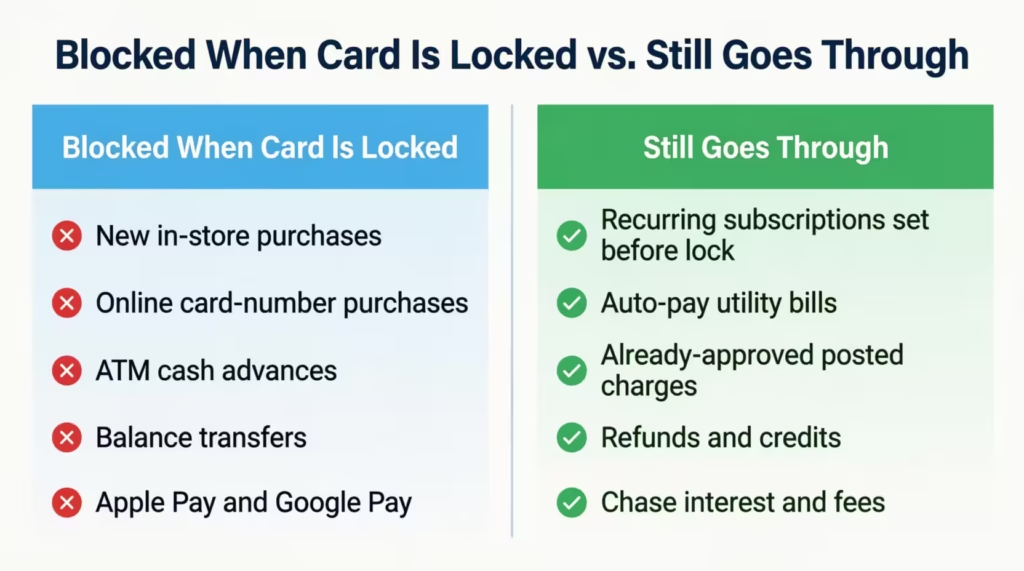
So if someone has your card or your card number, they can’t ring up new charges while the lock is on. That’s the whole point. It buys you time to find the card or check your activity without the pressure of more fraud piling up.
Transactions That Still Go Through
Some payments are not blocked, even with the lock on. Chase does this so you don’t miss bills or important charges by mistake.
These still go through:
- Recurring payments you set up before the lock, such as Netflix, Spotify, gym fees, or insurance.
- Utilities and subscriptions that auto-bill each month.
- Posted charges that were already approved before the lock.
- Returns, refunds, and credits to your account.
- Fees and interest charged by Chase itself.
This is good news if you were worried about your power bill or streaming service bouncing. Your auto-pay setups keep running. Just know that if a thief had already signed up for a subscription using your card before the lock, that charge may still post. Watch your statement and dispute anything odd.
How to Unlock Your Chase Credit Card
Unlocking is just as fast as locking. You use the same toggle. There’s no waiting period, no fee, and no call needed.
In the Chase Mobile app or on chase.com:
- Sign in to your account.
- Tap or click the credit card you locked.
- Open “Account services” and choose “Lock & unlock card.”
- Slide the toggle to Off.
The card is active again right away. You can start using it for new purchases, taps, and online checkouts within seconds. There’s no limit on how many times you can lock and unlock a Chase card, so feel free to use it as a tool, not just an emergency button.
If you locked the card by phone, you can either unlock it yourself online or call back and ask the rep to lift the lock.
Does Locking Your Chase Credit Card Affect Your Credit Score?
This is one of the biggest worries people have, and the answer brings real relief: no, locking your Chase credit card does not hurt your credit score.
A card lock is an internal Chase setting. It is not reported to Equifax, Experian, or TransUnion. The three big credit bureaus don’t even know your card is locked. Because of that, your FICO score is not touched by the lock itself.
Your credit utilization also stays the same. Your credit limit doesn’t drop, and your balance doesn’t change just because the card is paused. So the ratio that lenders look at, balance divided by limit, looks the same as it did before.
Closing a card is different. That can lower your total available credit and shorten your credit history, which may ding your score. A lock avoids all of that. It’s the safer middle step when you’re not sure yet if the card is truly gone.
📌 Did You Know: Card locks live only inside Chase’s system, while a credit freeze sits at the three credit bureaus. That’s why one protects your account, and the other protects your credit file — they’re not the same shield.
How Locking Affects Authorized Users on Your Account
If you added someone to your account as an authorized user, locking the main card can affect them, too. On most Chase cards, locking the primary cardholder’s card also blocks any authorized user cards tied to that same account.
That can be helpful or annoying, depending on the reason. If you want to pause a teen’s spending, a lock on the main card does the trick. But if you only want to stop your own card from being used, and your spouse still needs theirs, you may need to lock just the specific card number instead. We’ll cover that in the spending control section below.
Card Lock vs. Credit Bureau Freeze: What’s the Difference?
People often mix up a card lock and a credit bureau freeze. They sound alike, but they do very different jobs.
A card lock stops new purchases on one credit card. It’s set inside your Chase account and works only for that card. It does nothing to other cards or loans you have. Think of it as flipping a switch on one card’s power.
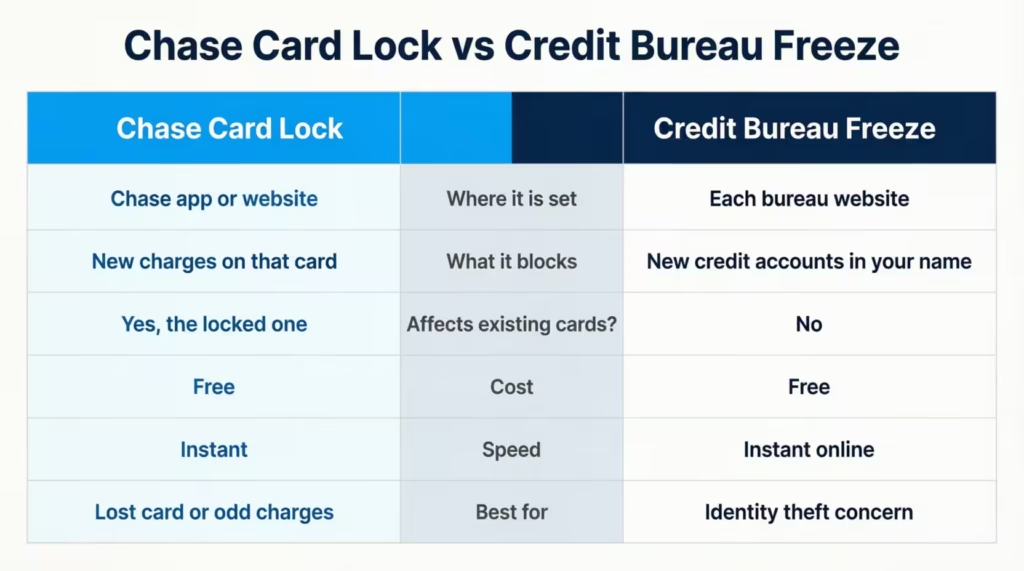
A credit bureau freeze is bigger. It stops lenders from pulling your full credit report from Equifax, Experian, or TransUnion. That blocks new credit accounts from being opened in your name. It does not stop charges on cards you already have.
Here’s a simple table to make the card lock vs credit freeze choice clear:
| Feature | Chase Card Lock | Credit Bureau Freeze |
|---|---|---|
| Where it’s set | Chase app or website | Each credit bureau site |
| What it blocks | New charges on that card | New credit accounts in your name |
| Affects existing cards? | Yes, the locked one | No |
| Cost | Free | Free |
| Speed | Instant | Instant online |
| Best for | Lost card, odd charges | Identity theft worry |
Use a card lock for credit card security on a single Chase card. Use a credit bureau freeze if you think your full identity has been stolen, not just one card. You can do both at the same time if you want strong protection.
When to Lock Your Card vs. When to Report It Lost or Stolen
A lock is great for short, fixable problems. Reporting the card as lost or stolen is the right call when the card is truly gone or already being misused.
Lock the card when:
- You can’t find it, but you might have left it at home or in your car.
- You’re traveling and want a safety net for a few days.
- You see one odd charge and want to pause before you dig in.
- You want to take a break from spending for budget reasons.
Report it lost or stolen when:
- You’re sure the card is gone and not coming back.
- Someone took it from you.
- You see more than one charge you didn’t make.
- Your wallet or purse was stolen.
When you report a card lost or stolen, Chase cancels the card number and mails you a new one, usually in three to five business days. That’s a bigger step than a lock, but it’s the right one when fraud has already happened.
You can reach Chase customer service at 1-800-432-3117 or use the “Report lost or stolen” link inside the app under account services.
What to Do If You Already See Unauthorized Charges
Spotting unauthorized charges changes the game. A lock alone won’t fix charges that have already been posted. Take these steps in order:
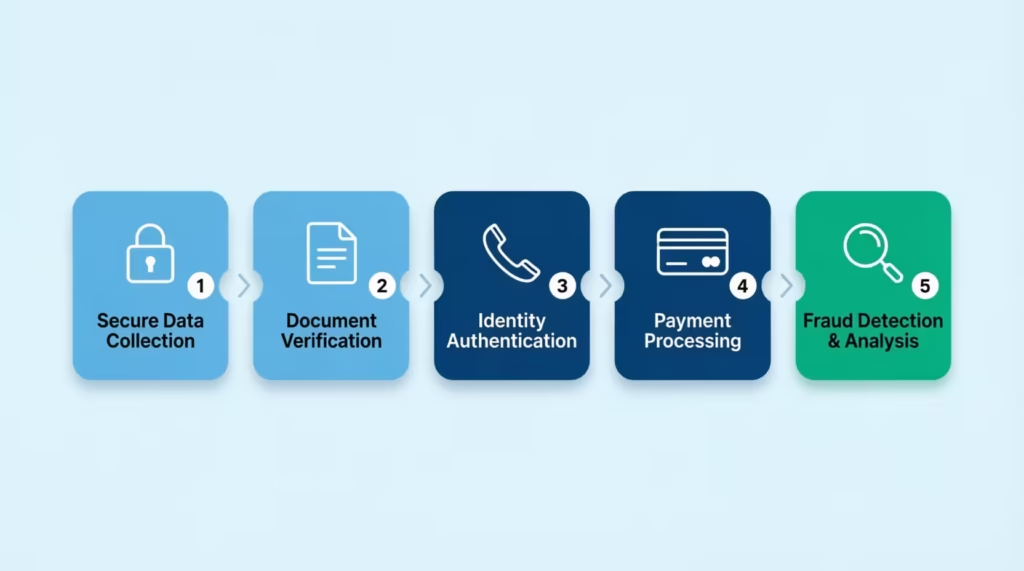
- Lock the card right away to stop more damage.
- Open the charge in the app and tap “Dispute transaction.” Chase walks you through a short form.
- Report the card as lost or stolen if you didn’t make the charge and you don’t trust the card number anymore.
- Ask for a new card so the old number is dead for good.
- Watch your statement for the next 30 to 60 days for more odd activity.
Federal law caps your liability for fraud on a credit card at $50, and Chase often waives even that under its Zero Liability Protection. So you should not be on the hook for charges you didn’t make, as long as you report them in a reasonable time.
When to Cancel Instead of Lock
Locking is the right move most of the time, but not always. Cancel the card instead when:
- The card was clearly stolen and used.
- You’ve had repeated fraud on the same card number.
- You’re closing the account on purpose for personal finance reasons.
- The card has been compromised in a data breach.
⚠️ Mistake to Avoid: Don’t cancel a card just because of one small fraud charge. A lock plus a dispute usually fixes it, while a cancel may hurt your credit history length and average account age.
Using the Lock Feature to Control Your Spending
The lock tool isn’t just for emergencies. Many cardholders use it as a simple spending guardrail. If you’re trying to stick to a budget, pay down debt, or stop impulse buys, a lock can act like a speed bump between you and the checkout page.
Lock the card when you’re working on a no-spend week. Unlock it only when you plan to use it on purpose. Because the lock has an instant effect and lives inside the Chase Mobile app, you can flip it back on in seconds at the register if you really need it.
Your recurring payments keep flowing, so your bills stay on track while your day-to-day spending pauses. That’s a smart way to lean on account services without giving up the card or its rewards.
Locking a Specific Authorized User’s Card
If you share the account with family, you may want to pause just one card without blocking the whole account. Chase lets you lock a specific authorized user card on most products.
Here’s how:
- Sign in to the Chase Mobile app or chase.com.
- Open the credit card account.
- Go to “Account services” and find “Manage authorized users.”
- Pick the user whose card you want to pause.
- Tap “Lock & unlock card” for that user’s card only.
This works well for parents with teen authorized users, or couples who want to pause one card without freezing the joint account. The main cardholder stays in full control, and you can lift the lock on that single card at any time.
Frequently Asked Questions (FAQs)
Can someone use your card if it’s frozen?
New purchases, ATM withdrawals, and mobile wallet payments are all blocked when a Chase card is locked. However, recurring charges you set up before the lock, like streaming subscriptions or gym memberships, will still go through.
Can I freeze my credit card to stop interest charges?
No, a card lock does not stop interest or fees from posting. Chase still applies any interest owed and its own account fees to your balance even while the card is locked.
What is the downside of freezing your Chase credit card?
The main drawback is that recurring charges set up before the lock, like subscriptions or auto-pay bills, keep posting even when the card is paused. Locking the primary card can also block any authorized user cards linked to that account.
What happens to authorized user cards when you lock your Chase card?
On most Chase cards, locking the primary card also blocks the authorized user cards attached to the same account. If you only want to pause one specific user’s card, Chase lets you lock that individual card through the “Manage authorized users” section in your account.
Can I lock just one Chase card if I have multiple?
Yes, each Chase credit card is locked independently. If you have more than one Chase card, you have to go into each card’s account services separately and toggle the lock on for each one you want to pause.
How long can you freeze a Chase credit card?
Chase places no time limit on how long your card can stay locked. You can also lock and unlock the same card as many times as you want, with no fees or restrictions on how often you use the feature.
Should I lock my credit card when not in use?
Locking your Chase card between uses is a practical way to prevent unauthorized charges and control spending. Because recurring payments still post and the card can be unlocked in seconds through the app, locking it between uses carries very little downside.
What number do I call to freeze my Chase card?
Call 1-800-432-3117 to reach Chase credit card customer service. Have your account number, full name, and address ready, and tell the representative you want a temporary lock rather than a full card replacement.
What is the difference between a card lock and a credit freeze?
A Chase card lock blocks new purchases on one specific credit card and is set inside your Chase account. A credit bureau freeze stops lenders from opening any new credit accounts in your name and is placed separately at Equifax, Experian, and TransUnion.
Bottom Line
We’ve covered every step you need to freeze your Chase credit card safely, from the app and website to a quick phone call. You now know what a lock blocks, what still posts, and why your credit score stays safe through it all. You can also tell a card lock apart from a credit bureau freeze, and you know when to lock, when to report the card lost, and when to cancel.
Based on the speed and zero credit-score impact shown above, the most effective approach is to lock first, then decide if you need to report or cancel.
If you know someone who just lost their wallet or spotted a strange charge, share this guide with them. It could save them hours of stress and stop fraud before it grows.