Getting paid to a Wisely by ADP paycard is convenient, until you need $80 before payday and every cash advance app you try rejects your card at the linking step. It feels like your card is broken, but the real issue is that most cash advance apps are built for traditional checking accounts, not prepaid payroll cards. That’s why cash advance apps that work with Wisely cards are a short, specific list, not a long one.
The short answer: Brigit, Dave, Albert, Beem, Varo, and Cleo are the most reliable direct-link options for Wisely users right now.
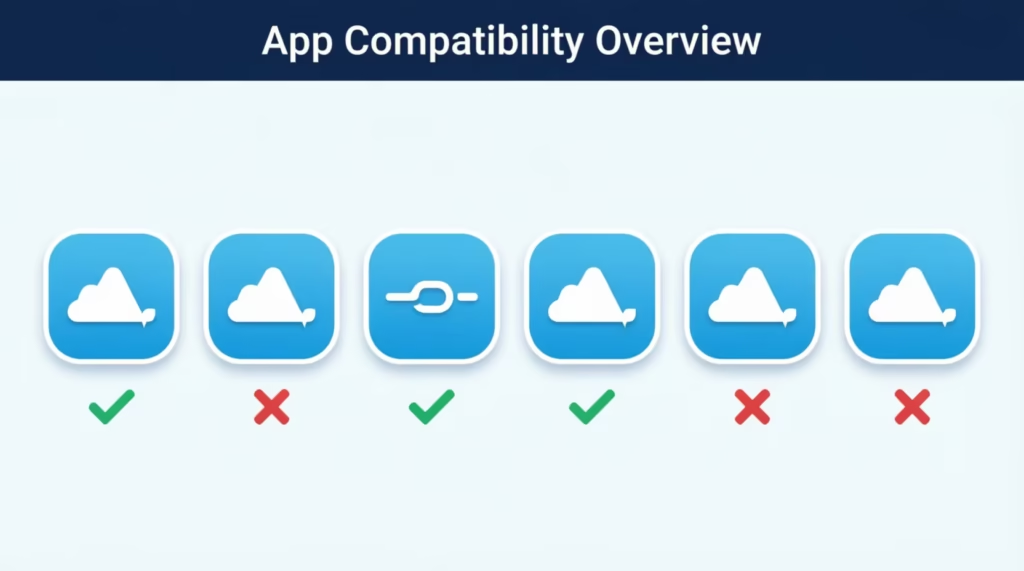
Below, you’ll find a full compatibility table, real fee ranges, step-by-step linking instructions, a free built-in option you may have missed, and a fallback plan for when nothing links.
Key Takeaways
This guide explains which cash advance apps work with a Wisely paycard, including compatible options, why prepaid cards often fail app verification, real fee examples, and free alternatives like early direct deposit and employer earned wage access.
Core Facts:
- Brigit, Dave, Albert, Beem, Varo, and Cleo are identified as the most reliable direct-link options for Wisely cardholders, while Earnin does not support prepaid payroll accounts.
- Most cash advance apps use Plaid to verify bank accounts, and prepaid payroll cards like Wisely don’t always share data consistently, which can cause link rejections.
- Wisely offers a free early direct deposit feature that posts paychecks up to 2 days early with no fee, enabled through Account Settings in the myWisely app.
- A $100 advance from a subscription app can cost $13.98 total when combining a $9.99 monthly fee and a $3.99 express transfer fee, per the article’s example.
- Expedited transfer fees for cash advance apps typically range from $1 to $5.99, averaging $3.18 per advance according to CFPB data cited in the article.
- Employer-sponsored earned wage access through DailyPay, available to some Wisely by ADP cardholders, offers free standard transfers with no subscription or interest, unlike consumer lending apps.
Best for:
- Wisely by ADP paycard holders whose cash advance apps repeatedly fail at the linking step.
- Readers trying to decide between a paid cash advance app, free early direct deposit, or employer earned wage access.
- Anyone wanting a real cost breakdown of app fees before committing to a subscription.
Cash Advance Apps That Work With Wisely Card
The apps below are the ones Wisely users report linking successfully the most often. Compatibility can change when apps update their verification systems. So, use this as a solid starting point, not a permanent guarantee. Test the link with a small advance first before you count on it for a bill.
| App | Advance Range | Fee Model | Link Method | Reliability with Wisely |
|---|---|---|---|---|
| Brigit | $50 – $250 | Monthly subscription ($9.99–$14.99) | Debit card or bank login | High |
| Dave | $5 – $500 | Monthly membership ($1) + optional express fee | Debit card or bank login | High |
| Albert | $25 – $250 (Instant Advance) | No subscription required for advance; paid plans for full app | Debit card or bank login | Medium-High |
| Beem | $5 – $1,000 | Monthly subscription (starts around $2.47) | Debit card or bank login | Medium-High |
| Varo | Up to $500 (Varo Advance) | Small flat fee per advance | Requires opening a Varo account | Medium (indirect) |
| Cleo | $20 – $250 (Cleo Plus/Builder) | Monthly subscription ($5.99–$14.99) | Debit card or bank login | High |
A few practical notes on this list. Brigit, Dave, and Cleo often prefer the Wisely card. It lets you link a debit card directly. This is easier than needing a Plaid bank login.
Albert offers its Instant Advance without a required subscription, which makes it attractive when your budget is tight. Varo works differently; you need to open a Varo Bank account first, then transfer money in or out through your Wisely routing and account number.
Apps That Do Not Reliably Work With Wisely
Some popular apps get recommended online but fail at the linking step for Wisely users.
Earnin is the most common one. Earnin’s own help page lists prepaid accounts, including employer paycards, as unsupported. A few users report workarounds, but they aren’t reliable. If Earnin is your first pick, plan to route it through a different checking account.
MoneyLion, Empower, Klover, and Gerald are hit-or-miss. Some Wisely holders link them, others get declined at verification. If you try one, do it with a small test first.
Why Some Cash Advance Apps Won’t Link With Your Wisely Card
The reason isn’t your account. It’s how most cash advance apps verify bank accounts behind the scenes.
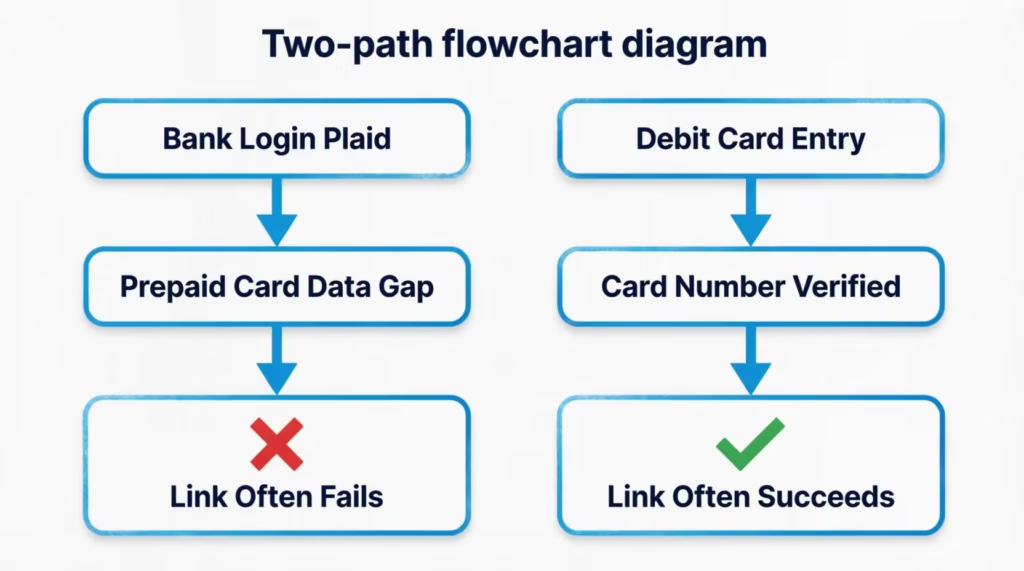
Most apps use a service called Plaid to connect to your bank. Plaid is designed around traditional checking and savings accounts, where it can read your balance, income history, and transactions in real time.
Prepaid payroll cards, such as Wisely, don’t always share data consistently. So, Plaid’s checks might show incomplete information or even reject the connection. That’s the core mismatch behind “prepaid card linking” failures.
Some apps avoid this by letting you enter your routing and account number manually. You can also add your Wisely card as a debit card instead of using a bank login. That’s why Dave and Cleo often work while Earnin doesn’t. When card-number entry fails, routing/account-number entry sometimes succeeds, and vice versa. Try both before you give up.
Your Wisely card issuer (Fifth Third Bank or Pathward, depending on when your card was issued) is a real financial institution, and your account is a real account. The problem is app-side compatibility, not your card’s legitimacy.
Try Wisely’s Free Early Pay Feature First
Before you sign up for any subscription, check whether you can just get paid earlier. Wisely offers early direct deposit at no cost, and many cardholders never turn it on.
Here’s how it works. Once you enable the feature, Wisely posts your paycheck as soon as ADP receives the payment instructions from your employer, which is typically up to 2 days early. You don’t pay a fee, you don’t accrue interest, and you don’t owe anyone a “tip.”
To turn it on, log into the myWisely app or mywisely.com, open Account Settings, and select Direct Deposit. If your employer’s payroll timing supports it, the early pay option will be there.
If a 2-day head start covers your gap, you may not need a cash advance app at all. This should always be step one before paying $9.99 for Brigit or Cleo.
💡 Pro Tip: Turn on early direct deposit even if you don’t need money now. Once enabled, it applies to every future paycheck automatically, giving you a permanent 2-day cushion at zero cost.
How to Link a Cash Advance App to Your Wisely Card
The linking process is roughly the same across apps. Follow these steps carefully the first time to avoid a failed verification.
- Open the cash advance app and find the funding section. In most apps, this is labeled “Add Funding,” “Bank & Card,” “Linked Accounts,” or “Wallet.” It’s usually in Settings or Profile.
- Choose “Add a debit card” if that option exists. For Wisely users, debit card linking usually works better than the “Log in to your bank” option. Select debit card first.
- Enter your Wisely card details. You’ll need the 16-digit card number, expiration date, CVV (the 3-digit code on the back), and the billing address associated with your Wisely account. Use the exact address on file; mismatches cause instant rejections.
- If the app requires a bank login instead, use routing and account numbers. To find yours, log into the myWisely app or mywisely.com, click Account Settings, then Direct Deposit. Your routing number and account number are listed there.
- Watch for a small verification charge. Some apps place a temporary charge of a few cents (usually $0.01 to $1.00) to confirm the card is real. This isn’t a fee; it’s refunded, usually within 1 to 3 business days. You may also be asked to type the exact amount back into the app to finish verification.
- Set your Wisely card as the “receive” or “disbursement” account. Some apps let you fund from one source and receive to another. Make sure Wisely is selected on the receiving side.
Give the app 1 to 3 minutes to confirm the link. Some apps also require a small deposit history before your first advance is approved.
What to Do If Your Wisely Card Won’t Link
If verification fails, don’t retry the same method five times. Instead:
- Switch link methods. If you tried debit card first, remove it and try routing/account number. If you tried bank login, switch to debit card entry.
- Confirm the card is activated. Log into myWisely and check that your card status shows Active. A newly issued or replacement card must be activated before it links anywhere.
- Check for holds or negative status. If your card is under a fraud review or has a negative balance from a chargeback, apps will reject the link.
- Contact the app’s support and use the exact phrase “card linking issue with prepaid payroll card.” Their front-line agents often have workarounds, especially with Wisely specifically.
- Try a different compatible app before assuming none will work. Dave and Cleo have the highest success rates.
Eligibility Requirements for Wisely Cash Advance Apps
Even if your card links, most apps have their own eligibility rules on top of Wisely compatibility. Confirming these ahead of time saves the frustration of a “not approved” screen.
Active Wisely cardholder with account in good standing. Your Wisely card needs to be active and not blocked. It should also have no cardholder agreement violations, such as disputed transactions or unresolved chargebacks. If your account is under review, most apps will decline you.
Minimum age of 18. All U.S. cash advance apps require you to be at least 18 in most states, 19 in Alabama and Nebraska, and 21 in Puerto Rico. Some apps also require U.S. citizenship or permanent residency.
Direct deposit history. Many apps want to see steady, recurring direct deposits to the account you’re linking, usually 2 to 3 pay cycles from the same employer. If your Wisely paycheck is your only deposit, the app is looking for consistent amounts and dates. Cash deposits, transfers from other apps, or one-off amounts don’t count.
Positive account activity. Apps like Brigit and Dave analyze your account for negative signals such as recurring overdraft alerts (not applicable to Wisely, since it can’t overdraft) or sudden drops in balance. A healthy pattern of deposits followed by normal spending helps.
One account per person. Most apps let you have just one active account linked to your Social Security number. So, if you were banned or closed an account, opening a new one with the same identity usually won’t succeed.
Advance Limits Tied to Your Wisely Balance
Your first advance is rarely the maximum advertised. Apps start you small, then raise your limit as you build history.
How limits are set.
Cash advance apps check three things:
- Recent deposit amounts in your linked account.
- How consistent those deposits are.
- Your repayment history with the app.
If your Wisely paycheck is $600 every two weeks, don’t expect a $500 first-time advance; most apps cap first-timers at $20 to $100.
Where to check your current limit. After you link, your available advance amount is usually shown on the app’s home screen or under a section labeled “Cash Advance,” “Get Cash,” or “Instant.” In Brigit, it appears at the top of the main screen. In Dave, tap the Cash Advance button. In Albert, look under the Advance tab.
Wisely itself does not display a “cash advance limit” because Wisely does not offer cash advances directly. Its available balance is just your actual money in the account.
Why your limit can drop. If you repay late, dispute an advance, or your recent deposits get smaller, the app may lower your ceiling. Some apps also cut your limit temporarily after a failed repayment attempt, even if you eventually pay in full.
Fees to Expect With Cash Advance Apps
“Free” advances rarely cost zero. Understanding the fee stack keeps you from being surprised.
Monthly subscription fees. Most cash advance apps charge a mandatory monthly fee ranging from $1 to $15. Dave charges around $1 per month. Brigit runs $9.99 to $14.99 depending on the plan. Cleo Plus is $5.99, and Cleo Builder is $14.99. This fee is charged whether or not you take an advance that month.
Instant transfer fees (expedited delivery). If you want the money in minutes instead of 1 to 3 business days, most apps charge an “express” or “instant” fee. According to the CFPB, expedited transfer fees typically range from $1 to $5.99, with an average of $3.18 per advance. Standard, free transfers still exist, but they take days, which defeats the point for most people using these apps.
Optional “tip” prompts. Some apps ask you to leave a tip when you request an advance. It’s marketed as voluntary, but the default is often preset to a few dollars. Skipping the tip is allowed, and doing so does not hurt your advance limit at most apps. Tips are how some “free” apps actually make money, so read the tip screen carefully.
Real Cost Example of Stacked Fees
A $100 advance sounds cheap until you add everything up.
Take a Brigit user who takes one $100 advance in a month. The math looks like this:
- $100 advance
- $9.99 monthly subscription
- $3.99 express transfer fee (for instant delivery)
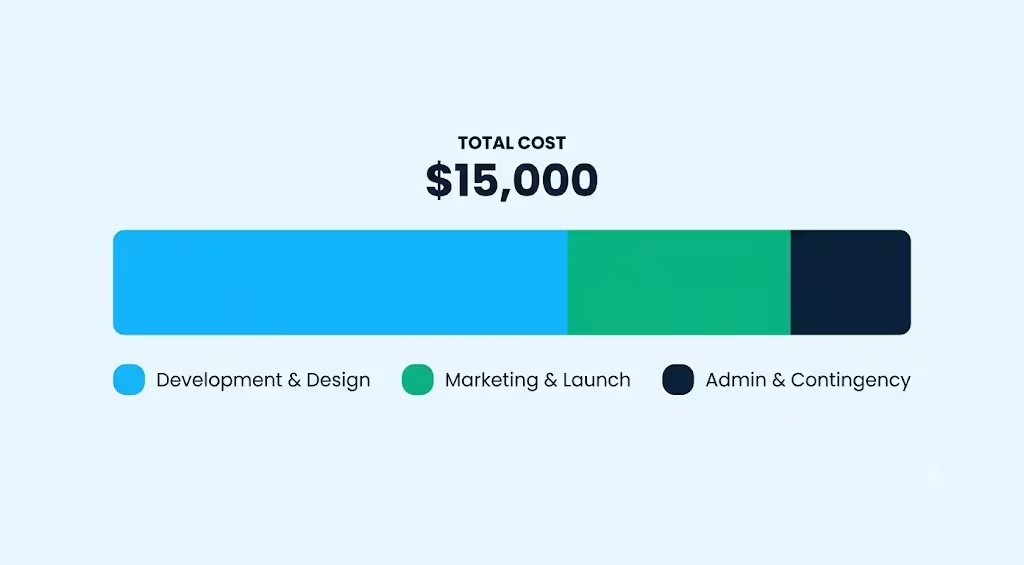
Total cost to receive $100: $13.98, or roughly 14% of the borrowed amount for a single 2-week loan. In APR terms, that’s several hundred percent annualized, similar to what the CFPB has documented for the industry. If you only take one advance in a month with a subscription app, you’re paying the subscription for that single loan.
⚠️ Mistake to Avoid: Signing up for two or three cash advance apps “just in case” and forgetting to cancel the subscriptions. Even if you never take an advance, $10 a month across three apps quietly drains $360 a year.
Best Cash Advance App by Situation
Instead of chasing a generic “best overall” ranking, pick the app that matches what you actually need this week.
Best for no monthly fee: Albert Instant Advance. Albert offers cash advances without requiring its paid Genius subscription. You get up to $250 (higher with history), and you can decline every add-on. It’s the closest to “truly free” among Wisely-compatible options, assuming you skip the express fee.
Best for largest advance amount: Beem or Albert. Beem advertises up to $1,000 for qualifying users, and Albert’s Instant Advance can go up to $250 (or higher with strong history). For most first-time users, actual approved amounts will be much smaller, usually $20 to $100. But if you build history, these two have the highest ceilings among reliably Wisely-compatible apps.
Best for fastest transfer speed: Dave. Dave’s express transfer typically lands in minutes when you pay the small express fee, and its link success rate with Wisely is high. If you need money now, not tomorrow, Dave is the best combination of speed and compatibility.
Best for beginners with thin history: Cleo. Cleo is friendly to first-time users, and its budgeting features double as basic money management. Advances start small but grow quickly.
Cash Advance Apps That Work With Wisely by ADP (Employer-Linked Options)
If your employer uses Wisely by ADP as their paycard, you may have access to something better than a consumer cash advance app. It’s called earned wage access (EWA), and it’s built into the payroll system itself.
How employer EWA differs from consumer apps. Consumer apps like Dave and Brigit lend you money based on your linked account, then collect on your next payday. Employer EWA lets you access wages you’ve already earned but haven’t been paid yet. There’s no lending, no subscription, and often no fees for standard transfers.
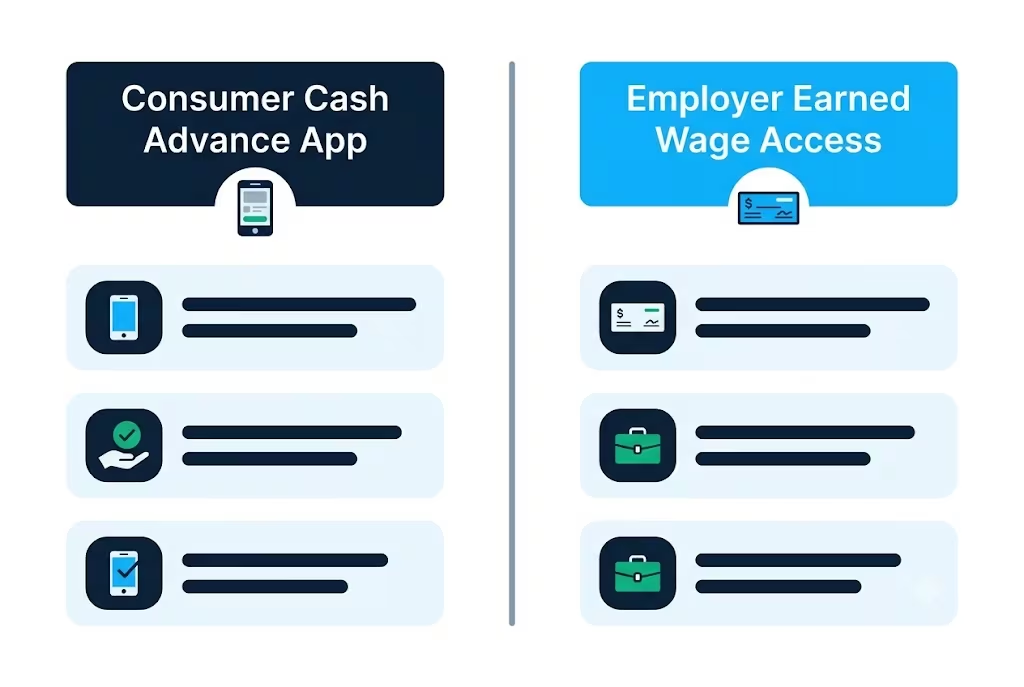
The most common integration is DailyPay. ADP partners with DailyPay to offer earned wage access directly to Wisely cardholders whose employers have opted in. According to DailyPay’s ADP marketplace listing, employees can track earnings in real time and transfer earned pay to their Wisely card, another bank account, or via other methods.
How to check if your employer participates. Open the myWisely app and look for an “On-Demand Pay,” “DailyPay,” or “Earned Wage Access” section in the menu. If it’s there, tap in and follow the enrollment steps. If it’s not, ask your HR or payroll team directly, “Do we offer DailyPay or on-demand pay through Wisely?”
What the fee structure looks like. When available, DailyPay typically offers free standard (next business day) transfers and charges a small fee for instant transfers. Because it isn’t a loan, there’s no interest, no subscription, and no APR to worry about.
Free Cash Advance Apps That Work With Wisely
Truly free cash advance apps are rare, but some options let you access money at zero mandatory cost.
Apps with no required subscription:
- Albert Instant Advance. No Albert subscription required to use the advance. You only pay if you want expedited delivery.
- Dave. The $1 monthly fee is technically a subscription, but at $12 a year, it’s the closest to “free” among mainstream apps.
- Employer-sponsored DailyPay (if available through your Wisely by ADP account). Standard transfers are free.
What “free” usually excludes. Almost every free advance still charges an optional instant transfer fee if you want the money in minutes instead of days. If you’re okay waiting 1 to 3 business days, you can often pay $0. If you need it now, expect $1 to $5.99.
“Free” also excludes optional tips. Some no-subscription apps prompt for a tip during checkout. Leaving $0 is allowed, but the app is designed to nudge you toward a few dollars each time.
Set your expectations honestly: “free” here means “no mandatory monthly fee,” not “you’ll never pay anything.” If you skip the express transfer and the tip, most of these can genuinely cost you nothing.
What to Do If No Cash Advance App Works With Your Wisely Card
If Dave, Brigit, Albert, Cleo, and Beem all refuse to link, you still have options. Don’t give up and turn to payday lenders; they’ll cost far more.
Option 1: Route through a linked bank account temporarily. Open a free online checking account (Chime, Varo, SoFi, Current, or a local credit union). Change your ADP direct deposit to the new account for one or two pay cycles. Then, link the cash advance app to that account. Take your advance, and transfer the money to your Wisely card. You can also switch your direct deposit back. It takes a few days, but it works when nothing else does.
Option 2: Ask your employer directly. Many companies allow a payroll advance or off-cycle paycheck request in genuine emergencies. It won’t be automatic, but a payroll manager can sometimes cut a same-day payment against your next check with no fees.
Option 3: Use your employer’s EWA if available. If DailyPay or another earned wage access tool is offered through Wisely by ADP, use that instead. It bypasses the whole third-party app problem.
Option 4: Lower-risk alternatives. You can borrow a small amount from family or a trusted friend. You might also consider a small-dollar loan from a credit union or help from a local community assistance program. These options can fill short gaps without fees or the risk of falling into a repayment cycle. These aren’t the focus of this article, but they beat paying 300%+ APR for $100.
📌 Did You Know: Federal credit unions provide Payday Alternative Loans (PALs) with a maximum APR of 28%. This rate is much lower than what cash advance apps typically charge when you factor in fees.
Frequently Asked Questions
Which cash advance apps accept Wisely cards?
Brigit, Dave, Albert, Beem, Varo, and Cleo are the most reliable direct-link options for Wisely users. Compatibility can shift as apps update their verification systems, so test with a small advance first.
Does Cash App accept Wisely cards?
Cash App is not on the list of apps that reliably work with Wisely. Stick to compatible options like Dave, Brigit, Albert, Cleo, Beem, or Varo instead.
Does Venmo accept Wisely cards?
Venmo is not one of the reliably compatible cash advance apps for Wisely users. Try Dave or Cleo instead, since both often prefer direct debit card linking over a bank login.
Does EarnIn accept Wisely?
No, Earnin’s own help page lists prepaid accounts, including employer paycards, as unsupported. A few users report workarounds, but they’re not reliable, so plan to route Earnin through a different checking account.
Does MoneyLion work with Wisely?
MoneyLion is hit-or-miss for Wisely cardholders. Some users link it successfully while others get declined at verification, so try it with a small test advance first.
Does Cleo work with Wisely?
Yes, Cleo is one of the more reliable options and works well for beginners with thin credit or deposit history. It often lets you link your Wisely card directly as a debit card rather than requiring a bank login.
What bank is affiliated with the Wisely card?
Wisely cards are issued through Fifth Third Bank or Pathward, depending on when the card was issued. Both are real, legitimate financial institutions, so linking problems come from app-side compatibility, not your card’s validity.
Why won’t some cash advance apps link with a Wisely card?
Most apps use Plaid to verify bank accounts, which is built for traditional checking accounts, not prepaid payroll cards. Prepaid cards like Wisely don’t always share data consistently with Plaid, causing rejected or incomplete connections.
What app will give me $100 or more instantly without much history?
Beem advertises advances up to $1,000, and Albert’s Instant Advance can reach $250 or more with strong history, though first-time users typically get $20 to $100. Dave offers the fastest instant transfers among Wisely-compatible apps.
Is there a free way to get paid early with a Wisely card instead of using an app?
Yes, Wisely offers free early direct deposit that posts your paycheck up to 2 days early once enabled, with no fee or interest. Turn it on through Account Settings under Direct Deposit in the myWisely app or at mywisely.com.
Wrapping Up
Finding cash advance apps that work with a Wisely paycard comes down to two things: knowing which apps reliably accept prepaid payroll cards, and understanding the real cost of using them. Brigit, Dave, Albert, Cleo, Beem, and Varo are great starting points. But always check Wisely’s free early pay feature and employer-sponsored DailyPay access first.
For many readers, a simple two-step plan works best. First, turn on early direct deposit today. Then, link a low-cost app like Dave for real emergencies.
If you know someone using a Wisely card who struggles with cash advance apps, share this guide. It can help them avoid costly mistakes or payday loans.