I still remember the first time I opened my full credit report. It was 15 pages long, packed with codes, dates, and cryptic labels like “R1” and “DA” that meant absolutely nothing to me. If you’re staring at your own report right now, you probably feel the same mix of confusion and low-grade panic. Learning how to read a credit report shouldn’t require a finance degree, but most guides skip the parts that actually matter.
Here’s the simple truth: your credit report is just four sections, and every code has a plain-English meaning once you know the key.
In this walk-through, we’ll decode every section together, flag what affects your score, and tell you exactly what to do next.
Key Takeaways
This guide explains how to read a credit report by breaking down its four main sections, decoding the R1-R9 and I1-I9 payment rating codes, and identifying which details actually affect your credit score.
Core Facts:
- A credit report has four main sections: Personal Information, Accounts (Tradelines), Public Records, and Inquiries.
- Payment history and credit utilization together drive roughly two-thirds of your FICO Score, more than any other factors listed in the report.
- Credit utilization is only calculated on revolving accounts like credit cards, not on installment accounts like mortgages or auto loans.
- R and I rating codes run from 1 (best, paid on time) to 9 (worst, charged off or in collections), with R for revolving and I for installment accounts.
- Hard inquiries stay on your report for two years but only affect your FICO Score for about 12 months, typically costing fewer than five points.
- Chapter 7 bankruptcies can stay on a report for up to 10 years from the filing date, while Chapter 13 bankruptcies can stay for up to 7 years.
Best for:
- People reviewing their own credit report for the first time and confused by codes or terminology.
- Readers preparing to apply for a mortgage, auto loan, or major credit line who want to check their report the way a lender would.
- Anyone trying to distinguish a genuine reporting error from a legitimate negative item before filing a dispute.
Before You Read Your Credit Report
Before you start decoding, it helps to know what report you’re actually holding. Every U.S. consumer can pull a free copy from each of the three major bureaus (Equifax, Experian, and TransUnion) once per week through AnnualCreditReport.com, which is the only federally authorized source. Reports from banking apps, Credit Karma, or FICO services show similar data. However, the “full” report from the bureau is the most complete view.
The layout can shift a little based on how you access it. An online report often uses tabs or drop-downs you click through. A downloaded version is one long file. The information is the same. Only the presentation changes.
This guide walks through the report in the order the sections usually appear, so you can follow along in real time.
How to Read a Credit Report PDF
If you downloaded a PDF instead of viewing your report online, expect a much longer document. There are no tabs to click. Everything sits on one continuous scroll, which can feel overwhelming.
The fastest way to navigate is your keyboard’s search shortcut. Press Ctrl+F on Windows or Command+F on Mac. Then, type in headers like “Personal Information,” “Accounts,” “Public Records,” or “Inquiries” to go directly to that section. Some bureaus also add a clickable table of contents on page one or two. Use it if it’s there.
The content of a PDF is identical to the online version. It’s just laid out linearly instead of by tab.
The Four Main Sections of a Credit Report
Every credit report, no matter which bureau produced it, is built from the same four sections:
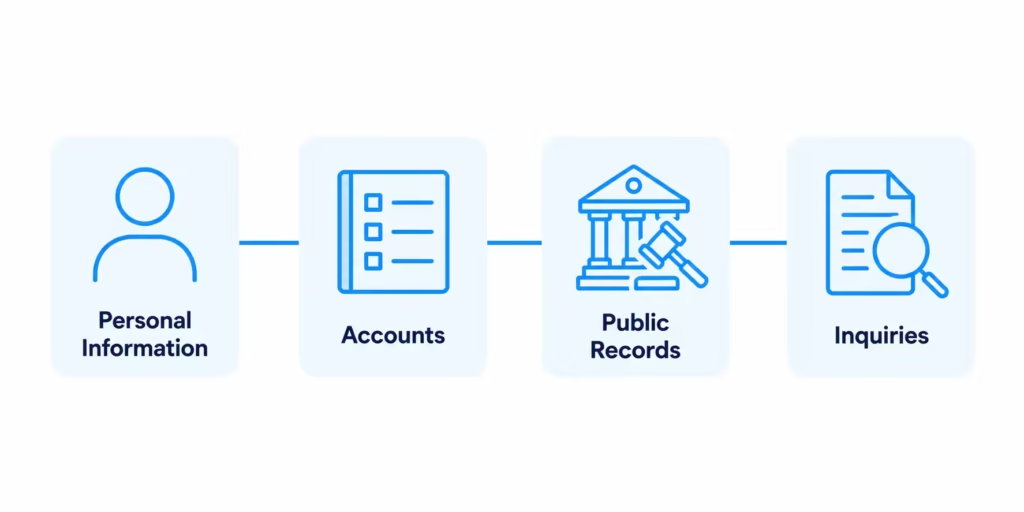
- Personal Information: Your identity details (name, addresses, partial SSN, employment).
- Accounts (Tradelines): Every open and closed credit account reported to the bureau.
- Public Records: Court-recorded items like bankruptcies.
- Inquiries: A list of who has asked to see your report.
A quick note that catches many first-time readers off guard: not everyone has a public records section. If yours is missing or shows “No records found,” that’s normal, not an error. It just means no bankruptcies or court judgments have been filed against you.
Each section below gets its own deep dive.
How to Read the Personal Information Section
The personal information section (sometimes called “personal identifying information” or “PII”) is usually the first thing you see. It shows your legal name and any variations. It includes your current and former addresses, date of birth, a partial Social Security Number, and usually a brief employment history from past credit applications.
This is the section people most often panic over unnecessarily. A middle initial that’s missing, a maiden name still listed, an old college apartment address from a decade ago, or a slightly misspelled employer name are all common. None of these are automatic errors, and none of them affect your credit score.
What does warrant a closer look is anything that isn’t yours at all. Red flags include an unknown full name, an address in a state you’ve never lived in, an employer you haven’t worked for, or a Social Security Number that doesn’t match yours. Any of these can be an early sign of identity theft, and you should verify them against your own records before moving on.
⚠️ Mistake to Avoid: Don’t waste time trying to “clean up” old addresses or former names. Bureaus keep them on purpose so old accounts can be matched to you. Focus your dispute energy on the sections that actually move your score.
How to Read the Accounts (Tradelines) Section
The accounts section, also called tradelines, is the heart of your credit report. It’s also the single biggest driver of your score. Each account listed here is called a tradeline, and it typically shows the following fields:
| Field | What It Means |
|---|---|
| Creditor Name | Bank, lender, or card issuer that owns the account. |
| Account Number | Usually partially masked for security. |
| Account Type | Revolving, installment, mortgage, etc. |
| Date Opened | When you first opened the account. |
| Credit Limit or Original Amount | Your ceiling on a card, or the starting balance on a loan. |
| Current Balance | What you owe today. |
| Payment History | A month-by-month record, often shown as a grid. |
| Account Status | Open, closed, paid, charged off, etc. |
Open accounts still allow activity. Closed accounts are locked but continue reporting history until they age off. A closed account in good standing is a good thing. It keeps positive history on your file, sometimes for up to 10 years after closure.
This is the section where errors do the most damage, so read every line. Confirm each creditor is one you recognize, each date roughly matches your memory, and each balance looks reasonable.
Revolving vs. Installment Accounts
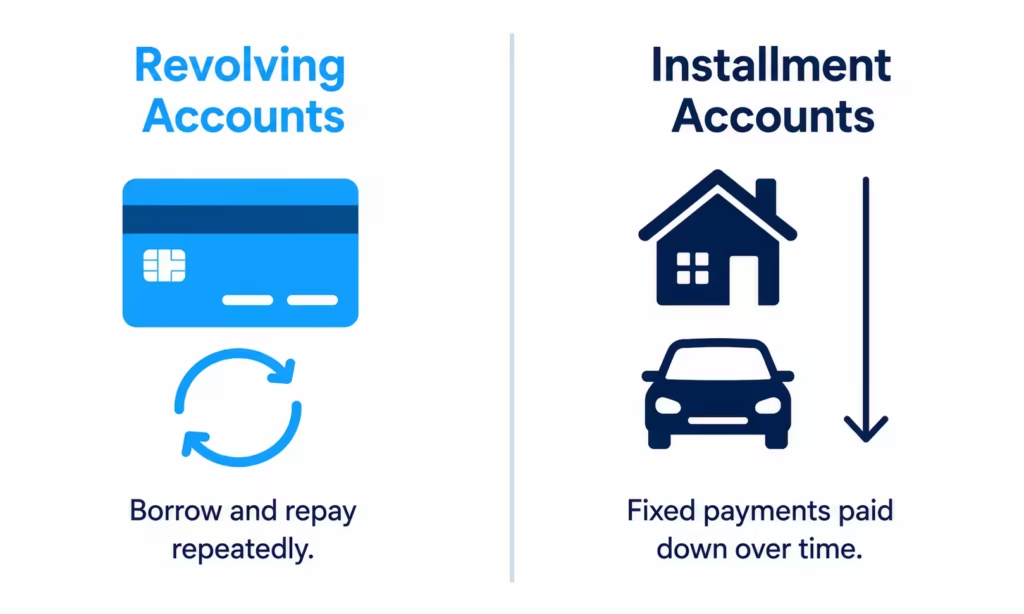
You’ll see one of two account types on nearly every tradeline: revolving or installment. The label tells you how the account works and how it affects your credit utilization ratio.
Revolving accounts include credit cards and home equity lines of credit (HELOCs). You get a credit limit, you borrow up to it, you pay it down, and you can borrow again. The “high credit” or “credit limit” field is your ceiling.
Installment accounts include auto loans, student loans, personal loans, and mortgages. You borrow a fixed lump sum and pay it back on a set schedule. The “original amount” field shows the starting balance, and the current balance simply reflects how much of it you still owe.
Why the distinction matters: credit utilization (balance divided by limit) is only calculated on revolving accounts. Carrying a $15,000 balance on a $200,000 mortgage doesn’t hurt your utilization at all. Carrying $4,000 on a $5,000 credit card, on the other hand, is an 80% utilization ratio and can drag your score down fast.
Understanding Account Status Codes and Payment Ratings
This is the section that trips up almost every first-time reader. The bureaus use shorthand codes to summarize your payment behavior, and without a key, they look like alphabet soup.
At the highest level, every code is trying to answer one question: “Is this account being paid as agreed?” The most common status meanings, in plain English, are:
- Current / Pays as Agreed / OK – You’re paying on time. Nothing to worry about.
- 30 / 60 / 90+ Days Past Due – You’re behind by that many days. Each step up hurts your score more.
- Charge-Off: The creditor gave up trying to collect and wrote the debt off as a loss. It still legally exists and still hurts your score.
- In Collections: The debt was sold or assigned to a collection agency.
- Closed / Paid in Full: The account is closed, and the balance is settled. This is a neutral to positive item.
- Transferred / Sold: Your loan was passed to another lender. Common with mortgages and student loans.
Many reports also use the R and I rating scales. R codes describe revolving accounts, and I codes describe installment accounts. Both scales run from 1 (best) to 9 (worst):
| Code | Meaning |
|---|---|
| R1 / I1 | Paid on time, as agreed. |
| R2 / I2 | Paid within 30 to 59 days late. |
| R3 / I3 | 60 to 89 days late. |
| R4 / I4 | 90 to 119 days late. |
| R5 / I5 | 120+ days late. |
| R7 / I7 | Making regular payments under a debt management plan. |
| R8 / I8 | Repossession. |
| R9 / I9 | Charged off, in collections, or bankruptcy. |
R6 and I6 exist in some tables but are rarely used today.
You may also spot a blank field or a code like “0” or “UR” (unrated). This usually means the account is too new to have any reporting history yet, not that something is wrong.
💡 Pro Tip: Most bureau reports include a small “code legend” or “key” near the accounts section. Before you assume the worst about a code, scroll to that legend. It’s the fastest way to translate what you’re looking at.
Why the Same Account Can Look Different on Each Bureau’s Report
If you pull all three reports side by side, you’ll notice the same account can look surprisingly different. One bureau might list your credit card as “R1,” another as “Pays as Agreed,” and the third as “Current – Never Late.” All three mean the same thing.
The reason: Equifax, Experian, and TransUnion each format the raw data they receive independently. Creditors report the same underlying facts, but each bureau applies its own labels, code systems, and formatting rules. Some bureaus lean heavily on numeric codes. Others prefer plain-English phrases. Both are valid.
There’s also a practical reason accounts can look genuinely different (not just labeled differently) across bureaus. Not every creditor reports to all three. A small credit union might report only to Experian, for example, so the account simply won’t appear on your Equifax or TransUnion report. That’s normal, not a mistake.
The takeaway: always check the code legend included with the specific report you’re reading. Don’t assume codes are universal, and don’t assume all three reports should look identical.
How to Read the Public Records Section
The public records section is short for most people, and often empty. It only captures financial matters filed in court, which today mostly means bankruptcies. Civil judgments and tax liens used to appear here, but the bureaus phased most of them out starting in 2017 because the data was often incomplete or wrong.
If this section is blank for you, that’s great news. Move on.
If it isn’t, take it seriously. A bankruptcy is typically the single most damaging item on a credit report. Chapter 7 filings can stay for up to 10 years from the filing date, and Chapter 13 for up to 7 years. During that time, lenders will see it every time they pull your report.
Double-check the filing date, the chapter, and the case number against your own records. Public record errors are less common than account errors, but they do happen, and their impact makes disputing them urgent.
How to Read the Credit Inquiries Section
An inquiry is simply a record that someone requested your credit report. This section lists each requester by name and the date they pulled your file. It’s usually the last section, and it’s often the shortest.
Look at each entry and ask, “Do I recognize this?” If you applied for a car loan last month, seeing the dealership or the bank they used is expected. If you opened a new credit card in the spring, that lender should show up too. Utility companies, cell phone carriers, and landlords may also appear if they ran a check on you.
An inquiry you don’t recognize is worth investigating. It might be a simple check from a company you allowed, like a background check for a new job. But it could also be a warning sign that someone is trying to open credit in your name.
Hard Inquiries vs. Soft Inquiries
Not every inquiry is treated the same. The report separates them into two types, and the distinction matters because only one type can affect your score.
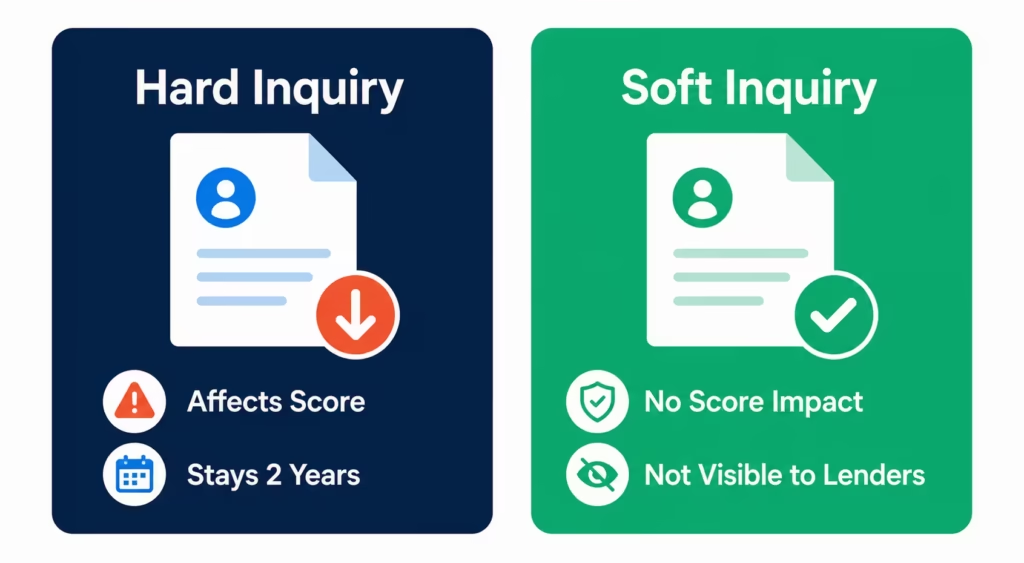
A hard inquiry happens when you apply for new credit, such as a mortgage, auto loan, credit card, or personal loan. Lenders see hard inquiries. Hard inquiries stay on your report for two years, but only affect your FICO Score for about 12 months. A single hard inquiry usually costs fewer than five points.
A soft inquiry happens when you check your own credit, when a lender pre-approves you for an offer, when an existing creditor reviews your account, or when an employer runs a background check. Soft inquiries don’t affect your score at all, and lenders can’t see them.
Most reports label each entry clearly. If yours doesn’t, look for a separate “promotional” or “account review” subsection. That’s almost always where soft inquiries hide.
Which Parts of Your Credit Report Actually Affect Your Score
Here’s a truth most guides bury: not every section of your report moves your score. Knowing the difference tells you where to focus your energy.
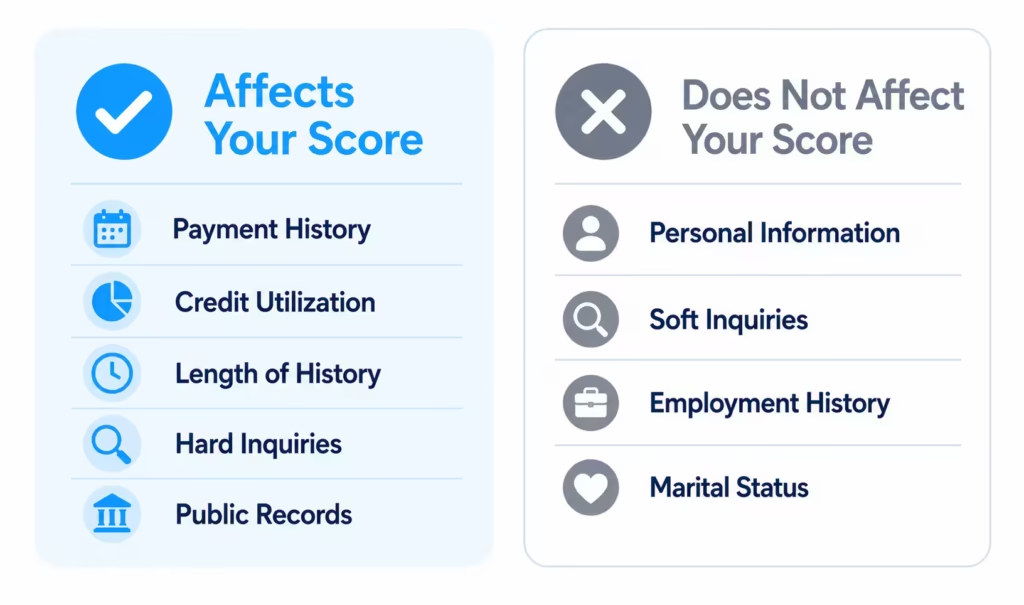
Score-relevant sections:
- Payment history (status codes and payment ratings on each tradeline)
- Credit utilization (revolving account balances vs. limits)
- Length of credit history (average age of your accounts)
- Hard inquiries from the past 12 months
- Public records (bankruptcies)
- Types of credit in use (mix of revolving and installment)
Not score-relevant:
- Your name, address variations, and other personal information details
- Soft inquiries
- Employment history
- Marital status or income (income isn’t even in the report)
Payment history and utilization together drive roughly two-thirds of your FICO Score. That’s where your attention pays off the most. Fixing a misspelled former employer name, on the other hand, won’t move your score by a single point, no matter how satisfying it feels.
How Long Negative Items Stay on Your Credit Report
One of the most useful things to know while reading your report is when each negative item will fall off on its own. The Fair Credit Reporting Act (FCRA) sets these limits, and the Consumer Financial Protection Bureau confirms them for consumers.
| Item | How Long It Stays |
|---|---|
| Late payments (30, 60, 90+ days) | 7 years from the original delinquency date |
| Charge-offs | 7 years from the first missed payment that led to the charge-off |
| Collections accounts | 7 years from the original delinquency date (not the date sent to collections) |
| Chapter 13 bankruptcy | Up to 7 years from the filing date |
| Chapter 7 bankruptcy | Up to 10 years from the filing date |
| Hard inquiries | 2 years (score impact fades after about 12 months) |
| Closed accounts in good standing | Up to 10 years after closure (this is a good thing) |
The “date of first delinquency” rule is important. Reporting a charge-off doesn’t reset the seven-year clock. Selling the debt to a new collector doesn’t reset it either. If your credit card went delinquent in March 2020, it should drop off your report by March 2027. This is true even if the debt was sold multiple times.
📌 Did You Know: Closed accounts that were paid on time can actually help your score. They add length to your credit history and remain on your report for years after closure. Don’t rush to have them removed just because they’re closed.
How to Spot an Error vs. a Legitimate Negative Item
Not every item you don’t like on your report is an error, and not every “off” detail is fraud. Here’s how to tell them apart before you spend energy on a dispute.
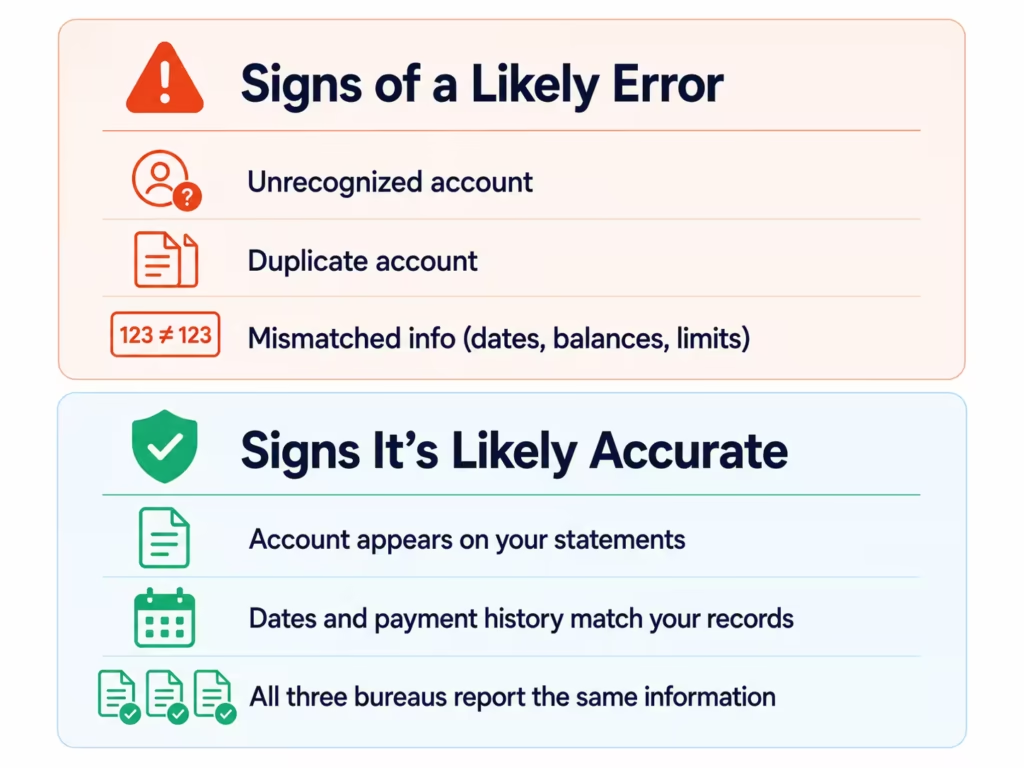
Signs of a likely error:
- An account you never opened with a creditor you’ve never used
- A balance or credit limit that doesn’t match your statements
- The same account listed twice (a duplicate tradeline)
- A late payment mark on a month you know you paid on time and have proof of
- A collection account for a debt you already paid off
- Personal information (like an SSN or date of birth) that doesn’t belong to you
Signs it’s likely accurate (even if you wish it weren’t):
- The creditor, account number, and dates all match your own records
- The payment history lines up with a period you remember struggling financially
- You recognize the debt, even if the collection agency name is new to you
- The same negative item appears on more than one bureau’s report with matching details
Before you file a dispute, check the account across all three bureau reports. If Experian shows a late payment but Equifax and TransUnion don’t, that’s a strong hint the record is incomplete somewhere. If all three agree, the record is probably accurate.
Sarah, a marketing coordinator at a mid-sized tech firm, once spotted a $1,200 medical collection on her Experian report that she didn’t recognize. Before disputing it, she pulled her other two reports.
TransUnion showed the same collection. Equifax didn’t. A quick call to the provider revealed a co-pay from an ER visit two years earlier that her insurance never finished processing. Not an error, just a forgotten bill. Twenty minutes of checking saved her a dispute she would have lost.
What to Do After You’ve Reviewed Your Report
After reading through every section, you’ll land in one of three situations. Each has a different next step.
If everything looks accurate and healthy, you don’t need to do anything right now. Set a calendar reminder to check again in three to four months. AnnualCreditReport.com now provides free weekly reports. This makes it easy and free to pull from all three bureaus.
If you spotted a likely error, your next step is to file a dispute with the bureau that reported the item. The bureau has 30 days under the FCRA to investigate and respond.
If you found a legitimate negative item you don’t like, remember two things. First, it will age off on its own within the timeframes above. Second, the fastest score improvement lever is usually paying down revolving balances to lower your utilization ratio, not chasing old negatives. A charge-off from four years ago hurts less every month it sits there. A credit card at 85% utilization hurts every single day until you pay it down.
How to Read a Credit Report for Lenders
If you’re getting your report for a mortgage, auto loan, or big credit application, you have a different goal. You’re not just looking for errors. You’re trying to see your report the way an underwriter will see it.
Lenders zero in on a shorter list than most consumers realize. They look closely at:
- Payment history over the last 24 months. Recent lates carry far more weight than old ones. A 30-day late from six months ago worries a mortgage underwriter more than a charge-off from six years ago.
- Credit utilization on revolving accounts. Underwriters like to see this under 30%, and ideally under 10% for the best rates.
- The age of your oldest and newest accounts. Opening several new accounts in the months before a mortgage application is a red flag, even if your score still looks fine.
- Recent hard inquiries. A cluster of them within six months suggests you’re shopping for credit aggressively.
- Public records. Any bankruptcy still on your file will be examined in detail.
Timing matters. Pull your report at least 60 to 90 days before applying. That gives you room to dispute anything wrong and pay down balances before the lender’s hard pull captures your file. The report a lender sees is the same data you’re reading, just filtered through their underwriting rules. Nothing they see is hidden from you today.
Michael, an operations manager at a manufacturing company, checked his three reports 75 days before applying for a mortgage. He caught a duplicate auto loan listing on Equifax that had inflated his total debt on paper.
Getting it removed took three weeks, but it raised his score by 22 points and knocked a quarter percent off his final rate. On a $340,000 loan, that saved him roughly $18,000 in interest over the life of the mortgage.
Frequently Asked Questions (FAQs)
How to properly read a credit report?
Focus first on the accounts section and check each tradeline’s payment status, then review inquiries and public records. Payment history and credit utilization together drive roughly two-thirds of your FICO Score, so start there before worrying about personal information details.
What is the biggest killer of credit scores?
High credit utilization on revolving accounts is one of the fastest ways to tank your score. Carrying $4,000 on a $5,000 credit card creates an 80% utilization ratio, which can drag your score down even if you pay on time.
What hits your credit score the most?
Payment history and credit utilization have the biggest combined impact, accounting for about two-thirds of your FICO Score. A charge-off or a maxed-out credit card will hurt far more than a hard inquiry or a short credit history.
Does paying off debt boost credit?
Paying down revolving balances to lower your utilization ratio is usually the fastest way to raise your score. A credit card at 85% utilization hurts your score every day until the balance drops, so reducing it delivers quicker results than waiting for old negatives to age off.
How long do hard inquiries affect your credit score?
Hard inquiries stay on your report for two years but only affect your FICO Score for about 12 months. A single hard inquiry typically costs fewer than five points.
What credit score is needed to buy a $300,000 house?
Not directly covered in the article. Mortgage lenders instead focus on your payment history over the last 24 months, keeping revolving utilization under 30%, and avoiding a cluster of recent hard inquiries or newly opened accounts.
How long do negative items stay on a credit report?
Negative items follow FCRA timelines starting from the date of first delinquency, not when they’re sold or charged off. Chapter 7 bankruptcies stay up to 10 years, while Chapter 13 bankruptcies stay up to 7 years.
What’s the difference between a hard inquiry and a soft inquiry?
A hard inquiry happens when you apply for new credit, like a mortgage or credit card, and can affect your score. A soft inquiry happens when you check your own credit or get pre-approved, and it never affects your score.
Why does the same account look different on each bureau’s report?
Equifax, Experian, and TransUnion each format the same underlying data independently, using different codes or plain-English labels for identical information. Not every creditor reports to all three bureaus either, so an account might appear on only one or two reports.
What do R1 through R9 codes mean on a credit report?
R codes rate revolving accounts on a 1 to 9 scale, with R1 meaning paid on time and R9 meaning charged off or in collections. I codes use the same scale for installment accounts like auto loans and mortgages.
The Bottom Line
Reading a credit report doesn’t have to feel like decoding a foreign language. Once you understand the four sections, the R1-R9 scale, and how long negative items last, you’re ahead of many first-time report pullers.
To get the best results, start with the accounts and inquiries sections. Check the payment history line by line. Only after that should you focus on the smaller details. Understanding your credit report is the foundation for every credit decision you’ll make.
If you know someone about to apply for a mortgage, auto loan, or their first credit card, share this guide with them. A single missed error could cost them thousands in higher interest.