There’s a special kind of stress when your Amex card gets rejected. The line behind you is growing. The cashier is waiting. Your delivery app just bounced your payment for the third time. You know the card worked yesterday, so why isn’t it working right now? When a sudden Amex card decline hits, you don’t need a credit card lecture. You need to know what’s wrong and how to fix it in the next sixty seconds.
The good news: most Amex declines stem from a small set of fixable issues, and you can usually resolve them through the app or with a quick phone call.
Below, we’ll walk you through every common reason, how to spot which one is yours, and the exact steps to get your card working again.
Key Takeaways
This guide explains why American Express cards get declined, covering fraud holds, available credit limits, billing mismatches, merchant non-acceptance, expired cards, and account restrictions, along with troubleshooting steps for each cause.
Core Facts:
- Fraud holds are the most common cause of a sudden decline, and Amex notifies cardholders through four channels: push notification, text message, email, or phone call.
- Cards with No Preset Spending Limit, like the Platinum and Gold cards, are evaluated per transaction rather than against a fixed credit limit.
- Authorization holds at gas stations, hotels, and car rental counters can exceed the final charge amount and typically post within two to three business days.
- Online declines often result from a billing address mismatch caught by the Address Verification System, where even one incorrect digit can trigger a rejection.
- Costco stopped accepting American Express in the United States in 2016, and some smaller merchants still skip Amex due to higher processing fees.
- The general American Express customer service line is 1-800-528-4800, though the number on the back of the card routes to the team for that specific card type.
Best for:
- Cardholders experiencing an unexpected decline who need a structured way to diagnose whether the issue is account related or merchant related.
- Travelers concerned about international acceptance or fraud holds while abroad.
- Authorized users whose card stopped working and are unsure whether to contact the primary cardholder or American Express directly.
How to Tell If the Problem Is Your Account or the Merchant
Before you call American Express or panic at the register, take ten seconds to figure out where the problem actually lives. Is it your card? Or is it the store, website, or app you’re trying to pay?
This quick check saves you from wasted phone calls and from troubleshooting an account that has nothing wrong with it. It’s the fastest way to handle a situation where your Amex was declined, with no reason that was obvious to you.
Ask yourself three quick questions.
Does the card fail only at this one place, or everywhere? Try a tiny purchase somewhere else. A coffee shop. A vending machine. Your own digital wallet. If the card works fine at another merchant, the problem is almost certainly on that first store’s side, not yours. If the card fails at two or three different places in a row, the issue is on the account side.
Are you trying to pay in person or online? This matters more than people think.
A card that works in person but not online often means:
- There’s a billing address mismatch.
- An old card is on file.
- You missed the Amex SafeKey verification step.
A card that fails in person but works online usually points to a chip or contactless issue, a fraud hold, or merchant non-acceptance.
Does the Amex app show any alert, hold, or notice? Open the American Express Mobile app right away. Look at the home screen. Check your notifications. Open the messages inbox. If Amex is holding the transaction for fraud review, restricting the account, or asking you to verify something, the app will almost always say so. No alert at all? Then the problem is probably merchant-side.
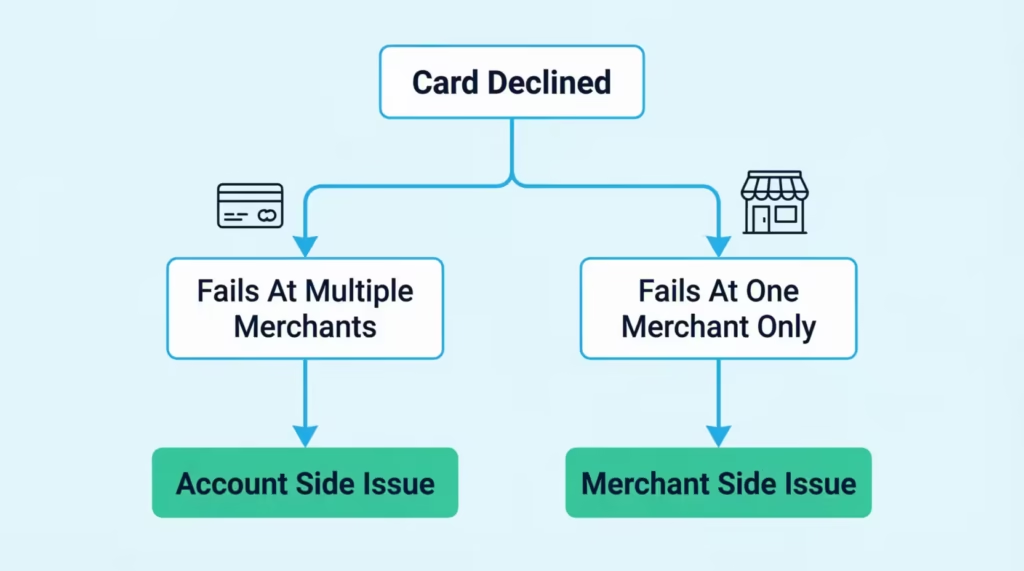
Once you know which side the problem is on, jump to the section below that matches. Account-side issues live in sections two, three, six, and seven. Merchant-side issues live in sections four and five. Travel issues live in section eight.
Fraud Alerts and SafeKey Verification Declines
This is the single most common reason a card that worked yesterday suddenly stops working today. Amex’s fraud system flagged the transaction as unusual, paused it, and is now waiting for you to confirm it’s really you. The transaction won’t go through until you respond.
Fraud holds trigger for a handful of reasons. A purchase amount that’s much higher than your normal spending. A new merchant you’ve never paid before.
A different city, state, or country than you usually shop in. A burst of transactions in a short window, like buying flights, hotel rooms, and dinner all in one hour. None of these means your account is in trouble. They just mean the system wants a second of confirmation.
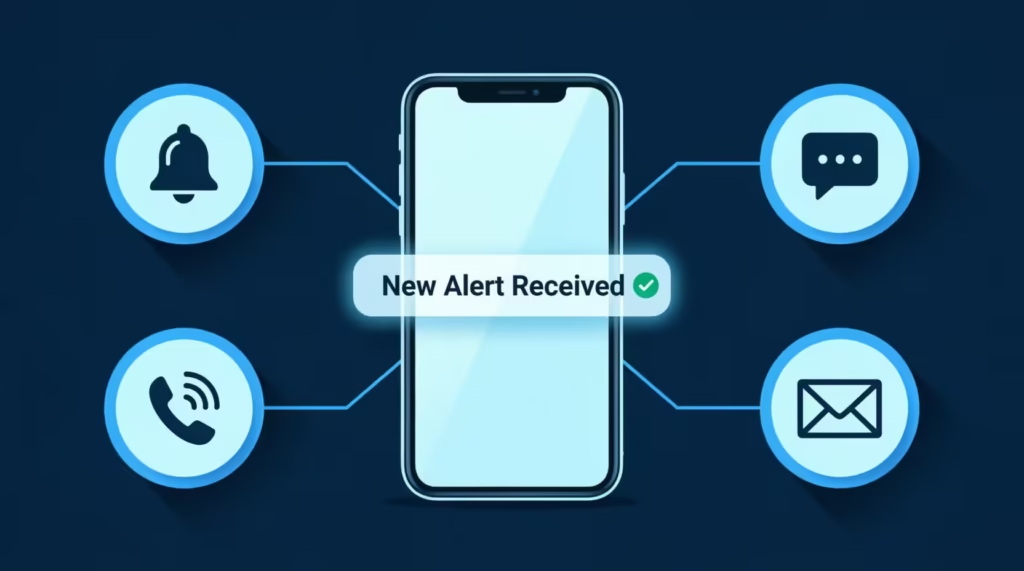
Amex’s Global Fraud Protection Services reaches out through four channels: a push notification in the Amex app, a text message, an email, or a phone call. The push notification is usually first. If you have the app installed and notifications turned on, you’ll see a prompt that says something like “Did you try to charge $247.83 at Best Buy?” Tap Yes, and the hold clears in seconds. Retry the purchase, and it should go through.
For online purchases, you may hit a separate step called American Express SafeKey. SafeKey is a two-step verification for online checkouts. You’ll see a pop-up asking for a one-time code that Amex sends to your phone or email. Type the six-digit code into the box, and the payment goes through. If you typed the code wrong too many times, SafeKey can lock you out, and you’ll need to call Amex to unblock it.
💡 Pro Tip: Before you retry a declined online purchase, wait about 30 seconds. Some merchants will automatically retry the charge. This can lead to multiple failed attempts, making Amex more suspicious, not less.
What to Do If You Never Received a Fraud Alert Notification
Sometimes the alert never shows up, or it’s stuck somewhere you didn’t think to look. Here’s how to find it or trigger a new one.
Check your spam or junk email folder. Amex alerts often land there, especially the first time. Search for “American Express” in your inbox and your spam folder. Add americanexpress.com to your safe sender’s list so future alerts come straight through.
Check your blocked text senders. On iPhone, open Messages, then Filters, then Unknown Senders. On Android, open the Messages app and check the Spam & Blocked folder. Amex texts come from short codes, which some phones quietly filter out.
Confirm your contact info in the Amex app. Open the app, tap your profile, then go to Account Services and Contact Information. Make sure your current phone number and email are listed and correct. If your number changed last year and you forgot to update it, the verification code went to your old phone.
Use the “Send Verification Code Instead” option. When SafeKey pops up online, look for a small link that lets you switch from one channel to another. If a text isn’t arriving, request the code by email, or the other way around.
Call the number on the back of your card. If nothing arrives within a few minutes, stop guessing and call. The general U.S. customer service line is 1-800-528-4800, but the number on the back of your card routes you to the team that handles your specific card type. Have the card in your hand. They’ll verify your identity, clear the hold manually, and tell you to retry the purchase.
Available Credit and Spending Limit Problems
Sometimes the card is declining because there genuinely isn’t room on it right now. The math is just off. This section mainly focuses on traditional Amex credit cards, like Blue Cash and Delta SkyMiles. It also includes a unique Amex feature: charge cards with no preset spending limit.
If you carry a regular Amex credit card, your card has a fixed credit limit, the same way a Chase or Capital One card does. Spend up to that number, and any transaction that would push you over gets declined.
Open the Amex app, tap your card, and look at the Total Credit Limit and Available Credit lines. If available credit is below the amount you’re trying to spend, that’s your answer. Pay down some of the balance, or use a different card for this purchase.
Charge cards work differently. The Platinum Card and the American Express Gold Card don’t have a fixed credit limit. Amex calls this No Preset Spending Limit, and it confuses a lot of cardholders. The system checks every purchase in real time. It uses your payment history, credit profile, current balance, and spending pattern.
To see if a specific purchase will go through, use Amex’s Check Spending Power tool. Open the Amex app or sign in online. Find Check Spending Power under Account Services. Type in the exact dollar amount you plan to spend. Amex will tell you on the spot whether it will approve a charge of that size. If it says no, you can try a smaller amount, pay down your current balance, or call Amex to discuss the purchase before you make it.
Why “No Preset Spending Limit” Doesn’t Mean Unlimited
This is one of the biggest sources of confusion among new charge card members. “No preset limit” does not mean “spend whatever you want.” It means Amex evaluates every charge as it happens.
Here’s how it actually works: Amex checks your typical monthly spending. They look at your payment history, your current debt on Amex accounts, and outside credit data. If you usually charge $3,000 a month but try to charge $18,000 on a Tuesday afternoon, that charge will probably get flagged or declined. This can happen even without a set limit stopping it.
Large or atypical purchases get the most scrutiny. Common triggers are buying an engagement ring. Paying a tuition bill is another. Putting down a deposit for a kitchen remodel works too. Booking a special vacation is also a trigger.
To prevent a decline at the worst possible moment, use the Check Spending Power tool before you swipe. If the answer is no, you can pay down your balance, make a partial payment, or call Amex and request approval for the specific purchase. Amex agents can often pre-approve a large charge if you call ahead.
How Authorization Holds Eat Into Your Available Balance
This one trips up almost everyone at least once. Your card looks maxed out, but you haven’t actually spent that much. The culprit is an authorization hold.
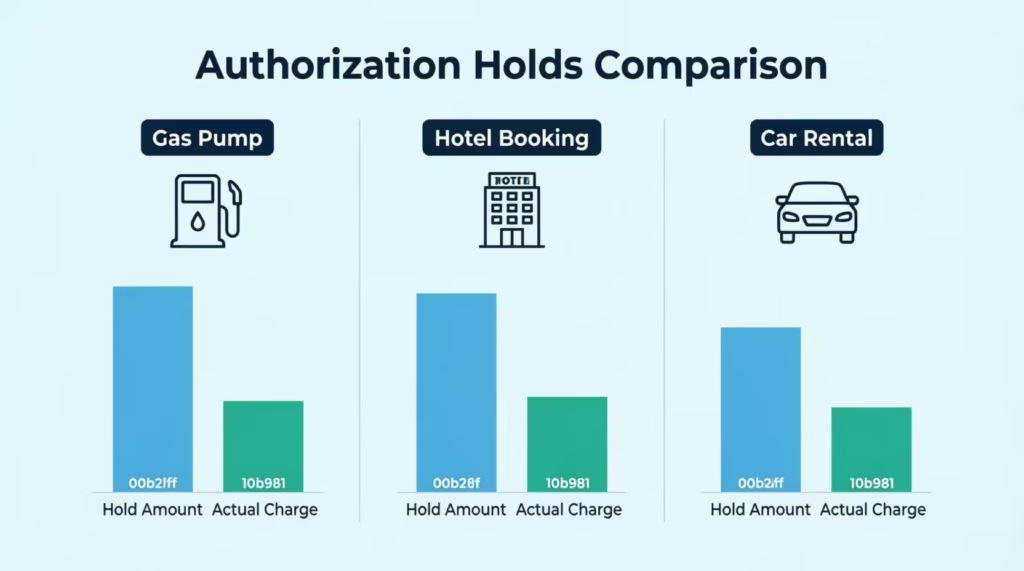
When you check into a hotel, rent a car, or pay at the pump at a gas station, the merchant doesn’t know exactly how much you’ll end up spending. So they put a hold on your card for an estimated amount, usually higher than the final bill.
The Marriott might hold $250 for a $130-a-night room to cover incidentals. A gas pump can hold anywhere from $1 to $175 before you even start pumping. The car rental company might hold the full rental cost plus an extra $200 to $500.
These holds are real, and they reduce your available credit. The actual charge comes through later, but the hold sits there in the meantime. According to American Express, pending transactions typically post within two to three business days, and holds can stick around even longer in some cases.
To deal with this at the point of sale, you have a few options. At a gas station, walk inside and pay the cashier directly. The clerk can charge the exact amount and skip the big pre-authorization hold.
At a hotel, ask the front desk to release the incidental hold at check-out, then wait a day or two before assuming the funds are stuck. At a car rental counter, ask the agent what the total hold amount will be before you sign, so you’re not surprised at the register a few days later.
⚠️ Mistake to Avoid: Don’t keep retrying a hotel or gas station charge that just got declined. Each retry can place another hold on your card. This reduces your available credit and worsens the issue.
Merchants That Don’t Accept American Express
Sometimes there’s nothing wrong with your card at all. The store just doesn’t take Amex. Before you spend twenty minutes calling customer service, make sure this isn’t your problem.
Amex charges merchants higher processing fees than Visa or Mastercard. Some businesses choose to skip Amex to save on those fees, especially in low-margin industries like groceries and warehouse clubs. The most well-known holdout is Costco, which ended its U.S. partnership with Amex back in 2016 and now only accepts Visa for credit card purchases.
Other retailers that often don’t accept Amex include:
- Aldi
- Some independent grocery stores
- Smaller gas stations
- Certain mom-and-pop restaurants
- Many international cab and rideshare drivers
The acceptance gap is shrinking, though. Through Amex’s OptBlue program, small U.S. businesses with under $3 million in annual Amex charge volume can sign up to accept Amex through the same processor that handles their Visa and Mastercard transactions. This has pushed Amex acceptance close to parity with other networks in most U.S. cities.
Check for the Amex logo on the door, register, or checkout page. This will help you confirm if a merchant accepts Amex before worrying about your account. If you don’t see one, ask the cashier.
Online, scroll to the footer of the website and look for accepted payment icons. If Amex isn’t listed, that’s your answer. Pay with a different card or use a digital wallet that masks the underlying card type.
Card Declined Online but Works In Person (or Vice Versa)
When the card works at a real-world checkout but fails on a specific website or app, the problem is rarely your account. Something tiny is mismatched between what the merchant has and what Amex has.
The most common cause is a billing address mismatch. Online merchants run something called an Address Verification System check, often shortened to AVS. The store sends Amex the billing address and ZIP code you typed at checkout, and Amex compares it to the address on file for your card.
If even one digit of your ZIP code is wrong, or if you forgot your apartment number, the transaction will be rejected. Also, if you moved last month and didn’t update Amex, that can cause issues, too. The card itself is fine.
Other online problems can come from old card details saved on a site. This might include an expired expiration date or an outdated CVV from an earlier card. Sometimes the problem is with your browser.
It could be a stale cookie, an outdated payment method, or a VPN that makes your location seem suspicious to the merchant’s fraud system. Try a different browser, clear your cookies, turn off the VPN, and retry.
To update your billing address with Amex, sign in to your online account or the app. Go to Account Services, then Update Personal Information, then Address. Type your new address exactly the way the post office writes it. Save the change.
Wait a minute for the update to push, then retry your purchase. If you have multiple Amex cards, the address often updates across all of them at once, but double-check each one to be safe.
Why One Specific Website or App Keeps Declining Your Card
If your Amex works everywhere except Netflix, DoorDash, or your gym’s billing portal, the issue almost always lives on that platform, not with Amex.
Saved card details on subscription sites go stale all the time. The card on file might still show your previous card number, the wrong expiration date, or a CVV from a card you replaced two years ago. Even though your physical card works, the platform is sending the old information to Amex and getting a rejection.
The fix is simple. Sign in to that platform. Go to your payment settings. Delete the saved Amex card completely. Don’t just “edit” it. Remove it, save, then add it back as if it were brand new. Type the current 15-digit card number, the current expiration date, and the current four-digit CID on the front of the card.
Some platforms also run their own fraud detection on top of Amex’s. Streaming services, food delivery apps, and big e-commerce sites mark risky accounts. For example, they flag a new account linked to a new card. If removing and re-adding the card doesn’t help, contact that platform’s support directly. Amex can’t fix a block that’s living inside Uber Eats or Spotify.
Expired or Inactive Cards
Sometimes the answer is embarrassingly simple. The card has expired, or it’s a new card you forgot to activate.
Check the expiration date on the front of your card. It’s printed as a month and year, like 09/26 or 11/27. If the current month and year are past that date, the card stops working on the last day of that month. Amex should have mailed you a replacement four to six weeks before the expiration date.
If you didn’t receive it, call the number on the back of your card and ask Amex to send a new one. Replacement cards typically arrive within seven to ten business days, faster if you ask for expedited shipping.
For a new or replacement card that just arrived in the mail, you have to activate it before its first use. Activate online through Amex’s card activation page or open the Amex app and follow the prompt on the home screen. You’ll need the full 15-digit card number and the four-digit Card ID printed on the front of the card. Activation takes less than a minute.
One quirk worth knowing: when Amex reissues a card for a routine renewal, the card number usually stays the same and only the expiration date and CID change.
But when Amex reissues a card because of fraud or a security breach, you get a fully new card number. That new number breaks every saved payment method, every subscription, and every recurring bill linked to the old card. You’ll need to update every one of those manually.
Account Restrictions or Suspensions
If you’ve worked through the sections above and nothing applies, the issue may be more serious than a routine fraud hold. Amex may have restricted or suspended the account.
A few signs point to this. The Amex app shows a banner like “Your account is under review” or “Please contact us about your account.” You can’t see your current balance, your statement, or your rewards. Every transaction declines, no matter how small. Customer service may put you on a longer hold than usual or transfer you to a special team when you call.
Common triggers for an account restriction include missed payments, especially if you’re 60 or more days past due. A returned payment, which happens when a scheduled bank draft bounces. Identity verification requests that you missed or ignored.
Suspected account compromise, where Amex thinks someone else may have access to your account. A sudden change in spending patterns that the fraud team can’t quickly verify. Bankruptcy or other negative financial events that show up on your credit file.
Resolving a restriction takes more than a quick app tap. You’ll need to call Amex directly at the number on the back of your card, or the general line at 1-800-528-4800. Have your account number, a recent statement, and an ID ready. The agent will explain what triggered the restriction and what you need to do to clear it.
You might need to pay right away, send documents to prove who you are, or go through extra security checks. Some restrictions are clear within minutes. Others take a few business days. Self-service troubleshooting won’t fix this one; you need to talk to a person.
When an Authorized User’s Card Stops Working
If your Amex card stops working and you’re an authorized user, check with the primary cardholder. They’re probably the reason.
Primary cardholders can remove, restrict, or temporarily lock an authorized user’s card anytime. Amex doesn’t need to notify the authorized user about these changes. The primary cardholder might have done it on purpose, or they might have used the “freeze card” feature in the app by accident.
Either way, authorized users usually can’t see what changed. They have very limited visibility into the underlying account. They can’t see the full statement, the credit limit, recent payments, or account-level alerts.
If you’re an authorized user and your card stops working, contact the primary cardholder first. Don’t call Amex. The customer service team won’t be able to share account details with you, and they’ll tell you to talk to the primary anyway. Once the primary checks the account, they can unfreeze the card, restore your access, or explain why the change happened.
International and Travel-Related Declines
A card failing while you’re traveling is the worst time for an Amex decline. You’re far from home, you might not have a backup, and you can’t call customer service as easily.
The most common cause is a foreign transaction fraud flag. Amex’s system sees a purchase in a country you’ve never shopped in before and pauses it for review. The good news is that Amex no longer asks you to set a travel notification before you go. Their fraud system is designed to recognize travel patterns automatically, like a sudden plane ticket purchase followed by hotel charges abroad.
That said, a few proactive steps make a big difference. Before you leave, sign in to the Amex app and confirm your mobile phone number and email address are current. This is how Amex will reach out to you to verify a flagged purchase.
Turn on push notifications inside the app so you see verification prompts the moment they happen. Make sure your phone will work abroad, either through an international plan, an eSIM, or reliable Wi-Fi at your hotel. Without a working phone, you can’t receive the verification code that clears a hold.
Acceptance varies hugely by country. Amex is widely accepted in the U.S., Canada, the U.K., Western Europe, Australia, and most major Asian capitals. It’s much less common in smaller towns, rural areas, and many parts of Latin America, Eastern Europe, Africa, and Southeast Asia.
In some countries, even big chain hotels and restaurants will quietly skip Amex to avoid the higher processing fees. Always carry a Visa or Mastercard as a backup when traveling internationally, even if you plan to use Amex for most of your spending.
If your card is declined abroad, open the Amex app and check for a fraud notification first. If there’s no alert, try a smaller purchase nearby to test acceptance. If two or three different merchants decline your card and you don’t see an app alert, call the international collect number on the back of your card. Amex pays for the call, and they have travel desks that handle this exact problem every day.
What to Do Right Now If Your Amex Card Is Declined
Use this sequence the moment your card gets rejected. It walks you from the fastest fix to the slowest, so you don’t waste time on the wrong step.
First, open the Amex app and check for any notifications, alerts, or banners. If there’s a fraud verification prompt, tap it and confirm the purchase. The decline usually clears within seconds, and the next swipe goes through.
Second, if there’s no app alert, look at the merchant. Is the Amex logo posted at the register or in the website footer? If not, the store doesn’t take Amex. Switch to a different card.
Third, check your card itself. Look at the expiration date. If your card is new, confirm that you activated it. If the magnetic strip looks worn or the chip is scratched, ask the cashier to type the number in manually.
Fourth, if you’re online, double-check the billing address, ZIP code, expiration date, and CID exactly as they appear in your Amex account. Even one wrong character can trigger a decline.
Fifth, if none of the above worked, call the number on the back of your card. Have the card, your photo ID, and your account details ready. The agent can usually clear holds, lift soft restrictions, or explain a deeper issue within five to ten minutes.
When to Call American Express vs. When to Contact the Merchant
Knowing who to call saves you a frustrating hour on the phone with the wrong team.
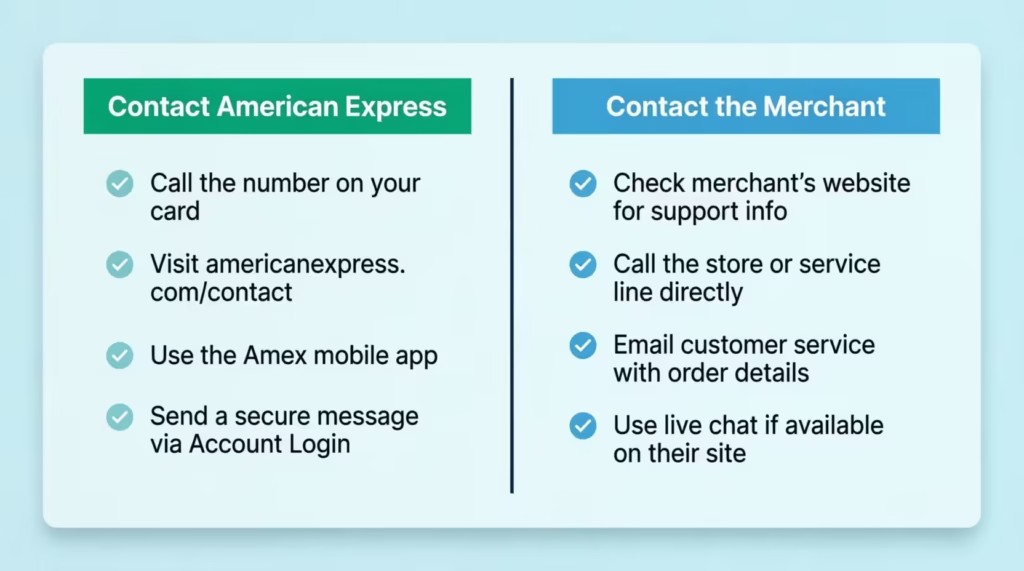
Call American Express when:
- The Amex app shows a fraud alert, hold, or account restriction notice.
- The card fails at two or more different merchants in a row.
- You see “account under review” or any warning banner in the app.
- You need to clear a SafeKey lockout.
- Your card is lost, stolen, or you suspect fraud.
- You’re traveling abroad and the card is being declined everywhere.
Contact the merchant when:
- The card works everywhere except one specific store, website, or app.
- A subscription you’ve had for years suddenly fails to bill.
- The website rejects your card but says “payment method not accepted” or “card declined” without any Amex notification on your end.
- The store doesn’t appear to accept Amex at all.
Before you call Amex, have these ready:
- Your card has the number and CID.
- A recent statement or transaction for identity verification.
- The exact amount and merchant of the declined transaction.
- A pen and paper to note any reference number the agent provides.
📌 Did You Know: Amex agents can grant a one-time approval for a large purchase on the spot if you call before you swipe. If you plan to charge $5,000 on a card you usually use for $500, a quick call can prevent a decline. Just thirty seconds can make a difference.
Frequently Asked Questions (FAQs)
Why does my American Express card keep declining?
Most repeat declines come from a fraud hold, a maxed-out available balance, a billing address mismatch, or a merchant that doesn’t accept Amex. Check the Amex app first for an alert, then test the card at a second merchant.
Why isn’t my Amex payment going through online?
Online declines usually stem from a billing address or ZIP code mismatch through the Address Verification System, an outdated saved card on file, or a missed SafeKey verification step. Update your billing address in the Amex app and re-enter the card details fresh on the site.
What should I do if I have never received a fraud alert notification?
Check your spam folder and blocked text senders first, since Amex alerts often land there. If nothing arrives, confirm your phone number and email in the Amex app under Account Services, or call the number on the back of your card.
Why is my Amex CVV not working?
An incorrect CVV usually means the website has an old four-digit CID saved from a previous card or a typo at checkout. Delete the saved card completely on that site and re-enter the current 15-digit number, expiration date, and CID.
Why is my American Express card not accepted at certain stores?
Some merchants skip Amex because it charges higher processing fees than Visa or Mastercard, especially in low-margin businesses like grocery stores. Costco is the most well-known example, having dropped Amex in the U.S. back in 2016.
Where is Amex usually not accepted?
Amex acceptance is strong in the U.S., Canada, the U.K., Western Europe, Australia, and major Asian capitals. It’s far less common in rural areas and many parts of Latin America, Eastern Europe, Africa, and Southeast Asia.
Why does my card keep declining even though I have enough money?
A maxed-out available balance often comes from authorization holds, not actual spending. Hotels, gas stations, and rental car companies place holds that can run $175 to $500 higher than the final charge and take two to three business days to clear.
Can an authorized user fix their own declined Amex card?
No, only the primary cardholder can see and change account-level settings like freezes or restrictions. If you’re an authorized user and your card stops working, contact the primary cardholder first instead of calling Amex.
What is the Amex 2-90 rule?
The article doesn’t cover this specific policy, so check Amex’s official terms or call customer service at 1-800-528-4800 for accurate details on application restrictions.
How do I check if a large purchase will go through on my No Preset Spending Limit card?
Use the Check Spending Power tool in the Amex app or website under Account Services. Type in the exact dollar amount, and Amex will tell you immediately whether that charge would be approved.
Wrapping Up
A declined Amex card is almost always a small, fixable problem dressed up as an emergency. Most cases come from a fraud hold, an authorization using up credit, a billing address mismatch, a merchant that doesn’t take Amex, or a card that needs activation.
Check the Amex app first. If it’s quiet, test the card at another location. Only call customer service if both the app and the second merchant fail.
That sequence solves the Amex card declined problem for most cardholders in under five minutes.
If a friend, family member, or coworker is stuck at a register right now, share this guide. It could save them the embarrassment of a failed checkout and twenty minutes of frantic Googling.