I just opened that crisp Amex envelope, slid out the card, and realized one frustrating truth. The card looks ready, but it cannot buy a single thing until activation is complete. Many new cardholders feel stuck right here, unsure whether the app, the website, or a phone call is the quickest path.
The good news is that Amex card activation only takes about two or three minutes once you know exactly where to click and what details to have ready.
Below, you will find every method, the common errors, and the final checks that prove your card truly works.
Key Takeaways
This guide explains how to activate a new American Express card, including online, mobile app, and phone methods, required information, the 45 to 60 day activation window, and steps to confirm the card is active.
Core Facts:
- Activation requires the 15-digit card number and the 4-digit Card ID (CID) printed on the front of the card, plus a personal verification detail such as the last four digits of an SSN.
- Three activation methods are available: online at americanexpress.com/activate, through the Amex mobile app, or by phone at 1-800-528-4800, each taking about two to three minutes.
- Most issuers, including Amex, allow roughly 45 to 60 days from the mailing date to activate a new card before the card may stop working.
- Failing to activate in time can lead to account closure, a lower available credit limit, and a possible drop in credit score from reduced credit utilization.
- A successful activation is confirmed by an on-screen message, a confirmation email within minutes, and an “Active” status shown in the online account under My Account.
- International cardholders can activate online, through the app, or by placing a collect call to +1-336-393-1111, since calling the US toll-free number from abroad can be difficult.
Best for:
- New American Express cardholders who need clear instructions for activating their card through the website, app, or phone.
- Cardholders traveling or living abroad who need an activation option that does not require a US toll-free call.
- Anyone troubleshooting a failed activation attempt due to mismatched personal information or a card not yet recognized by the system.
What You Need Before You Start Activating
Before you visit any link or dial any number, gather a few items. Having everything ready in front of you makes the process smooth. It also cuts down on the back-and-forth that can lead to errors during activation.
You will need the 15-digit Card number printed on the front of your American Express card. This is longer than the 16-digit numbers used by Visa and Mastercard, so do not be surprised by the extra digit.
You will also need the 4-digit Card ID (CID), which sits above or to the right of the 15-digit number on the front of the card. The CID is not the same as a CVV on the back. Amex prints it on the front for a reason, and the activation system will ask for it.
Next, keep your personal verification details close. Amex may ask for the last four digits of your Social Security number, or your ITIN if you used one when you applied
The phone number on file with your account may also be needed for a one-time code. If you do not remember which phone number you listed during your application, check a recent Amex email or the original approval message.
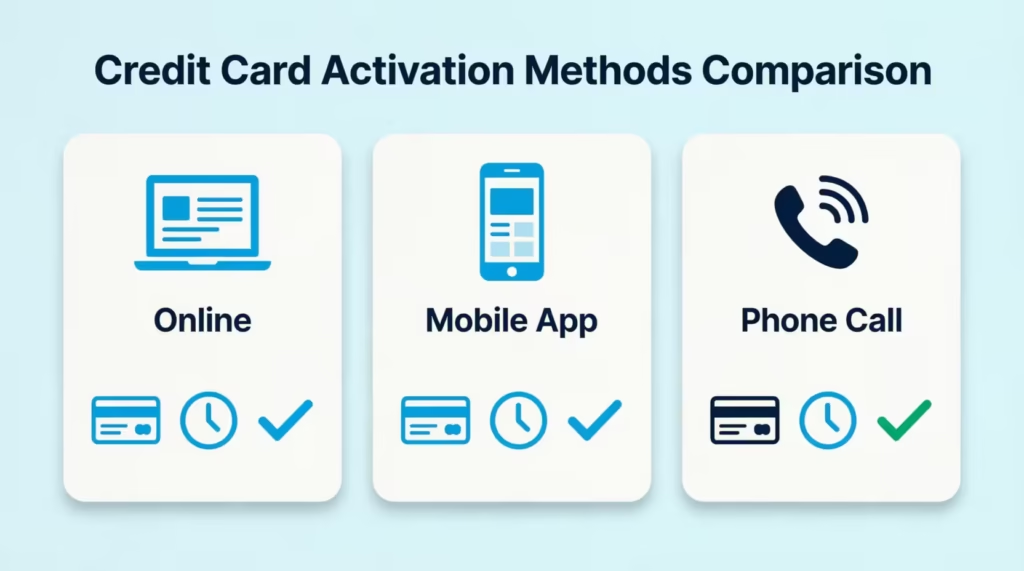
Then decide which activation method suits you best. The three options are:
- Online at the official activation page using a browser
- Mobile app, which works best if you plan to use Apple Pay or Google Pay right away
- Phone, which suits anyone who prefers speaking to an automated system or a live agent
Some cards arrive with a small activation sticker on the front. The sticker usually shows a short web address and a phone number. If your card has one, you can peel it off after activation. If your card has no sticker, do not worry. The standard activation paths still work.
A quick note on the PIN. For most American Express credit cards in the United States, you do not need a PIN for regular purchases. However, you may want to set or confirm one for cash advances or international chip-and-PIN terminals. The system often gives you the chance to set the PIN right after activation, so be ready to choose a 4-digit code you can remember.
Your user ID and password for Amex online services will also matter. If you already have an Amex account from a previous card, sign in with that existing ID. If this is your very first Amex card, you will create the login during the activation flow.
💡 Pro Tip: Write the 15-digit Card number and 4-digit CID on a sticky note before you start. If the page times out, you can re-enter the numbers in seconds instead of fumbling with the card again.
How to Activate an Amex Card Online
Activating through a web browser is the most reliable method, especially if you want a clean record of the confirmation on your screen. The whole process takes about three minutes.
Open your browser and go to the official activation page at americanexpress.com/activate. Make sure the URL begins with americanexpress.com and not a look-alike domain. Phishing pages often copy the Amex look, so type the address directly rather than clicking a link from a random email.
Once the page loads, you will see a short welcome message and a button to begin. Follow these steps in order:
- Click Get Started or Activate Card.
- Enter your 15-digit Card number in the first field.
- Enter your 4-digit Card ID (CID) from the front of the card.
- Confirm a personal detail, such as the last four digits of your SSN or your date of birth, when prompted.
- Choose whether to sign in to an existing Amex account or create a new one.
- Review the activation summary and click Confirm.
A successful activation looks like this. You will see a green check or a clear message that reads something like “Your Card is activated and ready to use.” A confirmation email usually lands in your inbox within a few minutes.
If the page hangs or shows a spinning wheel for more than a minute, refresh once and try again. Do not click Submit twice in a row, as that can trigger a duplicate request error.
After the confirmation appears, log in to your Amex online account. You should see the new card listed under My Account with its last five digits visible. If you see the card, you are fully activated. The Membership Rewards dashboard will also begin tracking points the moment the card is used, so check that link the first time you sign in.
Avoiding the Duplicate-Login Trap for Existing Amex Customers
This is the most common online activation mistake. People who already have an Amex account, perhaps from a prior card or a Membership Rewards profile, sometimes create a brand-new login during activation.
That second login then sits separately from the original one. Statements, points, and autopay settings end up split across two accounts, which is frustrating to untangle later.
If you have ever held an Amex card or set up an Amex profile before, do this instead. When the activation flow asks whether you are a new or returning user, select Existing Cardmember and sign in with your old user ID and password. The new card will then be added under your current profile. All your history stays in one place.
If you forgot your user ID, click Forgot User ID on the sign-in page and recover it using your email or card number. Do not skip this step. Recovering the existing login takes two minutes. Fixing a duplicate account later can take a phone call and several days.
⚠️ Mistake to Avoid: Creating a fresh online services registration when you already have an Amex account. It splits your Membership Rewards and statements across two profiles and is a hassle to merge.
How to Activate an Amex Card Through the Amex App
The Amex mobile app is the fastest method if you want to start using the card with Apple Pay or Google Pay right after activation. The app also gives you push notifications for every transaction, which is helpful for spotting fraud early.
Start by installing the official Amex mobile app from the Apple App Store or Google Play. Search for “Amex” and look for the publisher listed as American Express. The app icon is a blue square with the white Amex logo.
For a first-time user, follow these tap-by-tap steps:
- Open the app after installation.
- Tap Create a New Account.
- Enter your 15-digit Card number and 4-digit CID.
- Set a user ID, password, and a 4-digit passcode for the app.
- Choose your preferences for face or fingerprint login.
- Tap Activate Card on the home screen and confirm.
For an existing app user, the path is shorter. Open the app, sign in with your usual credentials, and look for a yellow or blue banner that says Activate Your New Card. Tap that banner, confirm the last five digits of the card, and the app will activate it within seconds. If you do not see the banner, tap Account at the bottom, then Card Management, and choose the new card from the list.
What if the app does not recognize the new card right away? This sometimes happens when the card was mailed before the system fully synced.
Wait about 15 to 30 minutes, then close the app and reopen it. If the card still does not appear, try activating through the website instead, then return to the app. The card will then show up under your account.
After activation, the app lets you add the card to Apple Pay, Google Pay, or Samsung Pay with one tap. This is useful if your physical card is still in the mail or if you simply prefer mobile payments.
How to Activate an Amex Card by Phone
Phone activation is the best fallback when the website or app is not working, or when you simply prefer voice instructions. It works 24 hours a day, 7 days a week.
The general activation number printed on most US Amex cards is 1-800-528-4800. American Express also lists 1-800-528-2122 as the main customer service line for cardholders, which can route you to activation if needed. Call from the phone number listed on your application, if possible, because the system can verify you faster when the caller ID matches.
When you call, the automated system will guide you through a short verification:
- Enter the 15-digit Card number using your keypad.
- Enter the 4-digit CID when prompted.
- Confirm a personal detail, such as the last four digits of your SSN or your ZIP code.
- Wait for the automated voice to say your card is now active.
- Press the option to set a PIN if you want one.
The whole call usually takes under three minutes. If the automated system has trouble verifying you after two attempts, it will transfer you to a live agent. Have your full SSN or ITIN ready in case the agent needs to ask for more details. Amex agents are available 24/7 in the United States, so there is no need to wait for business hours.
What to Do If There’s No Activation Number on Your Card
Some replacement cards, supplementary cards, or rushed shipments arrive without an activation sticker. The absence of a number on the card is not a problem. The standard phone lines still work.
Call 1-800-528-4800 for general activation, or 1-800-528-2122 for general customer service. Either number can activate your card. Tell the agent or automated system that you received a new card without an activation sticker. They will ask for the 15-digit Card number and a personal verification detail, then activate the card on their end.
You can also go straight to americanexpress.com/activate and complete the process online. The website does not depend on the sticker at all.
Activating While Traveling or Living Abroad
If you are abroad when your new card arrives, calling a US toll-free number can be tricky or expensive. American Express provides international collect call options for exactly this reason.
Dial the international operator in the country where you are, and ask to place a collect call to +1-336-393-1111. Amex accepts collect calls from anywhere in the world.
You can also log in to your Amex online account from any browser and activate the card that way, which avoids the call entirely. The online path works the same from Tokyo, Paris, or Buenos Aires as it does from New York.
If you have access to the Amex mobile app abroad, that is often the easiest option. The app works on any Wi-Fi or mobile data connection, and the activation flow is the same as in the US.
Activating an Additional or Supplementary Cardholder’s Card
If you added a spouse, partner, child, or employee as an additional cardmember, their card arrives with its own activation requirement. Activating the primary card does not automatically activate the supplementary card.
The additional cardholder should activate their own card using any of the three methods above. They will need the 15-digit Card number printed on their card, which is unique to them, plus the 4-digit CID. The primary cardmember cannot activate the supplementary card from their own login. This is a security feature, not an oversight.
The additional cardholder will likely need their own Amex user ID and password. Amex treats each cardmember as a separate user with separate login credentials, even though the account itself is shared. When the supplementary user goes to americanexpress.com/activate, they should select New User and create a fresh online profile tied to their card number.
Even with separate logins, the primary cardmember can still see every charge made by the additional cardmember. Sign in to your primary Amex account, go to Statements & Activity, and you will see charges from all cards on the account, listed by cardholder name. This makes tracking family spending or employee expenses simple.
If linking to the primary account fails during activation, do not keep retrying. Call Amex at 1-800-528-4800 and ask the agent to manually link the supplementary card to the primary account. This usually fixes the issue in one call.
Activating an Instant Card Number Before Your Physical Card Arrives
American Express offers a feature called an Instant Card Number for eligible Card Members. According to American Express, the Instant Card Number gives approved applicants access to their card number for digital use before the physical card arrives in the mail.
Not every product is eligible. The feature is mostly available on consumer credit cards approved online. This happens when Amex can quickly verify your identity. If you are eligible, you will see the offer right on the approval page after your application is accepted. The page will say something like “Start using your card today” with a button to view the Instant Card Number.
Here is how to use it:
- View the Instant Card Number on the approval confirmation screen or in your Amex online account under Card Management.
- Add the number directly to a digital wallet like Apple Pay, Google Pay, or Samsung Pay.
- Use it for online checkout at any merchant that accepts Amex.
The Instant Card Number works just like your regular card for purchases. However, it does not replace activation of the physical card. When the real card lands in your mailbox a few days later, you still need to go through the full activation steps. Until you do, the physical card will not work at a chip terminal or for in-store swipes.
If you are not eligible for the Instant Card Number, the option simply will not appear on your approval page. There is no manual request path. In that case, wait for the physical card and follow the normal activation steps.
How Long You Have to Activate Your Amex Card
American Express expects you to activate your new card within a reasonable window after it arrives. The widely cited window for most US card issuers is around 45 to 60 days from the date the card is mailed. American Express notes that most issuers give roughly 45 to 60 days to activate a new card, though the exact window can vary by product and situation.
This 45-day window is separate from the longer account inactivity rules. Account inactivity refers to a card that has been activated but goes unused for a long period, often a year or more. The activation deadline is a much shorter timer that starts the moment the card ships.
If your card has been sitting on your desk for a few weeks, activate it today. There is no benefit to waiting, and there is a real risk in delay.
What Happens If You Don’t Activate in Time
A few things can happen if the activation window closes without action. First, the card itself may stop working as a security measure. Even if you later try to activate it, the system may reject the request and require a new card to be issued.
Second, repeated non-activation can trigger an account closure. Amex may close accounts that were never used. They do this because they lack proof that the customer wants the card. A closed account can lower your credit utilization ratio because your total available credit drops. That, in turn, can shave a few points off your credit score.
Third, if your card came with a welcome offer or sign-up bonus, the qualifying spending clock often does not start until activation. Delays here can put the bonus at risk if the spending window is tight.
The fix is simple. Activate the card the day it arrives, or at the latest within the first week. If you already missed the window, call 1-800-528-2122 and ask whether the card can still be activated or whether a replacement is needed. Amex agents handle this case often and can sort it out in one call.
Common Amex Activation Errors and How to Fix Them
Most activations work on the first try. When they do not, the errors usually fall into a few clear patterns. Work through these in order before calling support.
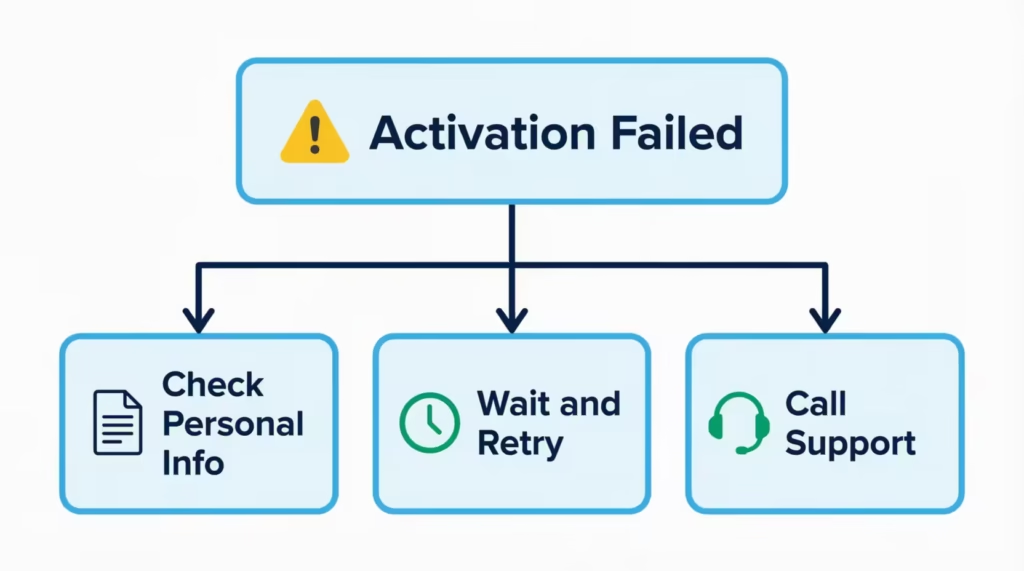
The first issue is mismatched personal information. If the activation page rejects your SSN, date of birth, or address, the data you entered may not match exactly what is on file from your application.
Check for small mistakes such as a typo in the SSN, a swapped digit in the ZIP code, or a maiden name on the application instead of a current legal name. Re-enter the details carefully. If the mismatch continues after two tries, stop. Repeated attempts can trigger a temporary security lock.
The second issue is the card not recognized error, sometimes shown as “We can’t process your request right now” or “Try again later.” This usually means the card was just shipped, and the activation system has not finished syncing the record.
Wait about 30 to 60 minutes, then try once more. If you got the card in the mail today, the system should be ready, but on rare occasions, there is a delay of a few hours.
The third issue is security verification failure. The system may ask you to receive a one-time code by text or call, and if the phone number on file is outdated, the code never arrives. Update your contact info by logging into your Amex account. You can also call an agent to verify your details and answer any questions.
Sarah, a marketing director at a Boston consulting firm, ran into this exact problem. She had moved twice since opening her first Amex card four years earlier. The activation page kept failing because her old phone number was still listed. A five-minute call to 1-800-528-2122 updated her number and let the agent activate the new card during the same call.
Stop self-troubleshooting and call 1-800-528-2122 when:
- You have tried online and the app, and both failed
- The system locked you out after multiple attempts
- The error message specifically says to call support
- You suspect the card was lost or tampered with before arrival
The agent can usually activate the card manually after verifying you with security questions. If they cannot, they will issue a replacement card at no charge.
📌 Did You Know: Amex may flag activation attempts from unknown devices or countries, even if the cardholder is valid. Calling from the phone number on file is the fastest way to clear that flag.
Confirming Your Card Is Actually Active
After activation, do a quick check to make sure the card is truly ready. This step saves the awkwardness of a declined transaction at the register or checkout.
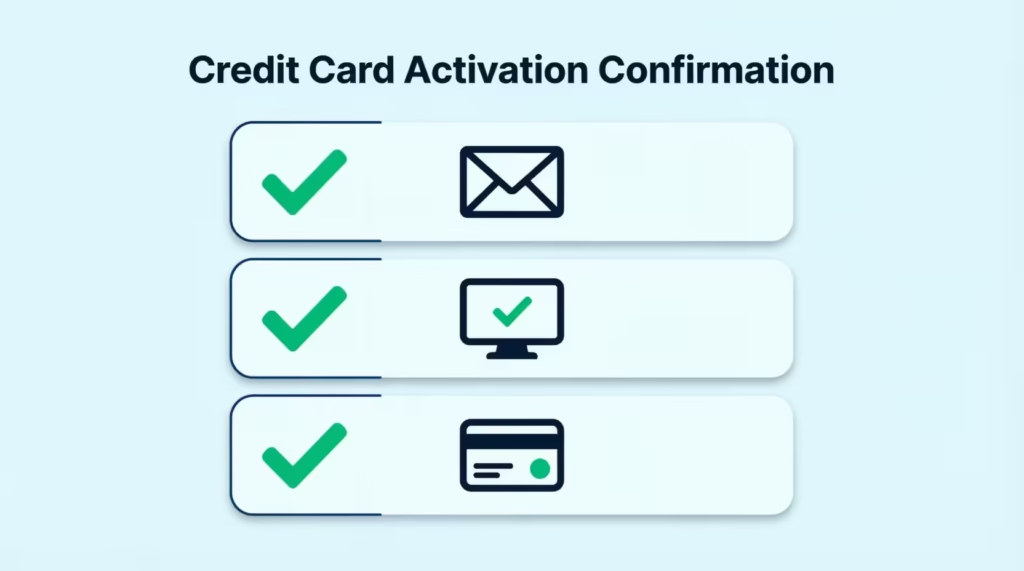
Three signs confirm a successful activation:
- A clear confirmation message on the screen or in the app, often with a green check mark
- A confirmation email from American Express, usually within five minutes of activation
- The ability to log in to your Amex online account and see the new card listed under My Account with a status of Active
If you see all three, your card is active. If you see only one or two, give the system another 15 minutes to update and check again. Email confirmations can sometimes land in the spam folder, so search your inbox for “American Express” if you do not see it in the main folder.
For an extra layer of certainty, try a small test purchase. A coffee or a small online order works well. If the charge goes through and shows up in your Amex transaction list within a few minutes, the card is fully ready. If the charge is declined, sign in to your account, check that no fraud alert is in place, and call support if needed.
Setting Up Your PIN
Most Amex credit cards in the United States do not require a PIN for everyday purchases. However, a PIN is useful for two situations. The first is a cash advance at an ATM. The second is travel abroad, where some chip-and-PIN terminals in Europe and Asia ask for a PIN even on credit transactions.
To set or change your PIN, log in to your Amex online account and go to Account Services, then Manage Card PIN. You can choose any 4-digit code that is not too obvious. Avoid sequences like 1234 or your birth year. After you submit the new PIN, it takes effect within a few minutes.
You can also set the PIN by calling 1-800-528-2122 and asking the automated system or an agent to help. The PIN will be confirmed during the same call. Keep the PIN private, and never write it on the card itself.
Frequently Asked Questions (FAQs)
Do Amex cards need to be activated?
Yes, every new American Express card must be activated before it can be used for purchases. This applies to the primary card and any additional cardholder cards on the account.
How do I activate my Amex card?
You can activate online at americanexpress.com/activate, through the Amex mobile app, or by calling 1-800-528-4800. Each method asks for your 15-digit card number and 4-digit Card ID, and activation usually finishes in under three minutes.
What happens if I don’t activate my credit card?
The card can stop working as a security measure, and Amex may close the account entirely if it’s never activated. A closed account lowers your available credit, which can hurt your credit utilization ratio and your credit score.
How long do I have to activate a credit card?
Most issuers, including Amex, give you roughly 45 to 60 days from the date the card was mailed. Activating the same day it arrives avoids any risk of the window closing.
How do I know if my Amex card has been activated?
Look for a confirmation message with a green check mark, a confirmation email within five minutes, and a status of “Active” next to the card in your online account. A small test purchase is a reliable final check.
Can I use my Amex card immediately?
No, a physical Amex card cannot be used until activation is complete, even if it arrives looking ready to go. Some approved applicants get an Instant Card Number for digital use before the physical card arrives, but that’s separate from activating the actual card.
Is there an Amex app for card activation?
Yes, the official Amex app lets you activate a card by entering your 15-digit card number and 4-digit CID, or by tapping a banner that appears for existing users. It’s also the fastest way to add the card to Apple Pay or Google Pay right after activation.
Do I need to activate my replacement American Express Card?
Yes, a replacement card requires the same activation steps as a brand-new card, even though the account itself is already active. You can activate it online, through the app, or by calling 1-800-528-4800.
How do I activate a supplementary or additional cardholder’s card?
Each additional cardholder activates their own card separately using their unique 15-digit card number and CID; activating the primary card does not activate theirs. The primary cardholder cannot activate it for them, since each cardmember has their own login credentials.
How do I speak to a real person at Amex?
Call 1-800-528-2122, and if the automated activation system can’t verify you after two attempts, it will transfer you to a live agent automatically. Amex agents are available 24/7 in the United States.
Wrapping Up
Activating a new American Express card is easy, but small details can confuse even experienced users. Watch out for the duplicate-login trap, the 45-day window, and the 15-digit card number format.
The methods above cover all paths from americanexpress.com/activate. This includes the mobile app, phone activation, supplementary cards, and the Instant Card Number for digital use.
For speed and reliability, using the official website on a desktop is best for most people. The mobile app serves as a solid backup.
If this guide helped clear the confusion, share it with a friend or family member who just got their own Amex card so they can start using it the right way, too.