I know the panic that hits when you reach for your American Express card, and it’s just not there. Maybe you left it at a restaurant last night, or you just spotted a charge you don’t recognize, and every minute feels risky. You don’t want to cancel the card yet, but you need the spending to stop right now.
The good news? You can freeze your Amex card yourself in under a minute, directly from the app or your online account, no phone call needed.
Below, I’ll walk you through the exact steps, what still works while it’s frozen, and how to decide if a freeze is enough or if you should report the card lost.
Key Takeaways
This guide explains how to freeze an American Express credit card using the app, website, or phone, including what still works during a freeze, how Additional Cards are handled, and when to choose a freeze over reporting a card lost.
Core Facts:
- A card freeze is a free, instant, self-service feature that blocks new purchase authorizations without closing the account, changing the credit limit, or affecting the credit score.
- The freeze can be activated through the Amex app, the online services website, or by calling customer service at 1-800-528-4800 for U.S. personal cards.
- Recurring charges already authorized by the cardholder, such as subscriptions, and some tokenized digital wallet payments may still process during a freeze.
- A freeze stays active until the cardholder manually removes it, since it does not expire automatically after a set period.
- Each card on an account, including Additional Cardmember cards, must be frozen separately, since freezing the Basic Cardmember’s card does not freeze other cards.
- Reporting a card lost or stolen deactivates the card number and issues a replacement, while a freeze keeps the same card number active for later use.
Best for:
- Cardholders who misplaced their Amex card nearby and have not seen any unauthorized charges.
- Cardholders who want to pause spending temporarily for budgeting purposes, such as cooling off periods or travel security.
- Account holders managing multiple cards, including Additional Cardmember cards, who need to control spending across the full account.
Can You Freeze an American Express Card?
Yes. American Express lets cardmembers freeze their card on demand using a built-in feature called a temporary card block, also called a card freeze. This feature is free and starts right away. It’s available for both Basic Cardmembers and Additional Cardmembers on most U.S. consumer Amex cards.
A freeze is a self-service tool. You don’t need to call anyone, and you don’t need a reason. You can use it because your card is missing, because you saw a strange charge, or simply because you want to take a break from spending. Once turned on, it stops new purchases without closing the account or hurting your credit.
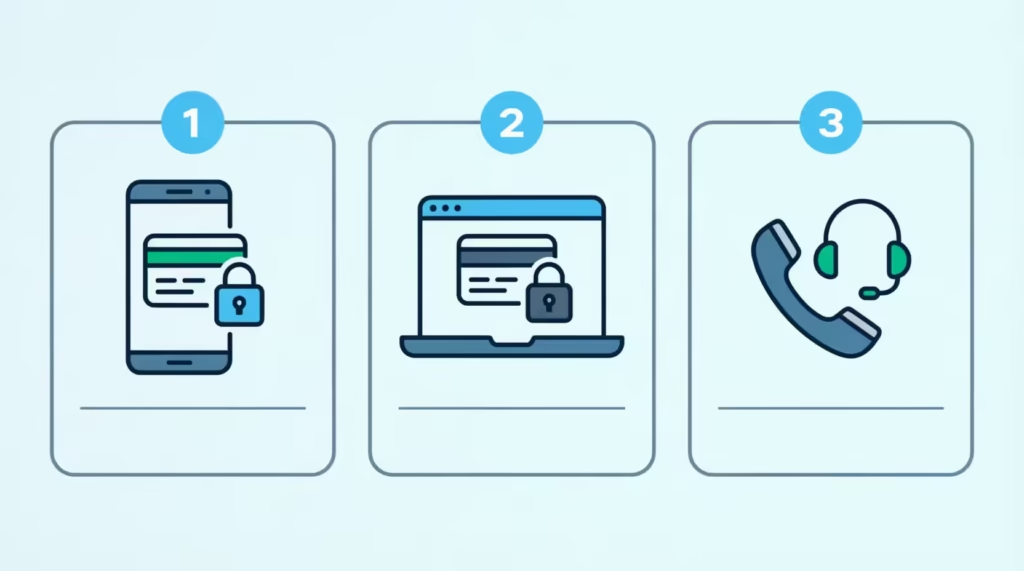
You can do it in three ways: use the American Express app on your phone, access your online services account on the web, or call customer service. The fastest option for most people is the app, because the freeze toggle sits right on the card’s main screen.
If your card was issued by Amex in the U.S. and is active, the option should be there. Some very old card products or business card variants may handle it differently, and we’ll cover that case near the end.
How to Freeze Your Amex Card
Freezing the card is a one-tap action once you know where to look. The same control lives in three places, so pick whichever you can get to first. Have your login credentials ready, because Amex will ask you to sign in before letting you change card settings.
Freeze Your Card in the American Express App
The mobile app is the quickest path. If you don’t have it yet, download the Amex App on the Apple App Store or the Amex App on Google Play. Then follow these steps:
- Open the Amex app and sign in with your User ID and password or biometrics.
- On the home screen, tap the card image you want to freeze. If you have several cards on the account, swipe to the right one.
- Tap Account Services or the Card Management section, depending on your app version.
- Look for the Manage Card and then the Freeze Card. On some screens, it’s labeled Temporarily Suspend Card.
- Toggle the switch on. Read the short confirmation note and tap Confirm.
The card will show a “Frozen” label on its image right away. That’s your visual confirmation. No new purchases will go through from that moment on.
Freeze Your Card Through Your Online Services Account
If you don’t have the app handy, you can do the same thing from any browser. Go to americanexpress.com and sign in.
- Sign in at the top right with your User ID and password.
- On your Account Home page, find the card you want to freeze in the card list on the left.
- Click Account Services, then choose Card Management.
- Click Freeze Card or Manage Card Status.
- Confirm your choice on the next screen.
The website uses the same back-end controls as the app, so the freeze is just as immediate. You’ll see a status banner letting you know the card is now frozen.
Freeze Your Card by Calling Customer Service
If the app keeps crashing, the site won’t load, or you simply can’t sign in, calling works too. The number on the back of your card connects you directly to American Express customer service. If you don’t have the card with you, call 1-800-528-4800 for U.S. personal cards.
Tell the agent you want to place a temporary block on the card, not cancel it. They’ll verify your identity, freeze the card on their side, and confirm it before you hang up. Keep in mind that hold times can run longer during busy hours, which is why the app or website is usually faster in an emergency.
💡 Pro Tip: Set up Face ID or Touch ID login in the Amex app before you ever need it. In the moment you realize your card is missing, fumbling with a forgotten password can cost you several stressful minutes.
What Happens When You Freeze Your Amex Card
When you freeze your Amex card, new purchase authorizations are blocked at the network level. That means if someone swipes the card at a store, types the number into a checkout page, or tries to add it to a digital wallet, the transaction is declined. The card itself stays open. Your account is still active, your rewards stay safe, and your credit limit is untouched.
A freeze is not the same as closing the account. It’s a pause button, not a cancel button. There’s no fee, no credit score impact, and no new card mailed out. You can also keep using the app, pay your bill, view statements, and earn rewards on transactions that were already approved before the freeze.
For peace of mind, even if a fraudulent charge somehow does post, Amex’s Fraud Protection Guarantee means you’re not held responsible for charges you didn’t authorize, as explained on the American Express fraud alerts page. So the freeze is your first line of defense, and the guarantee is your safety net behind it.
What Still Works While Your Card Is Frozen
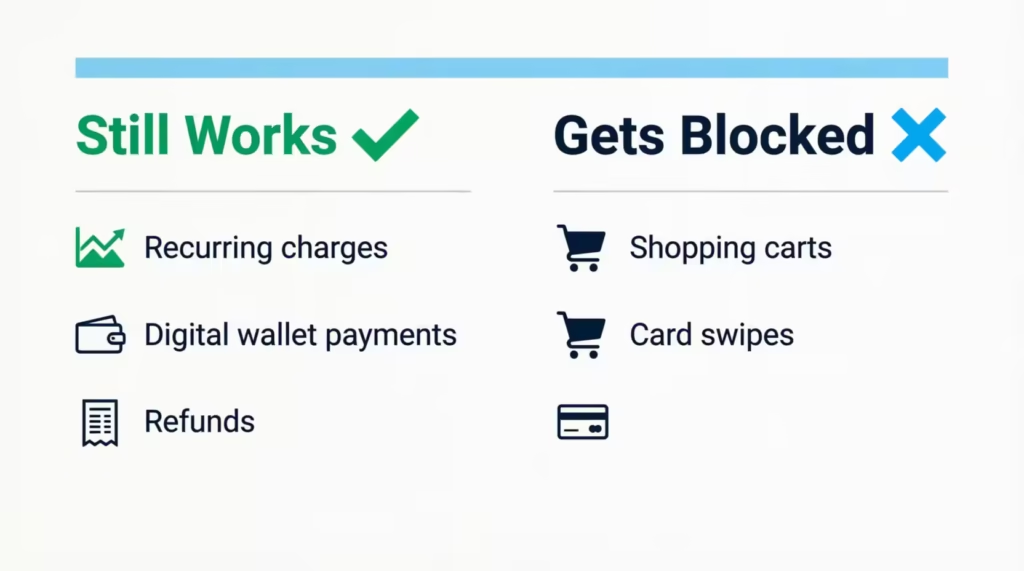
This is the part that confuses most people. A freeze stops most things, but not everything. Here’s what keeps running in the background:
- Recurring charges from merchants you’ve already authorized. Think Netflix, Spotify, your gym, or your phone bill. Amex generally lets these go through, so your services don’t get cut off by accident. If you want to stop a specific recurring charge, you’ll need to cancel it with the merchant directly.
- Some digital wallet payments. Apple Pay, Google Pay, and Samsung Pay use a unique device token instead of your actual card number. According to Amex policy guidance, in some cases, these tokenized charges may still process. If your goal is to block wallet payments too, you should remove the card from the wallet on each device or call Amex to lock the wallet token separately.
- Charges already authorized before the freeze. If a hotel pre-authorized a hold yesterday, that charge can still finalize today.
- Statement credits, refunds, and bill payments to and from the card.
If a clean, total block is what you need, then freezing alone may not be enough, and that’s when reporting the card as lost or stolen makes more sense. We’ll cover that decision in detail below.
Freezing an Additional Cardmember’s Card
If you added your spouse, partner, child, or anyone else as an Extra Cardmember, their card is a separate physical card with its own number. That means each card on the account must be frozen independently. Freezing your own card does not freeze theirs, and vice versa.
As the Basic Cardmember, you control the freeze for every card on the account. From the Amex app or website, you’ll see all cards listed under your account. Tap or click the card belonging to the Additional Cardmember, then follow the same freeze steps. The Amex U.S. support pages say each additional card must be temporarily blocked from its own card management screen.
Additional Cardmembers can also freeze their own card from their own Amex login if they have one. So a college student with their own app can pause their card without needing to ask their parent first. But only the Basic Cardmember can permanently close or replace an Extra Card.
⚠️ Mistake to Avoid: Freezing only the Basic card and assuming the kids’ or spouse’s cards are also locked. They’re not. Open each card’s screen and freeze them one by one if you want the whole account paused.
How to Unfreeze Your Amex Card
Unfreezing is the same path in reverse, and it’s just as instant. Open the app or your online account, find the frozen card, and tap the Unfreeze Card or Remove Temporary Block option. Confirm, and the card is active again. No waiting period. No new card needed. The next swipe, tap, or online checkout should go through normally.
If you froze the card by phone, you can usually unfreeze it through the app yourself. You don’t have to call back. If, for some reason, the unfreeze option isn’t showing, sign out, update the app, and sign back in. That usually refreshes the card status.
How Long Does an Amex Freeze Last If You Don’t Unfreeze It
A card freeze on Amex stays in place until you remove it yourself. It does not expire on its own after a set number of days or weeks. So if you freeze the card today and forget about it for two months, the card will still be frozen when you try to use it.
This is good and bad. Good, because you don’t have to remember to re-freeze it. Bad, because if you forget you froze it, you might be confused when a charge gets declined. Set a reminder on your phone if you plan to freeze your card temporarily. This is helpful during trips or while you search for a missing card.
Should You Freeze Your Card or Report It Lost or Stolen?
This is the decision most people stall on, so here’s a clean way to think about it.
Choose Freeze when:
- You’re pretty sure the card is somewhere in your home, car, or office, and you just need a minute to look.
- You haven’t seen any suspicious charges yet.
- You want to pause spending for personal budgeting reasons.
- You handed the card to a server or cashier and want a buffer until you get it back.
Choose Report Lost or Stolen when:
- You’re confident the card is gone for good or has been taken.
- You see charges you didn’t make.
- The card was in a wallet or bag that was stolen.
- You’ve already looked carefully, and you can’t find it.
The big difference is the replacement card. Reporting it lost or stolen will deactivate your current card number. Then, a new card will be mailed to you, usually within a few business days. A freeze keeps the same card alive for when you find it. American Express explains this trade-off on its lost credit card guidance page, and either path is backed by the Fraud Protection Guarantee, so you won’t owe for charges you didn’t make.
A practical rule: if you’re not sure within 24 to 48 hours, treat it as lost and order a replacement. The cost of a new card is zero. The cost of a missing card sitting in someone else’s pocket can be much higher.
Amex Card Freeze vs. Credit Bureau Credit Freeze
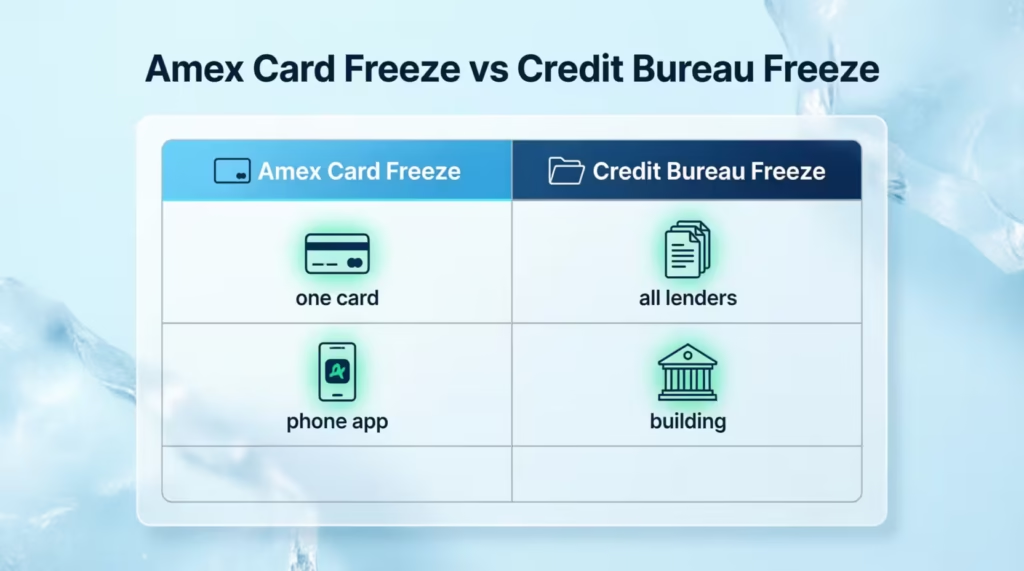
These two sound alike, but they do very different things.
| Feature | Amex Card Freeze | Credit Bureau Freeze |
|---|---|---|
| What it blocks | New purchases on your Amex card | New credit applications in your name |
| Where you do it | Amex app or website | Equifax, Experian, TransUnion |
| Who is protected | You, on this one card | You, across all lenders |
| Best used when | Card is misplaced or fraud is suspected | Identity theft, broader fraud, data breach |
| Cost | Free | Free |
A card freeze locks one specific card. A credit freeze (also called a security freeze) at the three credit bureaus stops new lenders from pulling your credit file, which makes it much harder for someone to open accounts in your name. Both can be done together, and one does not replace the other. If you suspect identity theft and not just a missing card, do both.
Using Card Freeze for Spending Control (Not Just Emergencies)
Card freeze isn’t only for emergencies. A growing number of cardmembers use it as a budgeting tool. The idea is simple: if the card can’t be charged, you can’t impulse-spend on it.
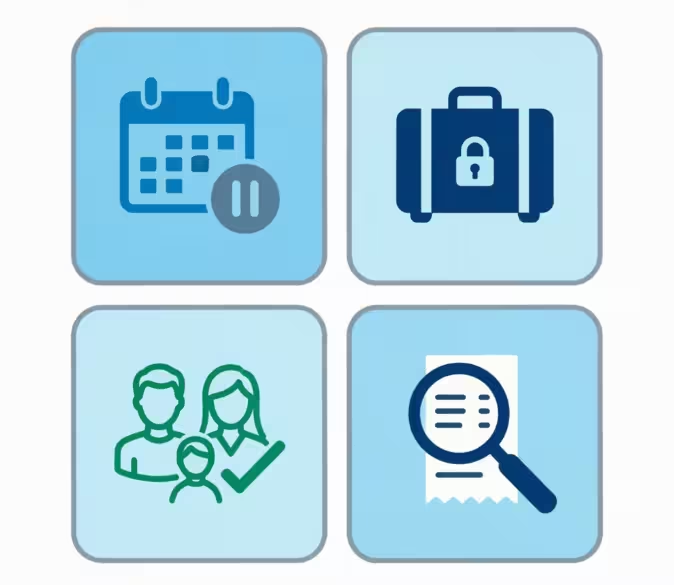
Some practical uses:
- Cooling-off periods. Planning a big purchase but want to sleep on it for a week? Freeze the card, set a calendar reminder, and unfreeze when you’re sure.
- Vacation control. Freeze the high-limit card you don’t plan to use on the trip. If your wallet is pickpocketed, that card is already locked down.
- Teaching kids. If your teen has an Additional Card, freezing it between approved purchases can keep day-to-day spending in check.
- Subscription audits. Freeze the card briefly, then watch which merchants email you about a failed charge. That’s an instant list of every active subscription.
Sarah, a marketing manager in Denver, used this trick on her travel card. She found three streaming services she had forgotten about. This saved her about $384 a year, and she didn’t even need spreadsheets.
📌 Did You Know: Because a card freeze is not reported to the credit bureaus, freezing and unfreezing your Amex card has zero effect on your credit score, no matter how often you do it.
Is There a Limit to How Often You Can Freeze and Unfreeze
There’s no published limit. You can toggle the freeze on and off as many times as you want. Amex treats it as a self-service control, not a one-shot emergency button. So using it weekly, or even daily, won’t get the feature taken away.
The only soft limit is common sense. If you freeze your card often to avoid spending, consider lowering your spending limit. You could also remove it from saved checkouts or use a budgeting app.
What to Do If You Can’t Find the Freeze Option
If you don’t see the freeze toggle, a few things are usually going on. Work through them in this order.
First, update your app. Older versions of the Amex app may not show the latest card management options. Open the App Store or Google Play, search for Amex, and tap Update if available. Restart the app afterward.
Second, check the card type. Some co-branded Amex cards, like those tied to airlines or hotels, might not have the freeze feature in the Amex app. This is because a partner bank services these accounts. In that case, log in to the partner bank’s app or site instead. The back of the card will list who to contact.
Third, make sure the card is active. If the card hasn’t been activated yet, or if it’s already been replaced and you’re looking at the old card in the app, the freeze option may be hidden. Activate the new card first, then try again.
If none of that works, call the number on the back of your card. Amex customer service can freeze the card on their side and tell you exactly why the self-service option isn’t appearing for your account.
Frequently Asked Questions
Can I temporarily freeze my Amex card?
Yes, American Express lets you freeze your card instantly through the app, website, or by phone. The freeze is free, starts right away, and doesn’t close your account or affect your credit limit.
Does freezing a credit card hurt your credit score?
No, freezing your Amex card has zero effect on your credit score. The freeze is not reported to the credit bureaus, no matter how often you turn it on or off.
Does freezing your card stop online transactions?
Yes, a freeze blocks new purchase authorizations everywhere, including online checkouts, in-store swipes, and digital wallet additions. The one exception is some tokenized mobile wallet payments, like Apple Pay, which may still process in certain cases.
What happens if I temporarily block my card?
Your account stays open, and your rewards and credit limit remain untouched. You can still pay your bill, view statements, and earn rewards on purchases approved before the freeze.
Is it better to freeze or cancel a credit card?
Freeze the card if it’s likely misplaced nearby, and you haven’t seen suspicious charges. Report it lost or stolen instead if you’re confident it’s gone or you spot unauthorized charges, since that triggers a replacement card with a new number.
How long can you temporarily block a credit card?
A freeze stays active until you manually unfreeze it. It does not expire on its own, even if left on for weeks or months.
What is the downside to freezing your card?
A freeze doesn’t block everything. Recurring charges from services you’ve already authorized, like Netflix or your gym, can still go through, and some hotel pre-authorizations may still finalize.
Does freezing my Amex card also freeze my spouse’s or child’s Additional Card?
No, each card on the account has its own number and must be frozen separately. Freezing your own card does not freeze an Additional Cardmember’s card, and vice versa.
Will my subscriptions still charge me while my Amex card is frozen?
Yes, in most cases. Amex generally allows recurring charges from merchants you’ve already authorized to continue going through, even while the card is frozen, so services like Spotify or your phone bill won’t get interrupted.
Is there a limit to how many times I can freeze and unfreeze my Amex card?
No, there’s no published limit. You can toggle the freeze on and off as often as you want, even daily, without losing access to the feature.
Wrapping Up
Freezing an Amex card is one of the simplest and most underused tools a cardmember has. We covered why it exists, the three ways to turn it on, what still works while it’s locked, how to handle Additional Cards, and when to switch from a freeze to a full lost-or-stolen report.
To act quickly, freeze your card as soon as something feels off. Then, decide within a day or two whether to keep it or order a replacement.
If you know a friend or family member who’s ever panicked over a missing Amex card, share this guide with them, because the next time it happens, they’ll know exactly what to tap, in what order, and what to expect.