You got approved for a Discover card. Now comes the hard part: waiting. You keep checking the mailbox, and you may be wondering how to track your Discover credit card delivery the way you would track an Amazon package.
Here is the short answer: Discover usually does not give you a package-style tracking number, but you can check your card’s status in your online account, by phone, and with free USPS tools.
Below, you will learn exactly where to look, how long delivery normally takes, what can slow it down, and the steps to take if your card never shows up.
At a Glance
This guide explains how to track a Discover credit card’s delivery status, including where to check online or by phone, typical delivery timelines by card type, and the exact steps to take if the card never arrives.
Core Facts:
- Discover usually does not provide a package-style tracking number, so cardholders cannot watch their card move the way they would an Amazon shipment.
- New Discover cards typically arrive within 5 to 7 business days after approval, and replacement and secured cards generally follow a similar timeline.
- Application status (approved, denied, or pending) is separate from shipping status, and checking the public application status tool will not reveal whether a card has been mailed.
- USPS Informed Delivery can email daily images of incoming mail, but it cannot confirm the contents of an envelope or add tracking to mail that has none.
- If a card has not arrived after about 10 business days, the recommended steps are to call Discover at 1-800-347-2683, then file a USPS Missing Mail search, then request a reissued card if the original is confirmed lost.
- Discover’s Freeze It feature lets a cardholder freeze their account from the app or website to block new purchases and cash advances if a card is misplaced.
Best for:
- Readers who were recently approved for a Discover card and want to confirm whether it has shipped.
- Cardholders whose new or replacement card has not arrived within the typical delivery window and need a clear next step.
- Anyone trying to distinguish between checking application status and checking shipping status for their Discover card.
Application Status vs. Shipping Status: Why They’re Not the Same Thing
This is the mix-up that trips up most new cardholders. “Approved” and “shipped” are two different stages, and they show up in two different places.
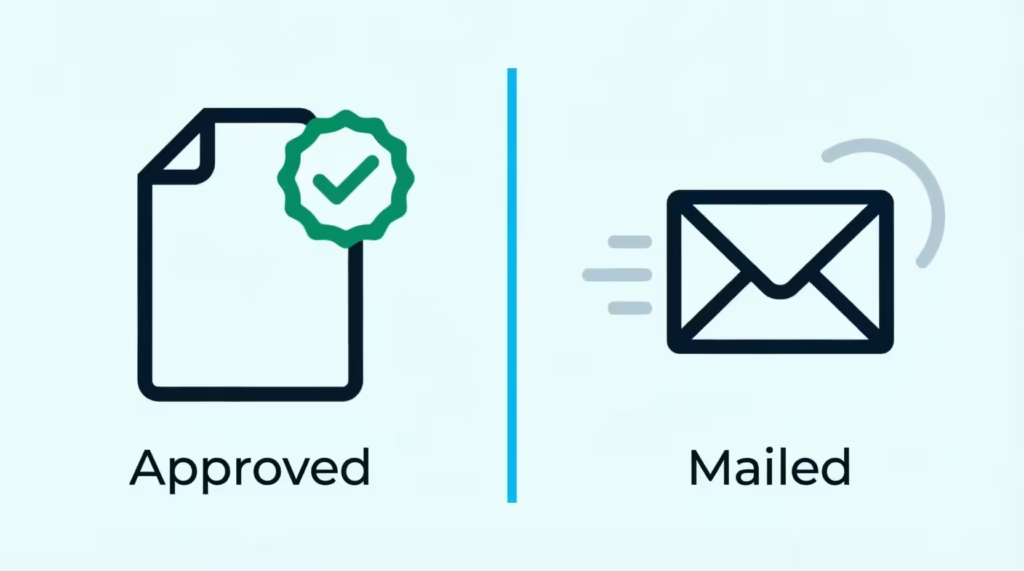
Your application status tells you the decision on your application. It has three possible outcomes: approved, denied, or pending. That is all it covers. It says nothing about mail.
Your shipping status tells you something else entirely. It means your card has been produced and handed to a mail carrier. Only after that point does the delivery clock really start.
Approval also does not mean your card ships the same day. After approval, there is a processing and card-production period before anything goes into the mail. Discover does not publicly disclose the exact length of this production window, so it can vary.
How do you know which stage you are in? Look at what you have received:
- An approval email, on-screen decision, or approval letter means you passed the application stage. The card may still be in production.
- A shipping confirmation (by email, text, or in your account, when Discover provides one) means the card is on its way.
If all you have is an approval notice, re-checking the application status tool will not tell you anything new. That tool’s job is done. The sections below show you where to look instead.
How to Check Your Discover Card Status Online and by Phone
There are three practical ways to check on your card, and each one answers a different question.
The most useful option is your Discover online account or mobile app. If you were approved, you can register for online account access at Discover’s account login page even before your card arrives.
Once you log in, look at your account dashboard and any account details or message center area. New accounts typically show up there, and the status language you may see includes terms like “processing” or “mailed.” If a shipping confirmation was sent to you, it may also appear as an account message, email, or text.
One honest note: Discover doesn’t offer a detailed guide for post-approval shipping statuses in your account. So, what you see may differ by card and account.
What the Public Check Status Tool (SSN + ZIP) Actually Shows
Discover offers a public application status check tool that asks for your Social Security number and ZIP code. It is built for one job: telling you whether your application was approved, denied, or is still pending.
That is where it stops. It does not show shipping or tracking details, and it will not tell you whether your card has been mailed. If you already know you were approved, this tool has nothing more to give you.
Use it when you applied and have not heard back yet. Skip it once you have an approval and your real question is “where is my card?”
Checking Status by Phone
If you would rather talk to a person, or you cannot get into your online account, call Discover customer service at 1-800-347-2683. Discover advertises 24/7 U.S.-based customer service on its contact page.
When you call, have your Social Security number and application details ready. Ask directly: “Has my card shipped yet, and when did it go out?” A representative can typically confirm your approval status, whether the card has been mailed, and the address on file. What they usually cannot give you is a live tracking scan, for reasons the next section explains.
Does Discover Give You a Tracking Number for Your Card?
Usually, no. Most Discover cards travel through the mail without a customer-facing tracking number, which is why you cannot watch your card move city to city the way you would a package.
Your tracking number or shipping confirmation will likely show up in your shipping email or in your online account. Some cardholders report receiving one; many report receiving nothing at all. Discover does not have a public policy for providing tracking numbers on standard card mailings. So, consider tracking a bonus, not something you can expect.
This gap is normal for the industry, and it is not a sign that something went wrong with your card.
What Carrier and Mail Class Discover Typically Uses
Card issuers generally send credit cards through the U.S. Postal Service, often in plain, unmarked envelopes for security. Standard First-Class letters do not come with tracking scans the way packages do. That is the core reason there is often no tracking number to give you.
Expedited or trackable shipping can differ by situation. Replacement cards requested after a loss, for example, are sometimes handled on a faster timeline than a brand-new account’s first card. Discover doesn’t share official details on which mail class is used for each card type. So, any claim beyond “it comes by mail” should be seen as unconfirmed.
Using USPS Informed Delivery to Watch for Your Card
Since Discover’s own tracking is limited, there is a free workaround worth setting up: USPS Informed Delivery.
Informed Delivery is a free USPS service that emails you grayscale images of the letter-sized mail headed to your address each day. Signing up takes a few minutes on the USPS website, and you will need to verify your identity and address.
Here is what it can and cannot do for you:
- It can show you an image of an envelope that looks like it could be from Discover, often on the morning it is due to arrive.
- It cannot confirm what is inside any envelope, and it does not add tracking events to mail that has none.
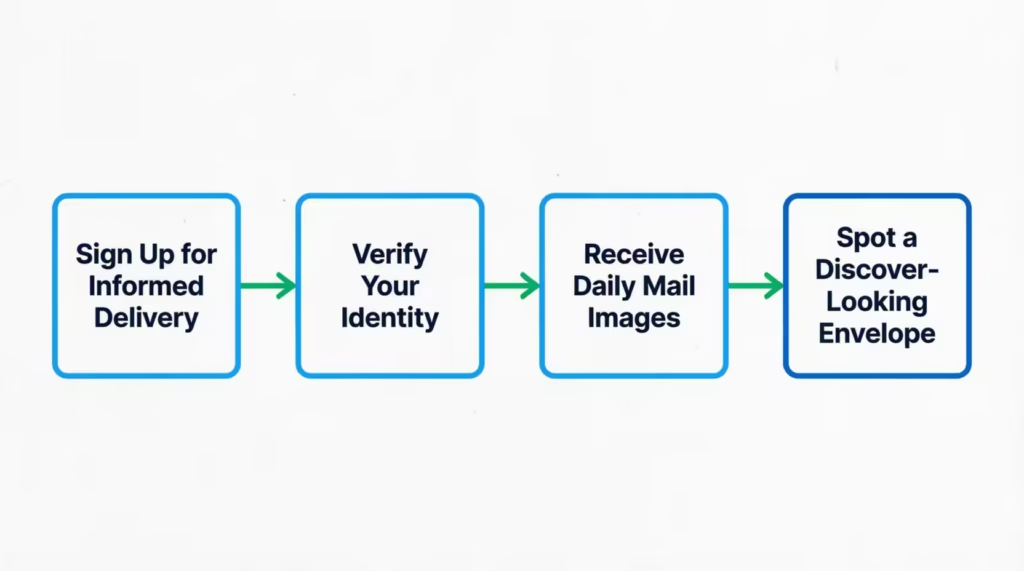
So treat it as an early-warning system, not proof. The best setup is to use Informed Delivery alongside your Discover account checks. Your account tells you the card was mailed; Informed Delivery tells you a Discover-looking envelope is in today’s mail.
💡 Pro Tip: Sign up for Informed Delivery as soon as you are approved, not after the card is late. Identity verification can take a few days, and you want it active before the card enters the mail stream.
Typical Discover Card Delivery Times
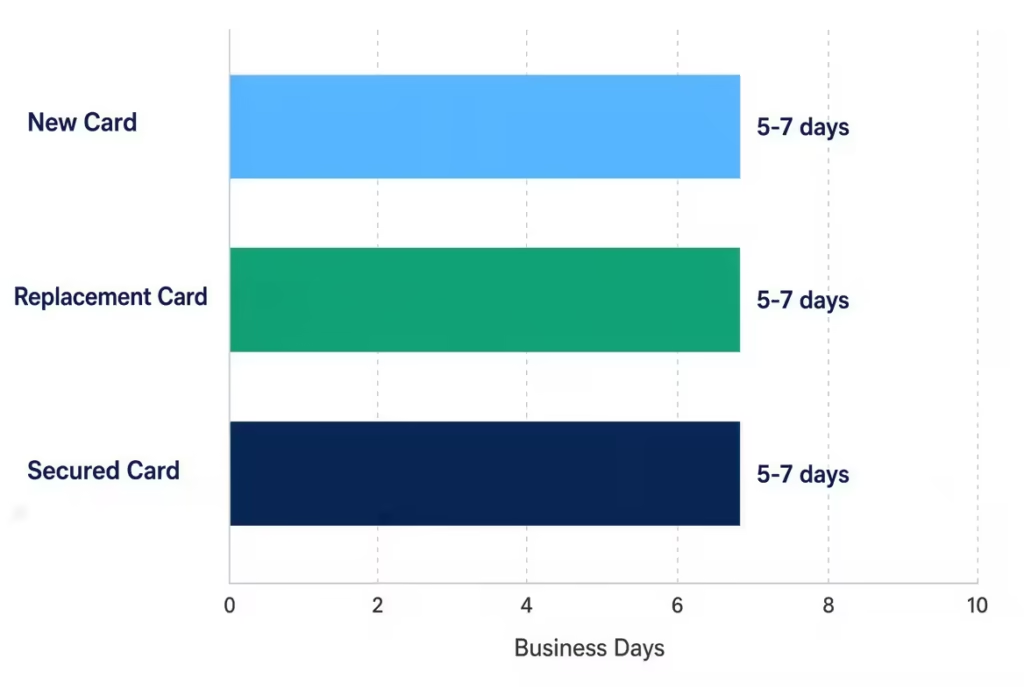
The number you will see quoted most often, including in Discover’s own cardmember materials, is roughly 5 to 7 business days after approval for a new card. But that window shifts depending on your situation, and it helps to know which scenario fits you.
Remember that “business days” skip weekends and federal holidays. A card mailed on a Thursday before a holiday weekend can easily feel a week late when it is actually on schedule.
New Card (First-Time Approval) Delivery Timeline
For a brand-new account, plan on the card arriving within about 5 to 7 business days after approval, with the understanding that production time before mailing can add a few days on top. Discover’s own new cardmember guidance points new cardholders to a window in this range.
Things that push you toward the longer end: identity verification steps after approval, mailing around holidays, or an approval that came through late on a Friday.
Replacement Card Delivery Timeline
Replacement cards for lost, stolen, damaged, or expired cards usually arrive faster than first-time cards. This is because the account is already set up, so no new underwriting is needed. Cardholders often say they get replacements in the same or less time. However, Discover doesn’t provide a specific timeline. So, use the 5 to 7 business day estimate as your guide.
If your old card was lost or stolen, do not wait passively. Confirm with Discover that the old card was deactivated when the replacement was ordered.
Discover it Secured Card Delivery Timeline
Secured cards add one extra step: your refundable security deposit has to be received and processed before the account fully opens. If there’s a problem with the deposit payment, everything that follows, like card production and mailing, gets delayed.
Once the deposit clears and the account is open, the shipping window looks like a standard new card, roughly 5 to 7 business days. If your secured card seems late, check the deposit status first before assuming a mail problem.
What Can Delay Your Discover Card’s Delivery
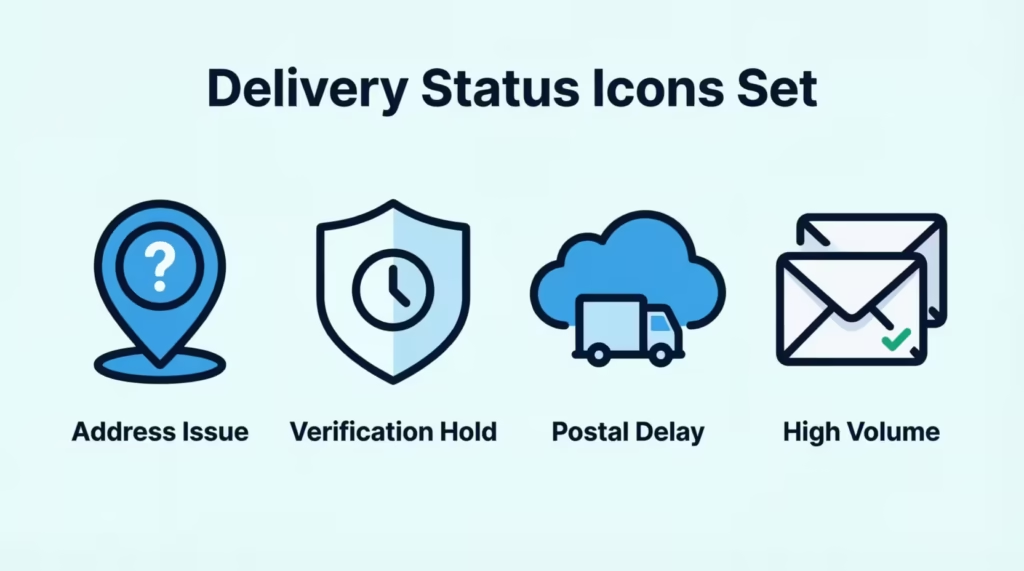
If you are past the normal window, the cause usually falls into one of four buckets:
- Address problems. A typo on the application, an old address, or a recent move that was never updated can send your card to the wrong place silently.
- Verification holds. If Discover needs to confirm your identity or information after approval, the card may not be produced until that clears.
- Postal delays. Holidays, severe weather, and regional USPS backlogs can add days with no warning and no scan updates.
- Production volume. Heavy application periods can slow card production. Issuers do not publish these backlogs, so this one is hard to confirm in the moment.
Confirming Your Mailing Address Is Correct
Address errors are a delay cause you can actually control, so check this first.
Log in to your Discover account and review the mailing address on file in your profile or account settings. If the card has not shipped yet and the address is wrong, call 1-800-347-2683 right away to correct it before mailing. If you moved recently, also set up mail forwarding with USPS, which can catch mail sent to your old address.
An address mismatch stalls delivery in a quiet way: the card ships on time, goes to the wrong mailbox, and you wait for something that was never coming to you.
What to Do If Your Discover Card Hasn’t Arrived
Once you are a few business days past the expected window, say 10 or more business days since approval for a new card, it is reasonable to stop waiting and start acting. Work through these steps in order.
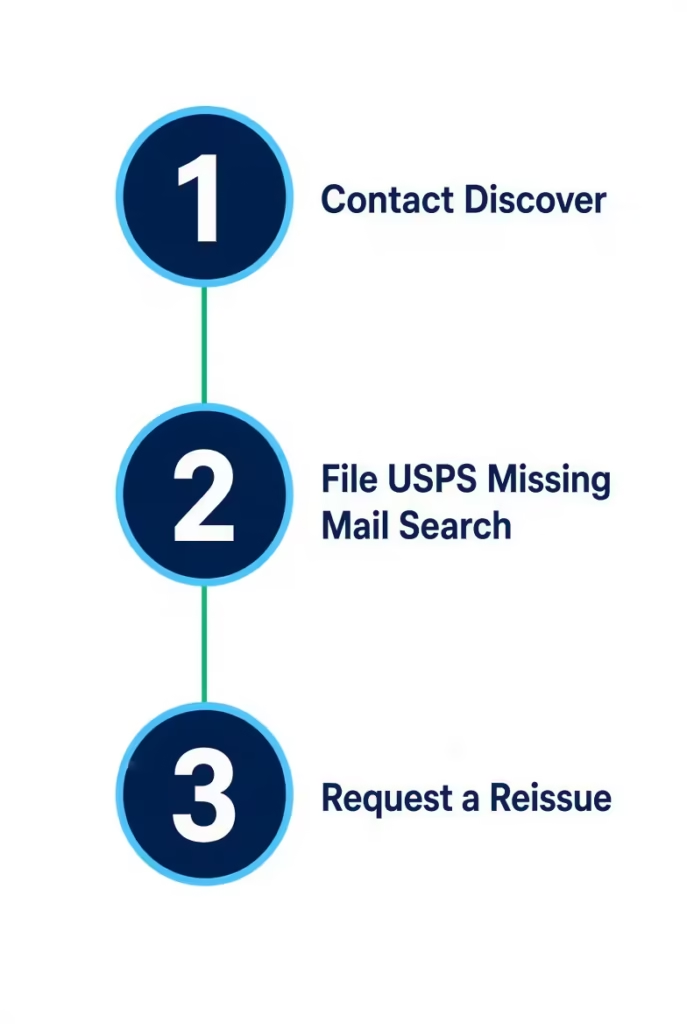
Step 1: Contact Discover Directly
Call 1-800-347-2683 and confirm three things: whether the card actually shipped, when it shipped, and what address it was mailed to. That last one matters more than people expect. If the address on file is wrong, you have found your problem.
Ask the representative what Discover can do from their side, which may include flagging the card or starting a reissue if the card appears lost.
Step 2: File a USPS Missing Mail Search
If Discover confirms the card shipped to the correct address and it still never arrived, the issue is on the postal side. USPS offers a free Missing Mail search that you can file online.
You will need the mailing address, a description of the item, and the approximate mailing date (get this from Discover in Step 1). USPS will search its facilities and contact you with results.
Be realistic about the outcome, though: without a tracking number, searches for plain envelopes are hard to resolve. Think of this step as due diligence, and as useful documentation, rather than a guaranteed recovery.
Step 3: Request a Reissued or Replacement Card
If the card is reasonably confirmed lost, ask Discover to cancel the original card and issue a replacement. This is the clean resolution. It does two things at once: it blocks the missing card, so no one else can use it. Also, a new card begins its journey to you.
The replacement then follows the replacement-card timeline described above, so you are typically looking at another week or so of business days.
⚠️ Mistake to Avoid: Do not keep waiting indefinitely because calling feels like a hassle. A live, unactivated card sitting in the wrong mailbox is a fraud risk, and the fix is one phone call.
Protecting Yourself From Mail Theft While Your Card Is in Transit
A credit card in the mail is not like a package of socks. It is a live financial instrument, and mail theft of cards and checks is a real and documented problem. The U.S. Postal Inspection Service has publicly warned about rising mail theft tied to stolen mail and check fraud schemes.
Practical steps while you wait:
- Retrieve your mail promptly every day once you are inside the delivery window. Do not let it sit overnight.
- Watch Informed Delivery. If it shows a Discover-looking envelope that never lands in your box, that mismatch is an early red flag.
- Set up account alerts in your Discover account as soon as you can log in, so any activity triggers a notification.
- Know about Freeze It. Discover offers a feature called Freeze it® that lets you freeze your account from the app or website if a card is misplaced, which blocks new purchases and advances. Once your account exists, this is your fastest off switch.
The biggest interception warning sign is an unexpected activation or a charge you did not make. If either happens, call Discover immediately at 1-800-347-2683.
What Happens Once Your Discover Card Arrives
When the envelope finally shows up, take ten seconds to confirm it is actually yours. Check that the name on the card is yours and that the mailing matches what you expected. In rare misdelivery cases, activating a card meant for a neighbor creates a mess for everyone.
From there, activation is your next step. Discover lets you activate online, in the app, or by phone using the sticker on the card. That process is quick, and it officially ends the waiting game this article has walked you through.
Frequently Asked Questions (FAQs)
How long do Discover credit cards take to arrive?
Most new Discover cards arrive within 5 to 7 business days after approval. Replacement cards often arrive in a similar window, and secured cards follow the same timeline once your deposit clears.
Can I track the delivery of my Discover card?
Usually not with a package-style tracking number. Discover typically mails cards without customer-facing tracking, so your best options are checking your Discover account, calling customer service, or using USPS Informed Delivery.
Will Discover email me when my card is delivered?
Discover may send a shipping confirmation by email, text, or account message once your card is mailed, but this isn’t guaranteed on every account. Check your online account’s message center for the most reliable update.
My Discover card hasn’t arrived. What should I do?
Once you’re 10 or more business days past approval, call Discover at 1-800-347-2683 to confirm it shipped and to what address. If it shipped correctly but never arrived, file a USPS Missing Mail search and request a reissued card.
Can you track the physical location of a credit card?
Not in real time the way you’d track a package. Discover cards are typically sent as plain First-Class mail, which doesn’t carry scan-by-scan tracking events like a UPS or FedEx shipment does.
How do I track my credit card delivery status?
Log in to your Discover online account or app and check your account dashboard and message center for status updates. You can also call 1-800-347-2683 and ask a representative whether your card has shipped.
What number do I call to check on my Discover card?
Call Discover customer service at 1-800-347-2683, available 24/7. Ask directly whether your card has shipped, when it went out, and what address it was mailed to.
Does a replacement Discover card arrive faster than a new card?
Replacement cards often arrive in the same timeframe or slightly faster than a first-time card, roughly 5 to 7 business days. This is because your account is already set up, so no new underwriting is required.
Where is my Discover card in the mail?
Discover typically doesn’t provide a live location update since most cards ship without a trackable number. Checking your Discover account for a shipping confirmation and signing up for USPS Informed Delivery are your best ways to get a sense of timing.
The Bottom Line
Tracking a Discover card works differently than tracking a package. You usually won’t get a tracking number. Your best tools are your online account, the customer service line at 1-800-347-2683, and USPS Informed Delivery for backup.
Most cards arrive within about 5 to 7 business days, and anything past 10 business days is a fair trigger to call, check your address, and request a reissue if needed.
A practical approach: set up Informed Delivery the day you are approved, verify your address in your account, and do not wait past the two-week mark to act. If this guide helped you, consider sharing it with a friend or family member waiting on their own Discover card delivery.